Greetings, Lundemd.
I see that you're having an issue with the Mail application on your iPhone 7 since upgrading to iOS 12. You're seeing multiple instances of the Drafts mailbox, and I'm happy to help.
Use mailboxes to organize emails on your iPhone, iPad, and iPod touch -- First, sign into the account through a browser on your Mac or PC and see which mailboxes have been created for both accounts. If the mailboxes you're seeing are only on tour iPhone, review the information and follow the steps provided in this section of the article:
When you delete a custom mailbox, it permanently deletes all of the emails inside of the mailbox and from your account. Before you delete a mailbox, you can move the emails to another mailbox.
To delete a mailbox:
- Go to your Mailboxes list and tap Edit in the upper-right corner.
- Tap the mailbox you want to delete.
- Tap Delete Mailbox.
- Tap Delete, then tap Done.
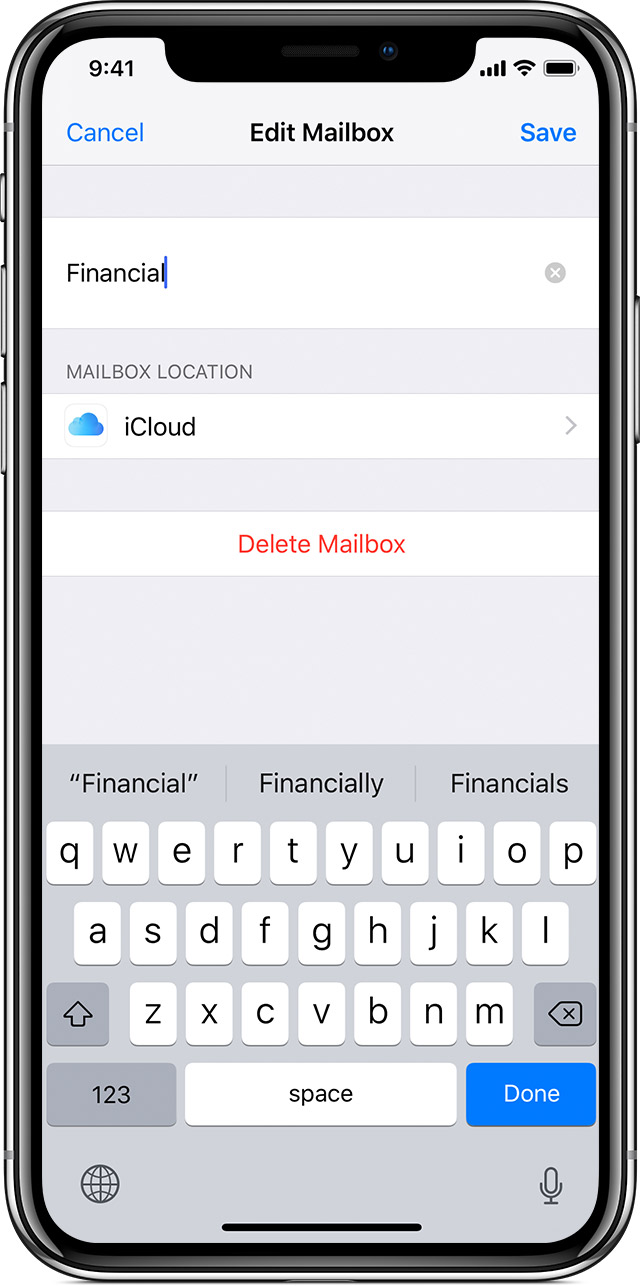
You can only delete custom mailboxes.
Let me know how that goes, and take care!




