
not recieving verification code
trying to sign in to apple music on a new phone but im not getting a verification code
trying to sign in to apple music on a new phone but im not getting a verification code
The first time you open the app, you should see a "Welcome to Apple Music" message. If you don't see the message, tap the menu icon in the upper-left corner, then tap For You.
Enter your Apple ID and password
Tap Use Existing Apple ID, then enter your Apple ID and password. If you don’t have an Apple ID, tap Create New Apple ID, then follow the steps to create one.
If you're not sure if you have an Apple ID, we can help you find out.
If you're asked for a verification code, you have two-factor authentication on your Apple ID. Learn about two-factor authentication and what to do if you still can’t sign in.
If you have two-factor authentication set up, you can get a text or phone call as seen below from the article: Get a verification code and sign in with two-factor authentication
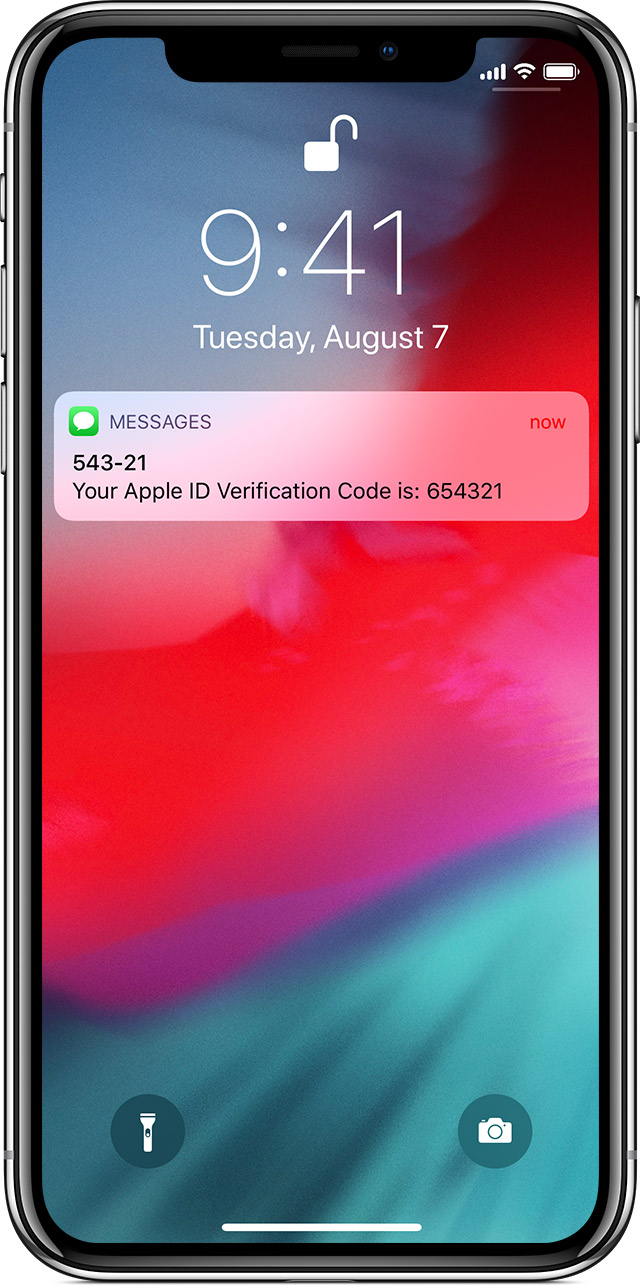
Get a text or phone call
If you don’t have a trusted device handy, you can have a verification code sent to your trusted phone number as a text message or phone call.
- Click Didn't get a verification code on the sign in screen.
- Choose to have the code sent to your trusted phone number.
- You'll get a text message or phone call from Apple with your verification code.
- Enter the code on your other device to complete sign in.
Cheers.
The first time you open the app, you should see a "Welcome to Apple Music" message. If you don't see the message, tap the menu icon in the upper-left corner, then tap For You.
Enter your Apple ID and password
Tap Use Existing Apple ID, then enter your Apple ID and password. If you don’t have an Apple ID, tap Create New Apple ID, then follow the steps to create one.
If you're not sure if you have an Apple ID, we can help you find out.
If you're asked for a verification code, you have two-factor authentication on your Apple ID. Learn about two-factor authentication and what to do if you still can’t sign in.
If you have two-factor authentication set up, you can get a text or phone call as seen below from the article: Get a verification code and sign in with two-factor authentication
Get a text or phone call
If you don’t have a trusted device handy, you can have a verification code sent to your trusted phone number as a text message or phone call.
- Click Didn't get a verification code on the sign in screen.
- Choose to have the code sent to your trusted phone number.
- You'll get a text message or phone call from Apple with your verification code.
- Enter the code on your other device to complete sign in.
Cheers.
not recieving verification code

