Greetings, Mhgallagher.
I see that your son has figured out he can delete and application, then redownload it to bypass the parental controls you've set up on his device. I'm happy to help you with this.
Use parental controls on your child's iPhone, iPad, and iPod touch -- You didn't set up parental controls incorrectly, you just missed this bit of information. You can keep him from deleting applications, installing application and/or making in-app purchases.
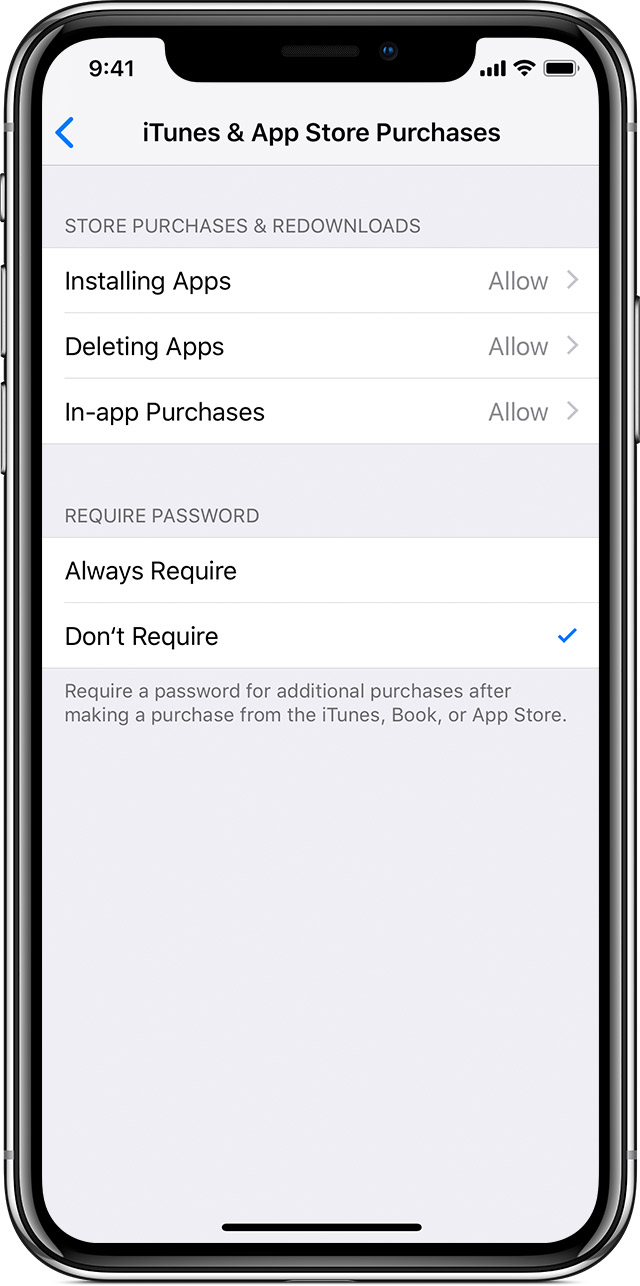
You can also prevent your child from being able to install or delete apps, make in-app purchases, and more. To prevent iTunes & App Store purchases or downloads:
- Go to Settings and tap Screen Time.
- Tap Content & Privacy Restrictions. If asked, enter your passcode.
- Tap iTunes & App Store Purchases.
- Choose a setting and set to Don't Allow.
You can also change your password settings for additional purchases from the iTunes & App Store or Book Store. Follow steps 1-3, then choose Always Require or Don't Require.
Take care!


