
How do I view Arabic music in Arabic?

When I first subscribed to Apple Music, I had an option asking me if I wanted to specifically view Arabic music in Arabic or English letters. I cannot find that option anywhere. I do not want Apple Music to be in Arabic, all I want is to be able to view/search Arabic songs in Arabic letters instead of English.

Posted on Dec 5, 2018 7:09 AM

Reply
1 reply

Dec 5, 2018 7:21 AM in response to MinimalBull

See if this helps.


Change the menu language in iTunes on your Mac or PC - Apple Support

It requires a restart.

Change the language on your Mac

To change the language that you see in iTunes and other applications, set the language in System Preferences. This sets the language shown in menus and dialogs on your Mac, including those in iTunes.

  1. From the menu bar at the top of your computer screen, choose Apple () menu > System Preferences.
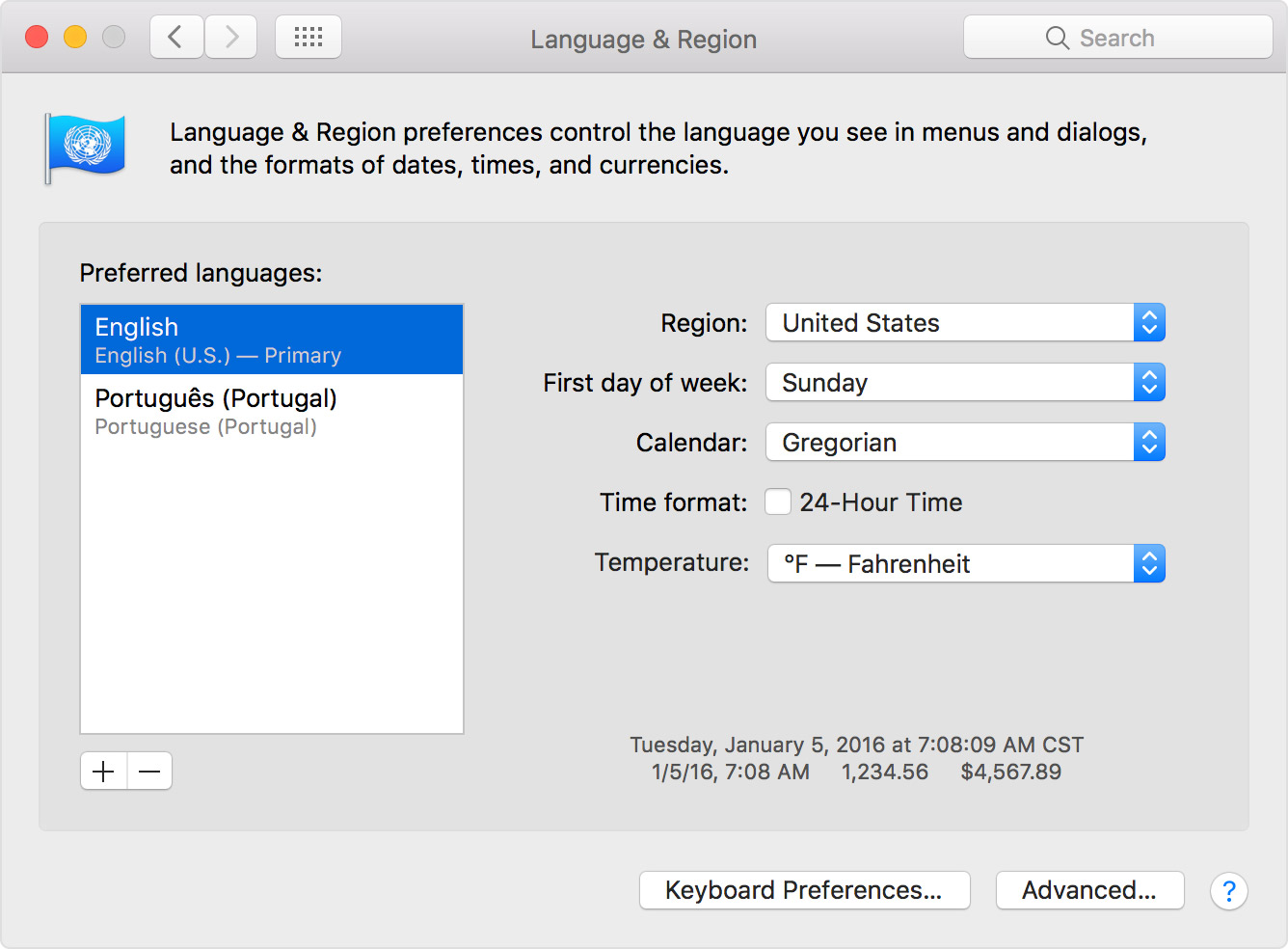
  2. Click Language & Region.
  3. Under Preferred languages, you'll see the languages available on your Mac. Click and hold the language that you want to see in iTunes, then drag it to the top of the list.
    User uploaded file
  4. If you don't see the language that you want iTunes to use, click the + button under the Preferred languages list. Select the language that you want, then click Add.
  5. To make the new language your primary one, either click and drag your preferred language to the top of the list or click "Use [added language]" if prompted.
  6. Close the Systems Preferences window and choose Restart Now.

This thread has been closed by the system or the community team. You may vote for any posts you find helpful, or search the Community for additional answers.

How do I view Arabic music in Arabic?

Welcome to Apple Support Community
A forum where Apple customers help each other with their products. Get started with your Apple Account.