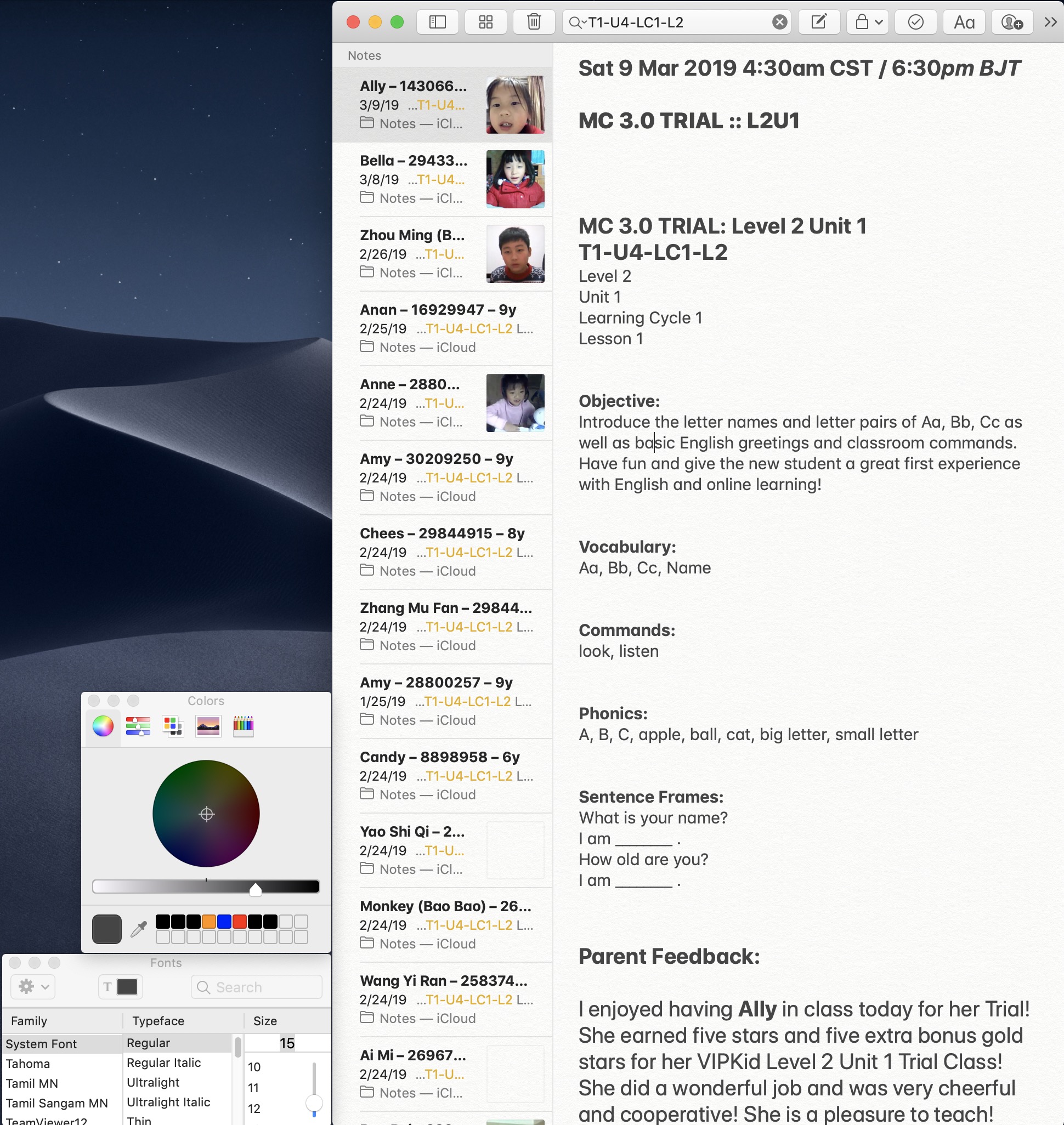
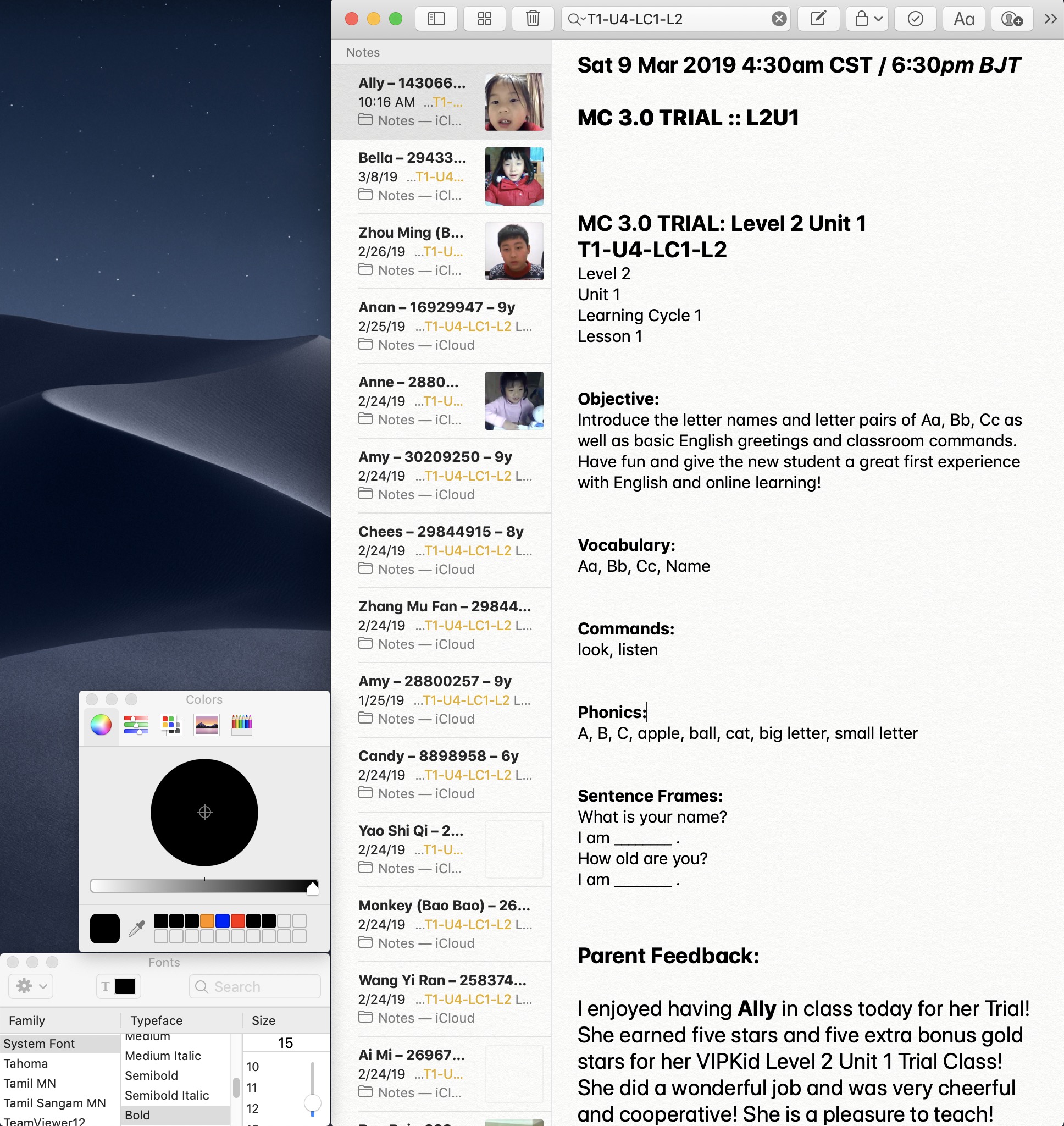
I am using macOS X Mojave 10.14. I have not done anything to select Light or Dark Mode (ever).
I'm attaching screenshots showing the gray text version and what it looks like after I've reselected all the text in a particular note and reselected black again.
I'm wondering if somehow this gray colored text is what Notes always was set for or if something changed with Mojave. I started intensively using Notes in September 2017. I'm teaching hundreds of kids in China and keep my records in Notes. I have more than 3,000 notes of this type. Perhaps someone can suggest a better app that allows me to have formatted text (as you can see) as well as the ability to paste in JPG images. That's really what I need.
Originally, Notes would sync with my iPhone and I could review my course preparations from my phone. The whole package with the notes is now several GB and no longer will sync. When I've tried to do something to reset all of my notes, then all of the links to the images break (for some reason). It's a mess really.
My son tells me, "The Notes app just sucks Dad. You need to find a better one."
I use Simplenote for other things, but it doesn't support embedded images or multiple fonts chosen within a particular note.