iMessage says “You started sharing location with .”

This showed up in my messages after I blocked the number and when I know I didn’t share my location. I have the contact saved so it shouldn’t be blank. I went back and noticed in other texts the same message at different times of the day but only if he was included in the group text. I was constantly sharing my location with him and I’m sure I would remember a day I started sharing a location with him 5+ times randomly throughout the day. Also wouldn’t there be a message saying I stopped sharing my location before it being shared again? My main concern is that it happened after I blocked him after breaking up with him and only showed up when I unblocked him to get my stuff back. How could this have happened and what do I do to fix it? The first two pictures were when he was unblocked and the message never showed up in our texts. The last picture was with him unblocked and showed up in all groups he was in.

iPhone XS, iOS 12

Posted on Jul 10, 2019 2:27 PM

Reply

Similar questions

1 reply

Jul 11, 2019 12:15 PM in response to macihope

Choose when to share

Family Sharing lets you decide whether or not you share your location with your family.

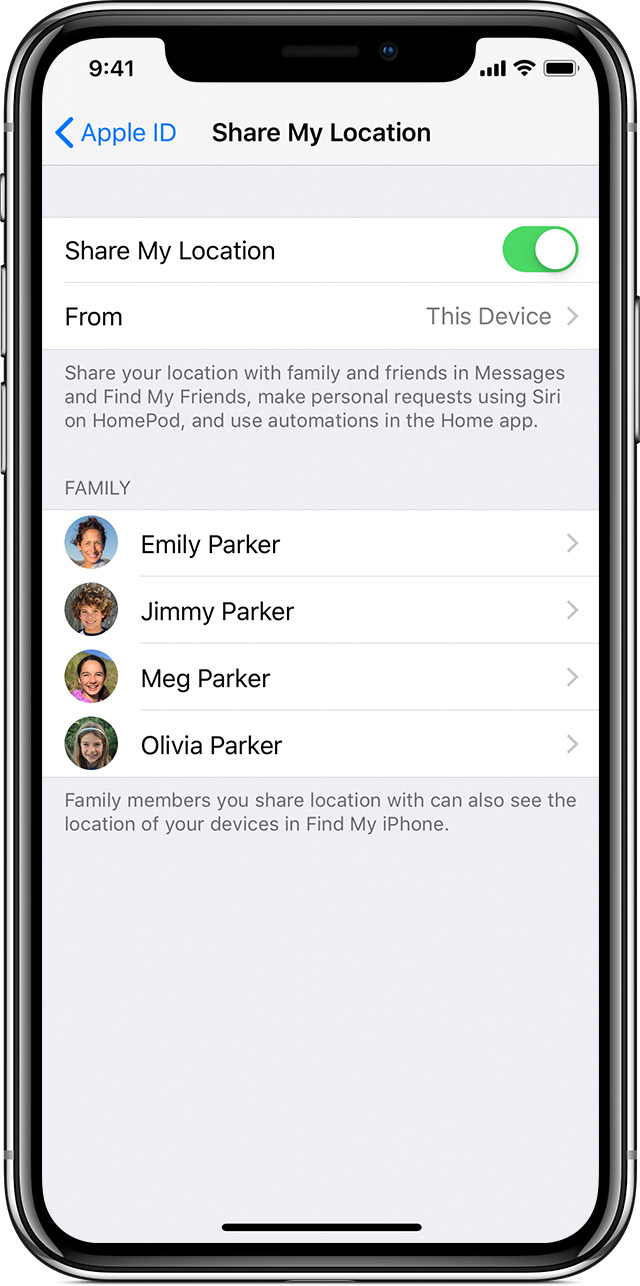
To see if you're sharing, follow these steps:

    • Tap Settings > [your name].If you use iOS 11, tap Settings > [your name] > iCloud.
  1. Tap Share My Location.
  2. Tap [family member name] to share with that person.

To stop sharing your location, turn off Share My Location. This hides your location from all of your family members and your approved friends. And when you're ready to share your location again, you can turn it back on at any time.


This thread has been closed by the system or the community team. You may vote for any posts you find helpful, or search the Community for additional answers.

iMessage says “You started sharing location with .”

Welcome to Apple Support Community
A forum where Apple customers help each other with their products. Get started with your Apple Account.