Audio/Sound fails in macOS Catalina

I'm having trouble with the audio/sound after installing Catalina in my MacBook Pro (15-inch, 2016).

Sometimes the audio is gone and only come back if i restart the computer.

Even if i close the apps (including Music app) and reopen them again, there is no sound. Must restart the computer for the audio to come back.

MacBook Pro with Touch Bar

Posted on Oct 15, 2019 3:14 AM

Reply
Question marked as Top-ranking reply

Posted on Mar 14, 2020 11:53 AM

This worked for me. Applications > Utilities > Activity Monitor. Under the CPU tab find (or search for) coreaudiod. Select it and then click the Stop button in the toolbar. When prompted, click Quit. This will restart the coreaudiod process and may bring your audio back.

73 replies

Dec 19, 2019 3:12 AM in response to sryanb888

This happens when I'm using VLC player and Apple Music.

Only happens if I let the computer go to sleep mode/suspended. When I come back, most of the times, I have no audio and have to restart the computer.


Didn't find any connection between this issue and using USB devices.


I agree with Superrenz about the possibility of being a bug. It only started when i upgraded to Catalina.


Mar 11, 2020 3:54 PM in response to RSophiaG

Same problem - no sound, and in the System Preferences, my computer actually couldn't see the internal microphone or speakers at all, so there was no audio input or output. Quitting the coreaudiod process via Activity Monitor or Terminal did NOT help for me, but what did work was doing an NVRAM reset (Reset NVRAM or PRAM on your Mac - Apple Support). After the NVRAM reset, the sound came back, and it still worked after pausing a video and sleeping/waking the computer.


May 22, 2020 9:28 AM in response to RSophiaG

Agreed - my audio appears to be well and truly forked... when looking at the audio preferences panel, devices appear and disappear with no apparent correlation to anything. Most recently my Sound prefs pane crashed entirely and I had to restart System Prefs to get to it:
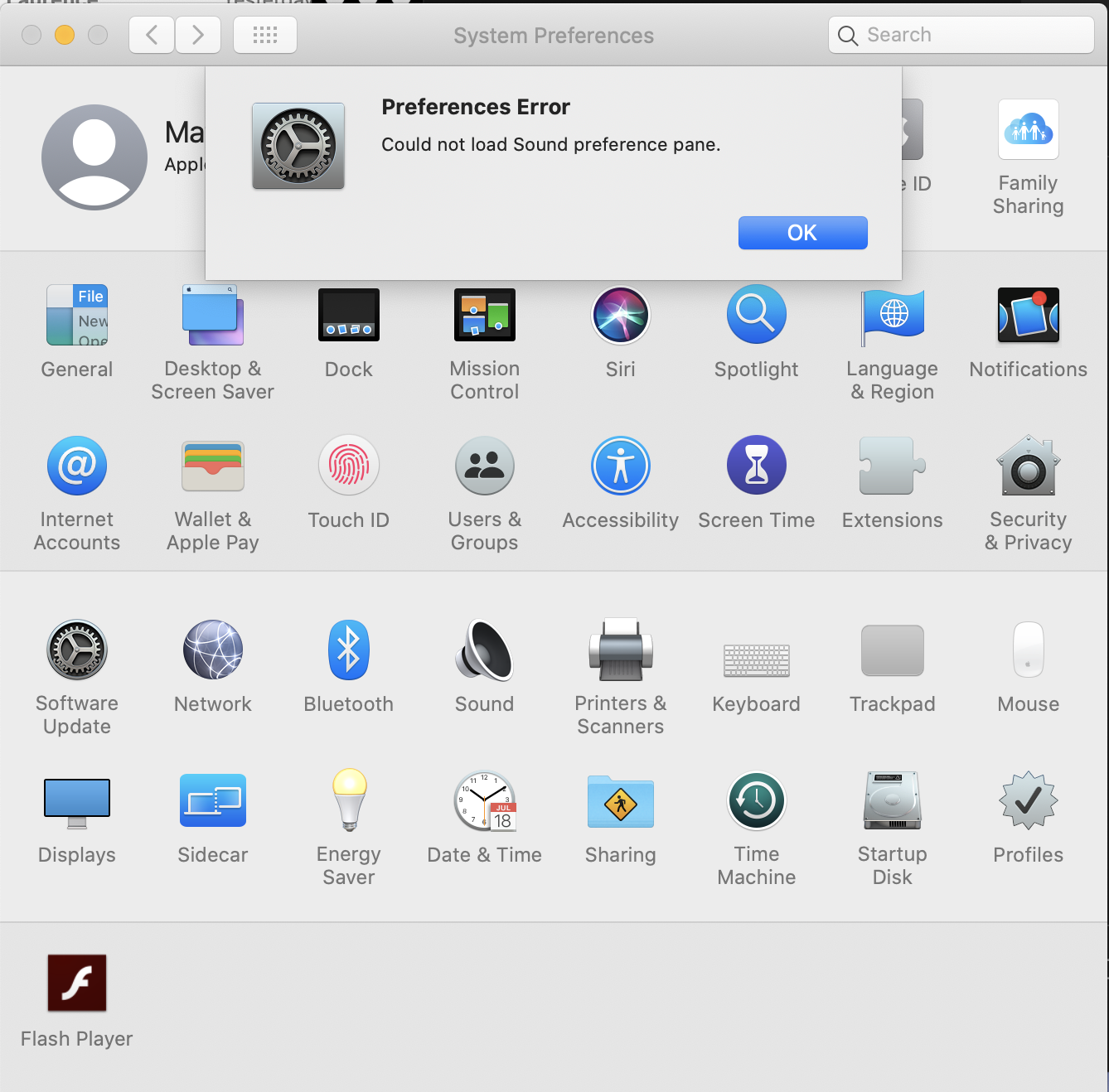


I have found that SOMETIMES if I kill all the audio processes (using the Activity Monitor app) it will restore things; sometimes I just need to shut down and restart.


I thought maybe this had to do with the audio output in my HDMI monitor (which I turned off on the monitor, but it still shows up as an option)... but it has started happening even when I am not using any external devices.


Apple, you guys REALLY need to do something about this. In a world where working remotely is the norm and we need to take all of our meetings via video conference, having flaky or non-working audio is a deal breaker. I REALLY don't want to have to downgrade the OS, or worse leverage my old Windows machine - please fix this.

Aug 27, 2020 10:58 AM in response to RSophiaG

I just purchased a new laptop (MacBook Pro 13-inch, 2020 running Catalina 10.15.6) and am experiencing this as well. I wrote a script to kill core audio and that seems to help but it often happens in the middle of a meeting and I miss several seconds conversation. Obviously I'd prefer it if this didn't happen at all. I didn't experience this on my old laptop (MacBook Pro 15-inch, Mid 2015 running Catalina 10.15.4).


This thread has been closed by the system or the community team. You may vote for any posts you find helpful, or search the Community for additional answers.

Audio/Sound fails in macOS Catalina

Welcome to Apple Support Community
A forum where Apple customers help each other with their products. Get started with your Apple Account.
