Songs don't upload to iCloud Music Library

Until last week I was able to upload my songs (created in Logic Pro X) to iCloud Music Library.

I dragged those in iTunes, and chose to upload.


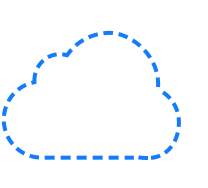
But today, this doesn't work anymore. The cloud icon next to the songs, stays dashed.

It breaks my workflow of listening on several devices. Might be due to Apples new Music app for iOS Catalina.


Anyone having the same experience? And a workaround?

MacBook Pro Retina

Posted on Oct 29, 2019 3:13 PM

Reply
Question marked as Top-ranking reply

Posted on Nov 4, 2019 9:24 AM

Hi Jaydude,


Thank you for posting your question. I'm glad to see if I can help out with your iCloud Music Library issue.


The issue you describe should be covered by this resource: Identify cloud status icons in your music library on your Mac or PC. See if these suggestions help:


"

A dotted-line cloud

If you see a dotted-line cloud next to a song, then it might mean one of the following:

  • Waiting: The song is in the process of being matched and hasn't been uploaded. Choose File > Library > Update Cloud Music Library to resolve this. 
  • Not Uploaded: The song was added from another device and can't be matched. To upload the song, turn on Sync Library on the computer where the original audio file is stored.
  • No longer available: The song is either not available in the Apple Music catalog, or hasn't been released yet."


I hope I've answered your question! Best wishes.

Similar questions

1 reply
Question marked as Top-ranking reply

Nov 4, 2019 9:24 AM in response to Jaydude

Hi Jaydude,


Thank you for posting your question. I'm glad to see if I can help out with your iCloud Music Library issue.


The issue you describe should be covered by this resource: Identify cloud status icons in your music library on your Mac or PC. See if these suggestions help:


"

A dotted-line cloud

If you see a dotted-line cloud next to a song, then it might mean one of the following:

  • Waiting: The song is in the process of being matched and hasn't been uploaded. Choose File > Library > Update Cloud Music Library to resolve this. 
  • Not Uploaded: The song was added from another device and can't be matched. To upload the song, turn on Sync Library on the computer where the original audio file is stored.
  • No longer available: The song is either not available in the Apple Music catalog, or hasn't been released yet."


I hope I've answered your question! Best wishes.

This thread has been closed by the system or the community team. You may vote for any posts you find helpful, or search the Community for additional answers.

Songs don't upload to iCloud Music Library

Welcome to Apple Support Community
A forum where Apple customers help each other with their products. Get started with your Apple Account.