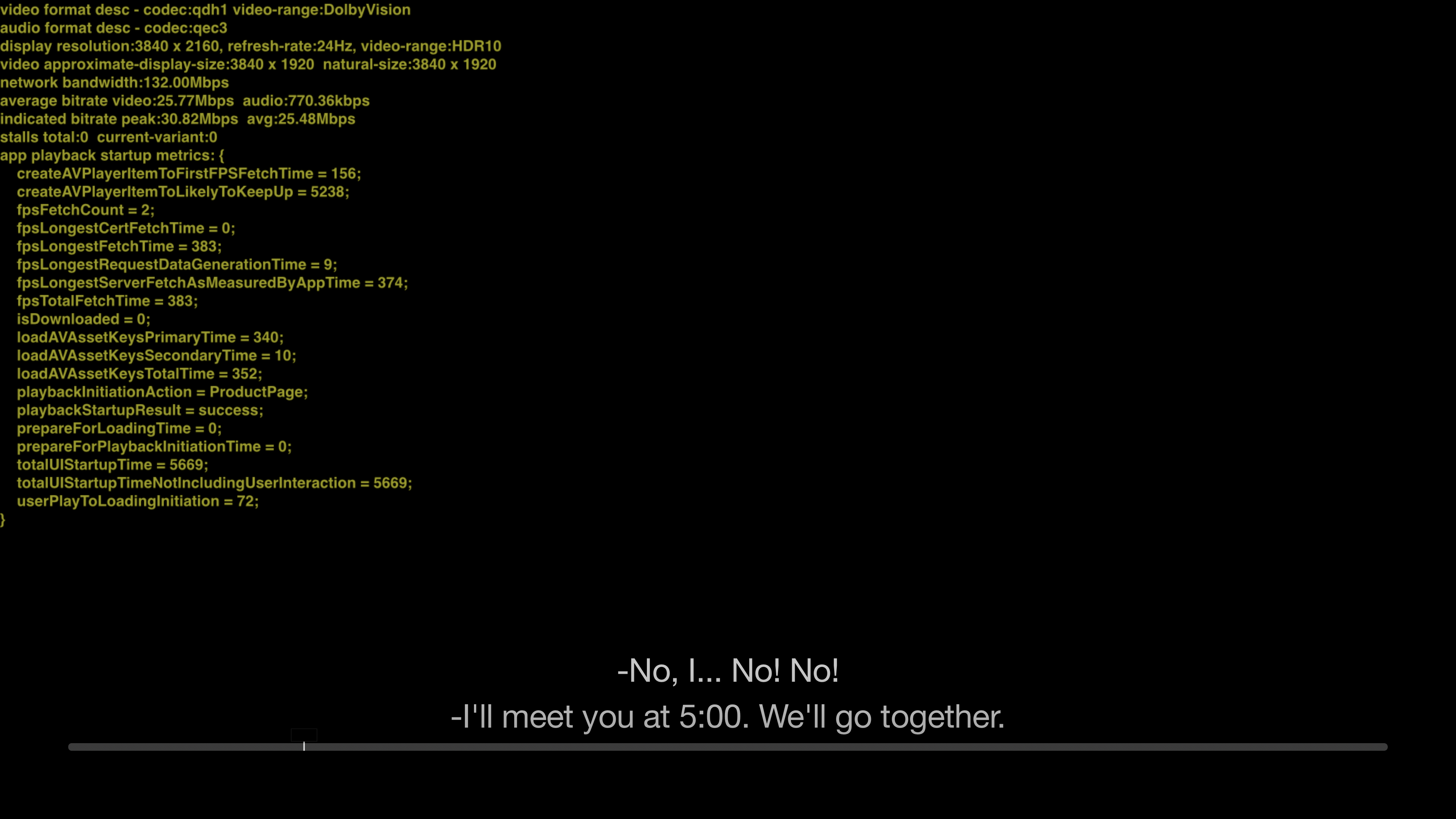
Episodes 6 are out and present the same issue as episodes 5 on Apple TV: my Dolby Vision switches to HDR10 when playing them (I only tried TMS) with Match Dynamic Range ON.
On my iPhone (XS Max) I could not find a way to check the dynamic range mode used.
However, I could on my iPad (mini 2019), and all episodes, including 5 and 6, are listed as Dolby Vision.
So I did a little digging using the Playback HUD (head-up display) which you can enable in the Apple TV's developper menu (you need a Mac and Xcode for that I believe), turning on and of Match Dynamic Range and forcing the display output to Dolby Vision, HDR10 or SDR.
Here's what I found:
- all episodes of Apple TV+ shows (See, The Morning Show, For All Mankind) are encoded in SDR and Dolby Vision but there is no HDR10 version. That is true for all episodes, including episodes 5 and 6,
- when displaying to SDR, the SDR version is used,
- when displaying to HDR10, the Dolby Vision version is used and probably converted to HDR10 by the Apple TV,
- when displaying to Dolby Vision, the Dolby Vision version is used,
- for episodes 1 to 4, with Dolby Vision and Match Dynamic Range enabled, the output correctly switches to Dolby Vision,
- for episodes 5 and 6, with Dolby Vision and Match Dynamic Range enabled, the output incorrectly switches to HDR10.
This might be a temporary workaround for the Dolby Vision glitch on some older Dolby Vision capable TVs.
I think it is most probably a bug, whether in the production of the encoded files, or less probably in tvOS or the Apple TV app.
So:
- The fact that HDR10 output is produced from the Dolby Vision version might explain the lower quality (it seems to be the same for all Apple TV/ iTunes Store content with a Dolby Vision version so the situation should not be different here)
- I wonder how Dolby Vision content is processed in the TV app on devices not supporting Dolby Vision, such as Samsung TVs
- I am going to file a bug with Apple,
- There is a workaround: I will force Dolby Vision (turn Match Dynamic Range Off) on my Apple Tv to watch Apple TV+ shows until this is resolved (unless the image produced is awful). I strongly recommend to turn Match Dynamic Range back on for other content, otherwise blacks in SDR content appear as grey.
Have a great day!
:-)
Here is how episode 6 of TMS is output with Dolby Vision and Match Dynamic Range ON. You can see on the first line that the video file used is on Dolby Vision (it displays HDR10 or SDR for HDR10 or SDR).