Hi jeremy_v,
Thanks for the reply(apologies for my slow response!) Yes this is an infuriating problem to encounter indeed...
So, I am not able to File > Save As. In fact that option doesn't even appear. Only SAVE, DUPLICATE (and the other options shown below), both of which are met with the above "The document could not be autosaved." response.

When I try to File > Revert To (an older copy), I am met with this message:
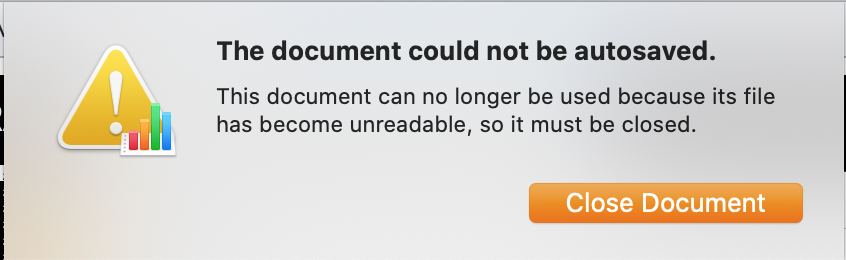
I've also moved the file from iCloud to folder on my Mac HD using Finder (successfully), and can open the copied file into Numbers. Everything looks fine and the model I've created functions as should, until I make any change to the document and then get the same "The document could not be autosaved." response.
I've had no problems saving documents in other iWork apps to date. In fact Numbers works and Saves as should with both new and old files. It's just large complex files in Numbers that start to encounter this problem of being unable to Save further progress. For the first few weeks working on this document I was also able to save progress with no issues. This is the second Numbers document I've now had to have had this problem. Both of which were rather complex models that were referencing data from multiple sheets. I have 5 Sheets opened in the particular model I'm working on right now. I have a feeling the issue is related to the the size and complexity of the numbers file, though I have no idea as to why it happens? It feels like a bug to me.
I can also make a copy directly in iCloud. However when I then try to open either the copied file I get:

and also this message when I try to open the original:

To my knowledge, I've not changed anything related to my Home folder or user account recently. I'll check out the link you suggested to see if that brings anything up now...
The only workaround I've been able to fine is to copy each Numbers Sheet into a fresh document. This unfortunately breaks my model as the references to data in other sheets is not copied. I have to manually go through each sheet which is a real pain to do each time this problem occurs. When I do, I am able to work and save normally, until a few days later the problem starts again. It happened again yesterday after I closed and reopened the Numbers app...
Be really useful if I could figure out what it is I'm doing to make this happen (and how to stop it!).
Thanks again!


