Join Numbers Tables Together

This is an odd formatting question


Say I have three tables all joining, touching next to each other in a column. And if I delete the middle one....


My Question is there a way that when you delete the middle table the Bottom table (Along with any others below it) will automatically pull up and then join the top table.


I just have a doc that has many tables in it when I start, but have to discard many along the way that are not relevant and found it time consuming to have to hand pull each on into place, when a table is deleted...


Let me know if anyone thinks that is possible or not?


IS THERE A WAY TO GROUP OR JOIN TABLES AS A WORK AROUND????


cheer


3 Tables joined together.


MIDDLE TABLE IS DELETED


TABLE 1-2 PULLS UP TO JOIN TABLE ONE (THOUGH I HAVE DONE THE MANUALLY)


Posted on Aug 6, 2020 5:23 PM

Reply

Similar questions

6 replies

Aug 6, 2020 7:32 PM in response to john greally

Hi John,


Starting with the simplest question:

"Can you group tables?"


No. As can be seen with a quick trip to the Arrange menu with 2 or more tables selected:
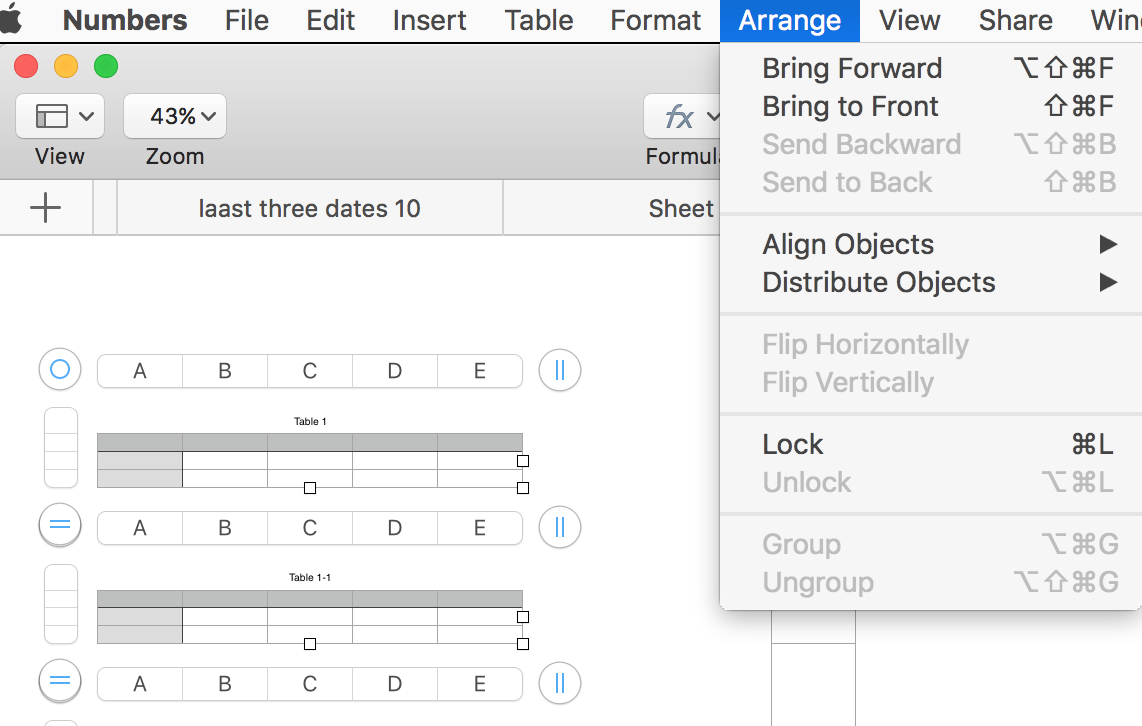
(Ignore the labels in the tabs abov the tables. They belong to a different question.)


But Grouping tables isn't necessary if you want it to enable moving the tables as a group. If multiple tables are selected, moving one will move all in the selection.


Here's one way of moving the remaining tables after deleting some.


Starting point: a stack of 9 identical tables.
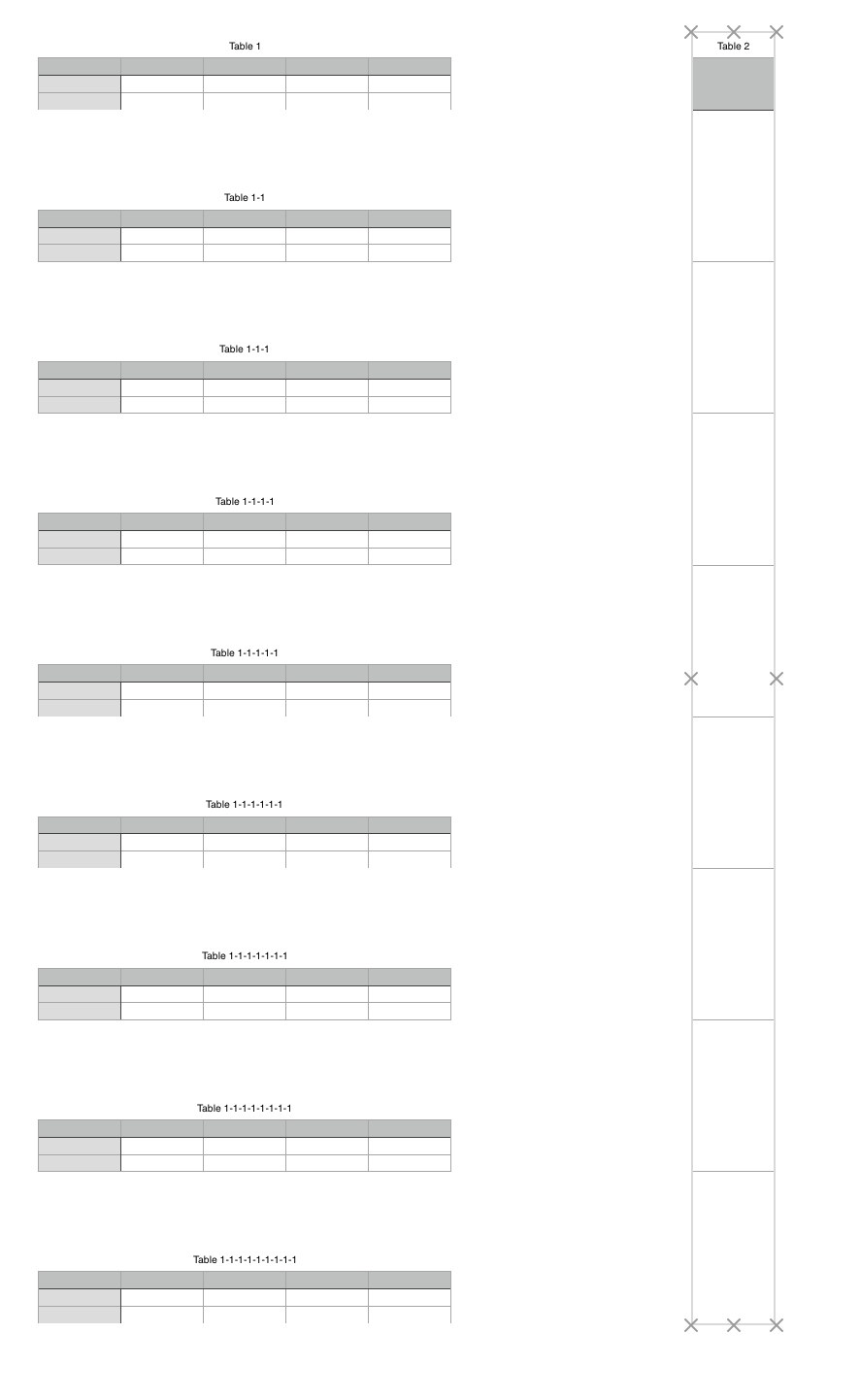
Beside them, I've placed a 9 row table, with the bottom of each cell aligned with the bottom of one of the 10 tables in the stack. This table is to serve as a ruler, and is locked, once aligned to the boundaries of the stack.


Same stack with three tables deleted.

The selected line was inserted using the Shapes button, rotated to 0°, and given a weight boost to about 3-4 points. Then it was aligned with the bottom of a row in the long table, where the bottom table should be after the stack is moved and redistributed.


The bottom three tables in the stack were then selected (deselecting the line), and dragged upward and to the right…
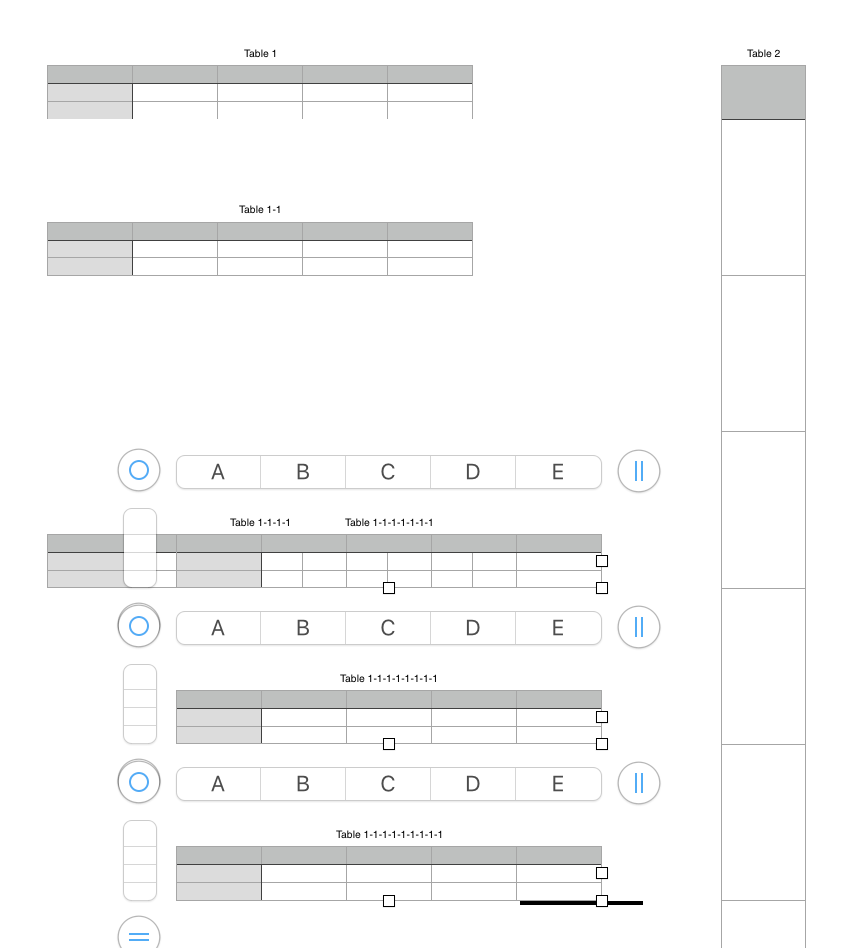

…and dropped with the bottom of the lowest table aligned with the heavy line. These tables were then de-selected, and the line was deleted.

Note that Table 1-1-1-1 is now behind Table 1-1-1-1-1-1-1.


Click on the part of Table 1-1-1-1 visible at the left, then click the 'bullseye' above and left to select the table.

Drag the table up (and slightly right), and drop it in the open space in the stack.
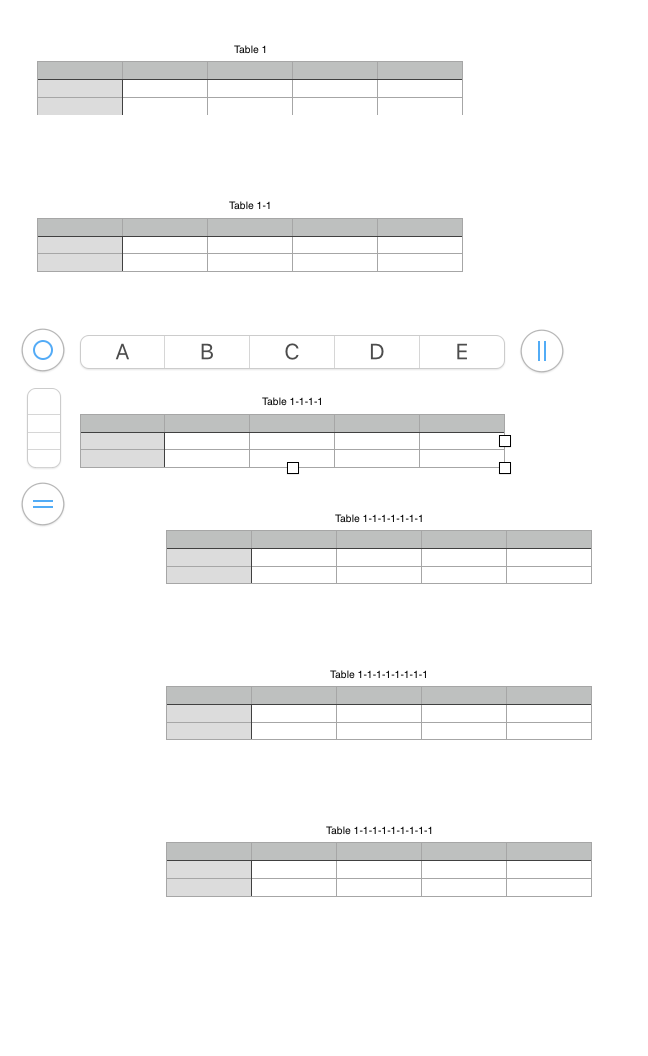
Finally, select all tables in the stack, and make two trips to the Arrange menu:

Align Objects > Left

Distribute Objects > Vertically

Regards,

Barry


Aug 9, 2020 7:37 PM in response to john greally

H John,


No.


Each of the tables in the stack is a separate table, independent of the others. The table names are the default names produced by duplicating Table 1 several times—Numbers appends -1 to the name of the duplicate to ensure that each Table has a name distinct from all the others on that sheet.


When I deleted tables, each of the tables was deleted as a whole unit,


Take another look through the process. I'm called away at the moment, but will likely be back later this evening.


Regards,

Barry

(The Row reference tabs in the screen shots show no row numbers because i've reduced the row heights to make the stack appear on a single screen.)

This thread has been closed by the system or the community team. You may vote for any posts you find helpful, or search the Community for additional answers.

Join Numbers Tables Together

Welcome to Apple Support Community
A forum where Apple customers help each other with their products. Get started with your Apple Account.

