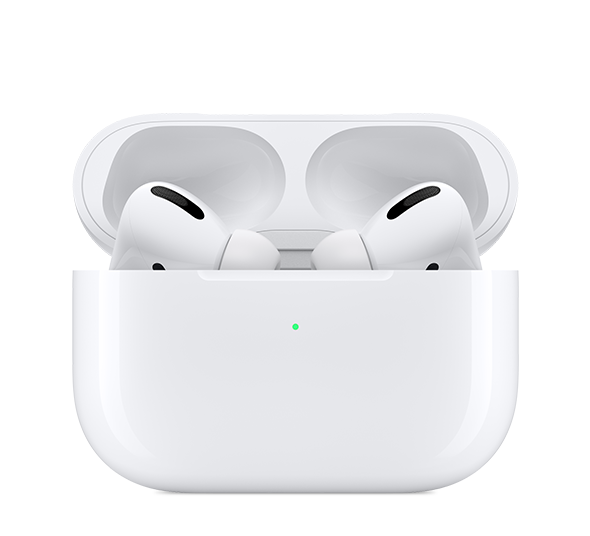
Reset light on my AirPod Pros does not go on.

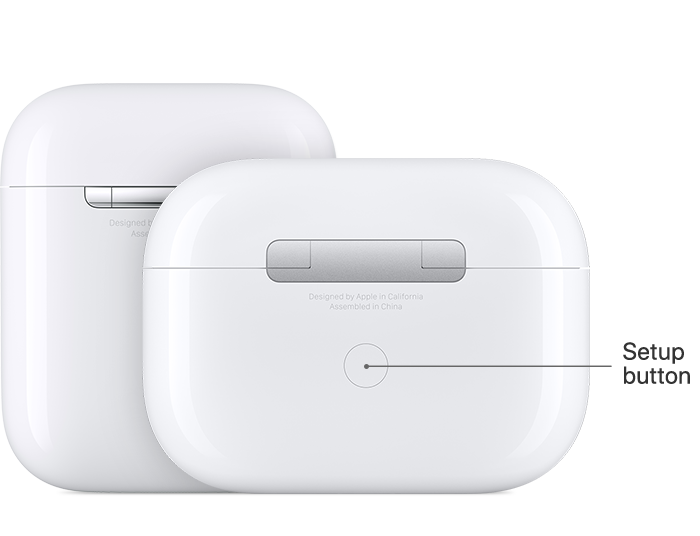
The white light does not go on after I hold the reset pairing button in for the correct amount of time.

I used my partners case to pair my earbuds to my phone. Now they highjack what ever device is trying to play audio. Im listening to music on my phone, then visit a website that wants to play audio and I lose my connection to my iPhone music.


Is there a way to hard reset the AirPods or is my case defective.?



Posted on Oct 7, 2020 5:11 AM

Reply
Question marked as Top-ranking reply

Posted on Oct 7, 2020 5:23 PM

Below is the right way to properly reset your iPods.


Reset your AirPods

You might need to reset your AirPods if you can't connect to them, if they won't charge, or to fix a different issue.


Put your AirPods in their case

Close the lid. Wait 30 seconds, then open the lid.

On your iPhone, iPad, or iPod touch, go to Settings
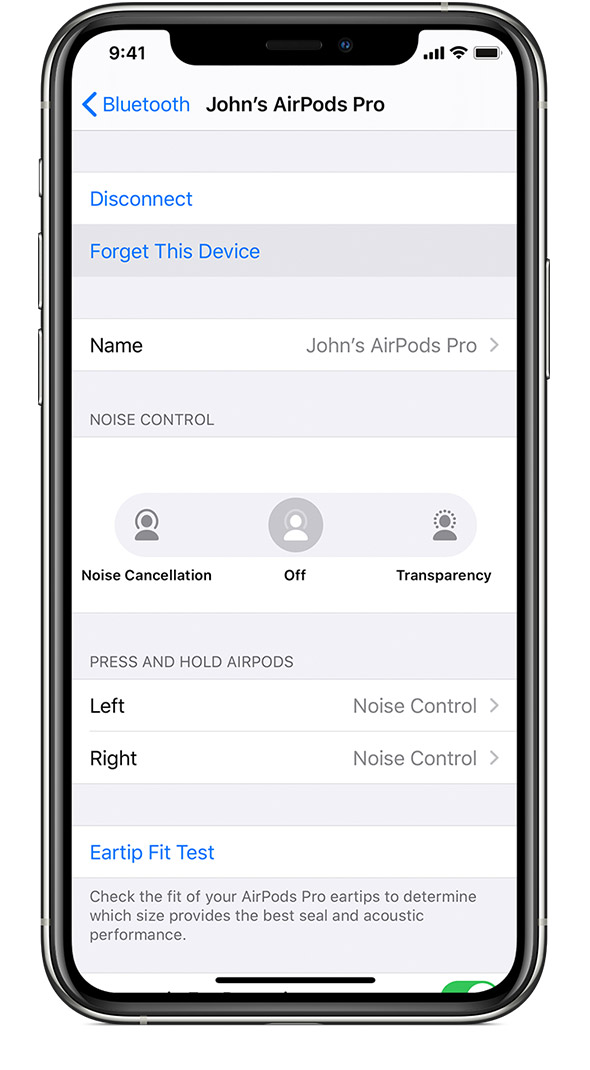
Go to Settings > Bluetooth and tap the "i" icon next to your AirPods.2 Then tap Forget This Device, and tap again to confirm.

Reset your AirPods

With the lid open, press and hold the setup button on the back of the case for about 15 seconds, until you see the status light flashing amber.

Reconnect your AirPods

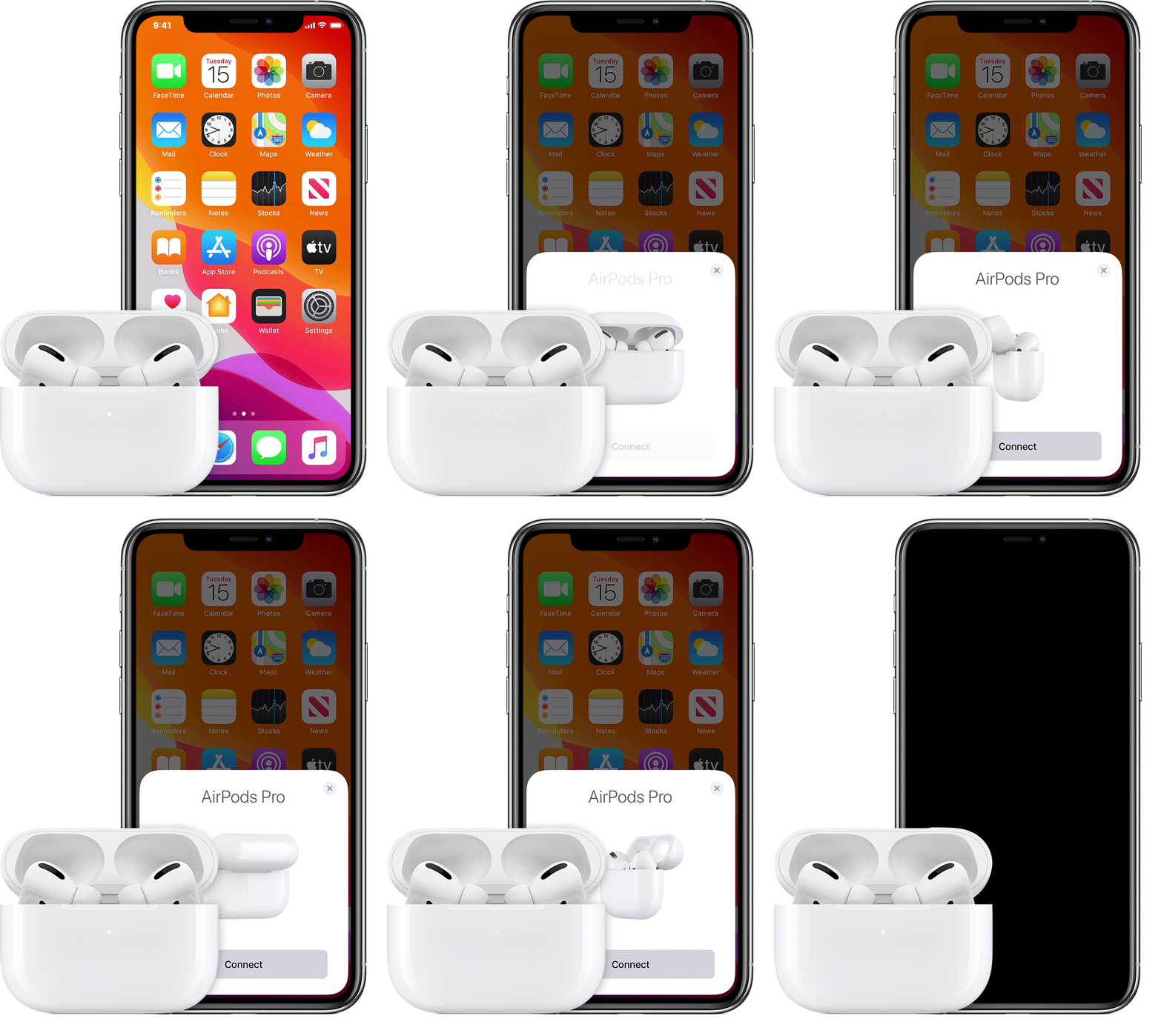
With the lid open, place your AirPods close to your device. Follow the steps on your device's screen.


Axel F.

1 reply
Question marked as Top-ranking reply

Oct 7, 2020 5:23 PM in response to dave mckeague

Below is the right way to properly reset your iPods.


Reset your AirPods

You might need to reset your AirPods if you can't connect to them, if they won't charge, or to fix a different issue.


Put your AirPods in their case

Close the lid. Wait 30 seconds, then open the lid.

On your iPhone, iPad, or iPod touch, go to Settings

Go to Settings > Bluetooth and tap the "i" icon next to your AirPods.2 Then tap Forget This Device, and tap again to confirm.

Reset your AirPods

With the lid open, press and hold the setup button on the back of the case for about 15 seconds, until you see the status light flashing amber.

Reconnect your AirPods

With the lid open, place your AirPods close to your device. Follow the steps on your device's screen.


Axel F.

This thread has been closed by the system or the community team. You may vote for any posts you find helpful, or search the Community for additional answers.

Reset light on my AirPod Pros does not go on.

Welcome to Apple Support Community
A forum where Apple customers help each other with their products. Get started with your Apple Account.