I want to back up my new iphone 12 on my work computer using the finder.
I am in Mojave.
Using the Finder to backup iOS devices did not come in until Catalina 10.15. That is shown in this Apple article:
How to back up your iPhone, iPad, and iPod touch - Apple Support
I am managing four iPads, two running the latest iPadOS version on Mojave and they do it just fine though iTunes. You may see the download advisory shown in this Apple article:
If you see "Software update is required to connect to your iOS device" on your iPhone, iPad, or iPod touch - Apple Support
it is OK to download it. It WILL NOT change your base OS to a higher version. It is a small file that patches iTunes to do backups, synching, and update just like before. After patching, this is from my iMac running Mojave and one of the iPads running iPadOS 14:
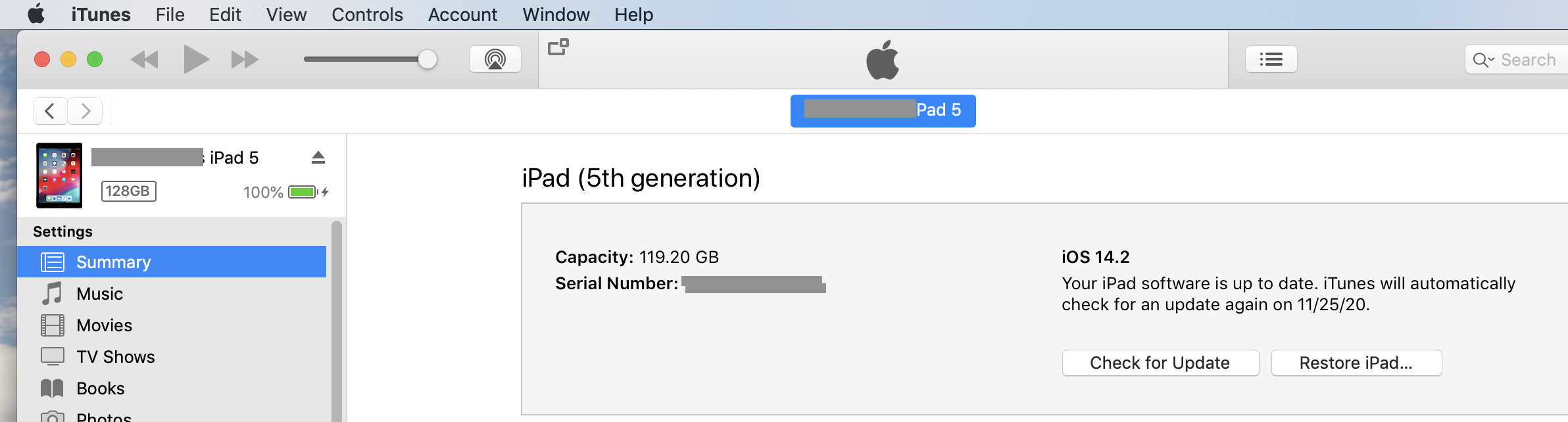
In addition to the Update and Restore buttons, the Backup and Synch buttons are off the screenshot but are there, just like before.


