Apple M1 Printer Driver My Canon Now Works! Driver for 1300 different printers....

My older USB Canon printer now functions (not the CD tray at this stage).


Download free driver Gutenprint for Mac (latest version is for Mojave but installs Big Sur M1).


I found the dmg at SourceForge website.


Add printer and select Gutenprint driver at the last drop down box.


Hope this works for you also! Cheers, Rob.


Posted on Dec 4, 2020 1:14 PM

Reply
Question marked as Top-ranking reply

Posted on Dec 5, 2020 9:08 PM

Similar questions

24 replies

Dec 5, 2020 8:46 PM in response to pinklemonbar

:0(


Let's modify the printer using CUPS on the webpage instead of Printers & Scanners.


Hoping it's not too technical.


Enter the localhost in Safari, up the top click Administration. Under Printers click Manage Printers.


Under Queue Name will be a list of all current attached printers. Select the printer giving you issues.
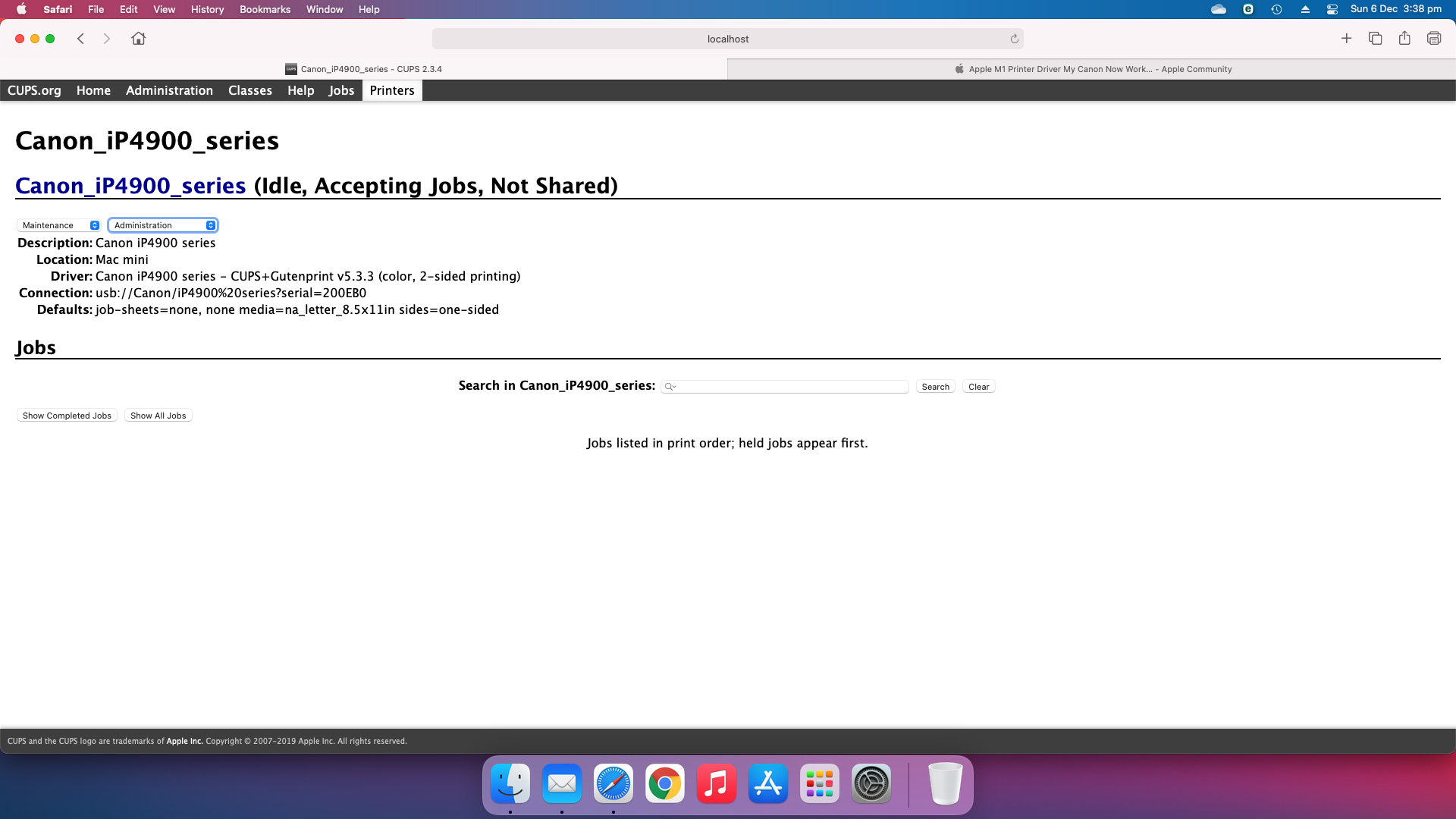


Under the Administration tab, select "Modify Printer".


Make SURE the "USB" is highlighted only. Click continue.


Next screen:
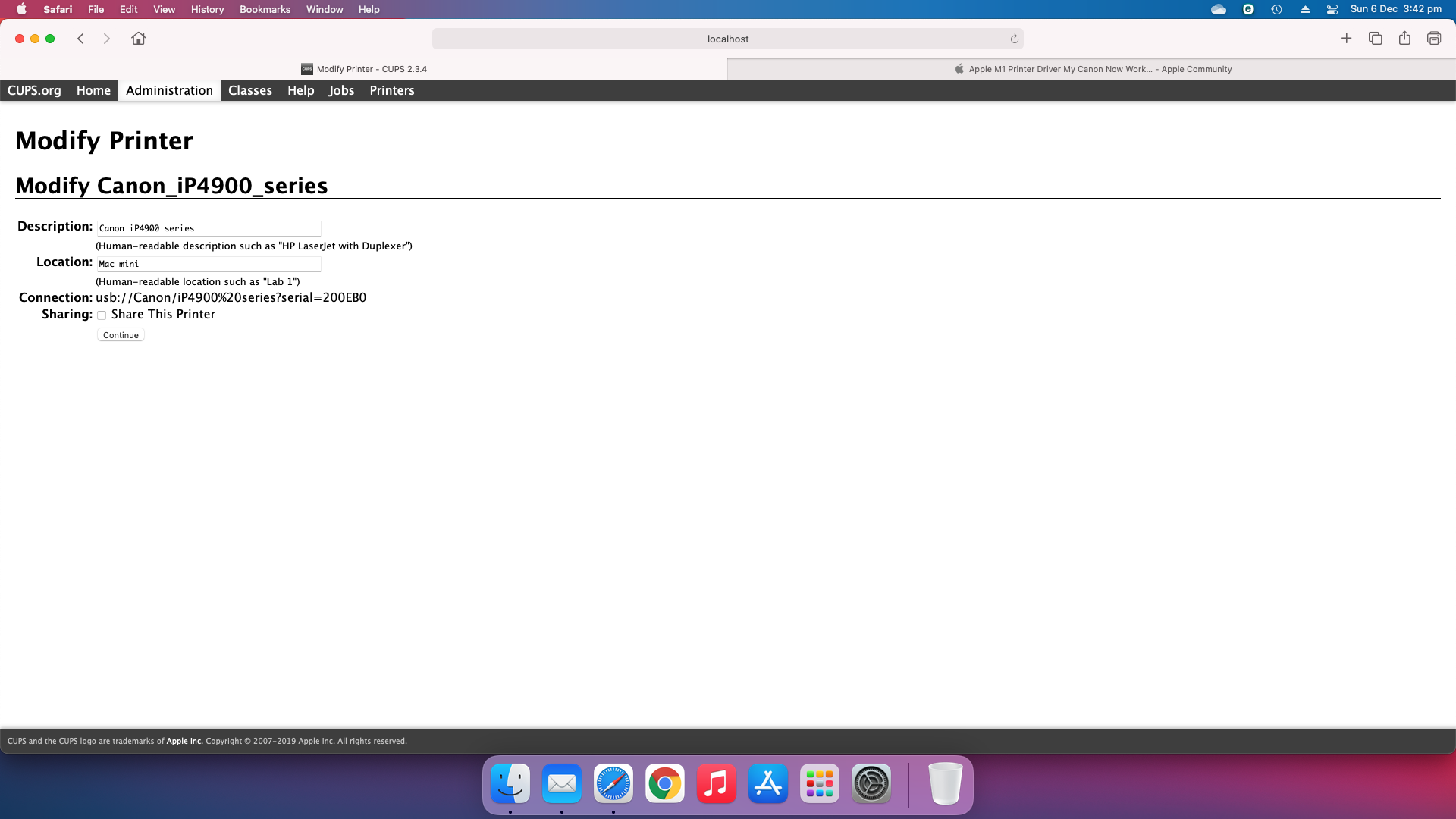


The only tab I changed here when I did it was the location to state Mac mini. Click continue.


Next screen:
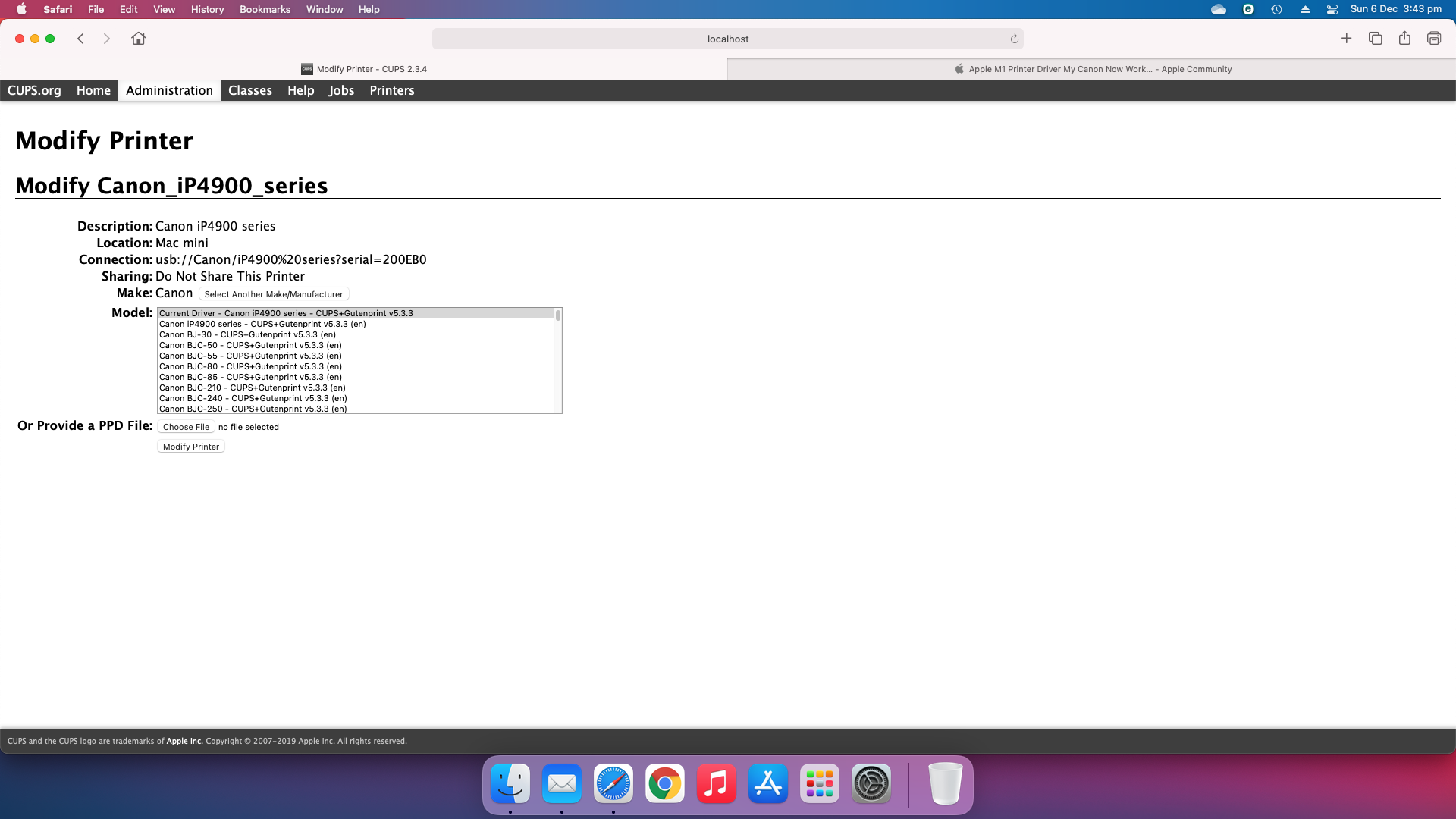


Make sue you select the driver that states BOTH "Canon .... & Gutenprint ..." NOT Gutenprint on it's own - make sense?


Click continue:


NOTE: The refresh takes about 6 - 10 seconds, don't navigate away! You should have the printer and the following wording "(Idle, Accepting Jobs, Not Shared)"...


This thread has been closed by the system or the community team. You may vote for any posts you find helpful, or search the Community for additional answers.

Apple M1 Printer Driver My Canon Now Works! Driver for 1300 different printers....

Welcome to Apple Support Community
A forum where Apple customers help each other with their products. Get started with your Apple Account.