Sign with account credentials at www.icloud.com in photos section if duplicate photos are in series , move your three fingers from top left corner diagonally towards bottom right corner on trackpad to select and click on delete icon , if photos are at randomly placed then create an untitled folder drag and drop photos in it , export / file save as in finder , again open finder delete the duplicate photos .

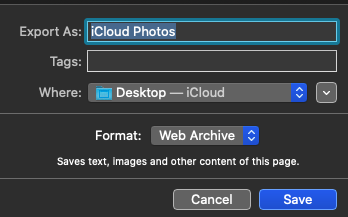
It depends on you to save at which location , the above screen shot is by default , click on drop down arrow in front of desktop - iCloud ( if you created a folder in iCloud Drive that can also be selected ) .
Note : if you use third party apps to find / delete duplicate photos , possibilities of corrupting the photo application Using third-party apps to remove duplicate photos might damage your Photos for macOS library - Apple Support


