
i can t see tv app
i can t see tv app
Apple TV HD, tvOS 14
i can t see tv app
Apple TV HD, tvOS 14
If you have an
Apple TV HD, tvOS 14
then its home screen would look something like this (the background image may be different):
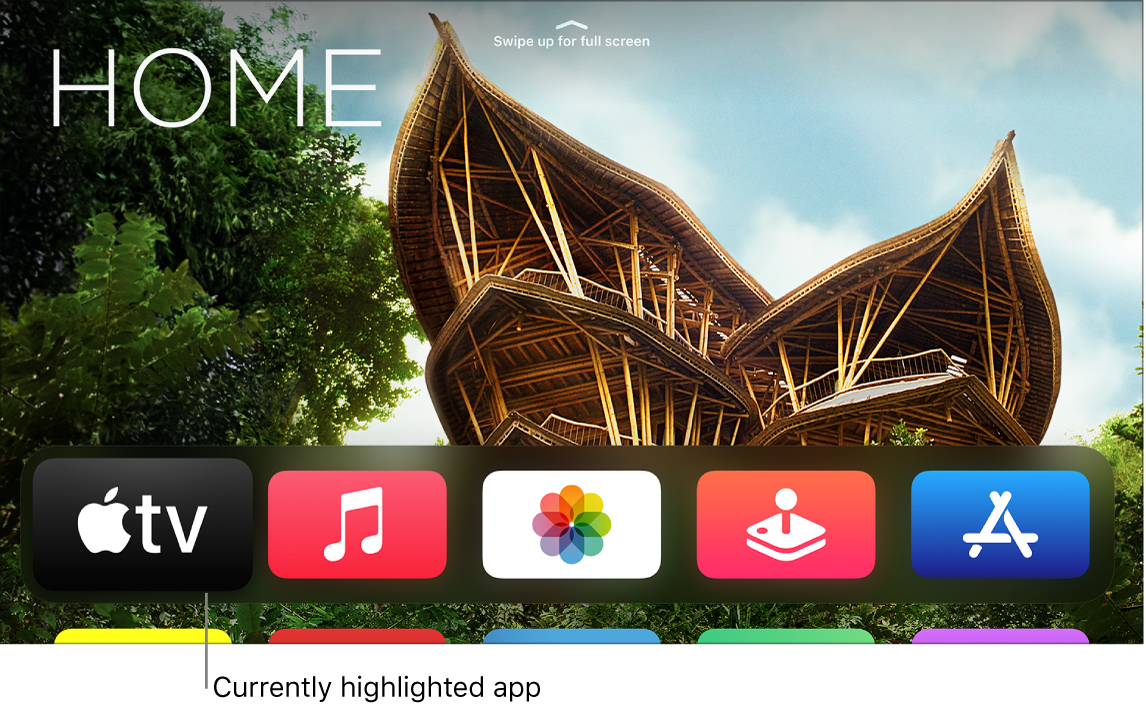
The black icon on the left with “tv” on it is the Apple TV app.
If you do not see an image from the Apple TV box on your TV screen, then see: If your Apple TV doesn't turn on - Apple Support
If you have no Apple TV box, then what other supported device do you have? Apple TV app - Devices - Apple
If you have an
Apple TV HD, tvOS 14
then its home screen would look something like this (the background image may be different):
The black icon on the left with “tv” on it is the Apple TV app.
If you do not see an image from the Apple TV box on your TV screen, then see: If your Apple TV doesn't turn on - Apple Support
If you have no Apple TV box, then what other supported device do you have? Apple TV app - Devices - Apple
iPhone 6
That is important to know.
iPhone 6 should be updatable to iOS 12.5.1. Update your iPhone - Apple Support
Devices with iOS 12.3 or later should have the re-designed TV app.
The blue tint was changed to white in later versions iOS.
If removed, it can be re-downloaded from the App Store.
Can you see the Apple TV home screen, with all the icons for various services?
Unless you moved the app icon, the TV app would be in the top row on the left side.
If removed, the TV app can be re-downloaded from the App Store.
i can not find appele tv where i have to find
Dear i can not see apple tv app on my iphone 6
is uptodate
i can t see tv app
