Create one table that has the list of foods and the corresponding entries for the Kcal, Protein, Carbs and Fat:
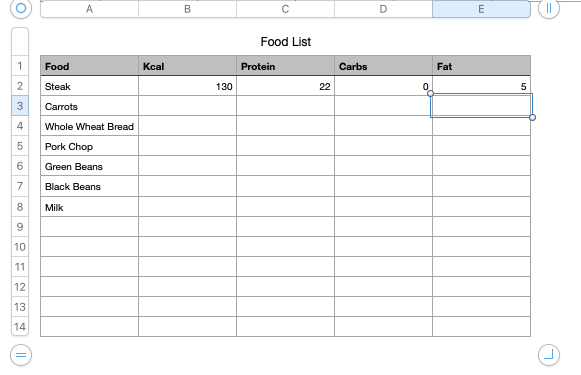
I'm going to enter made up information so I can confirm it works:
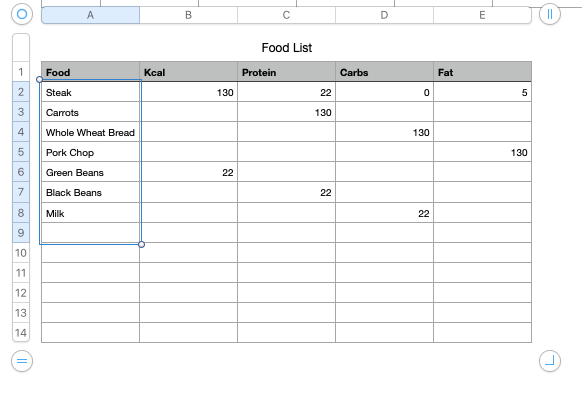
Now select the cells in the food column and include one black cell. Now convert these selections to a pop-up menu by opening the cell formatter:
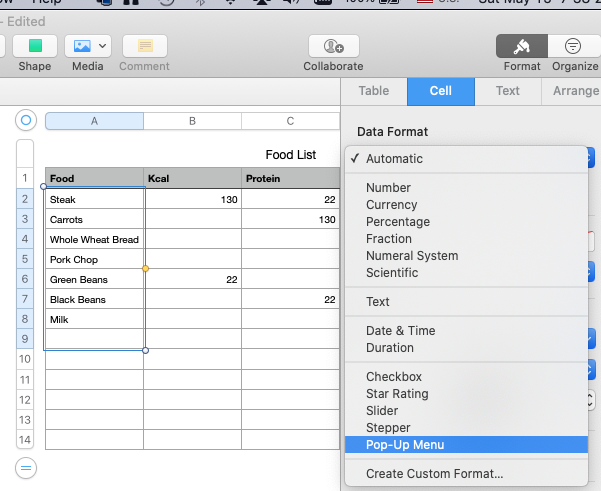
now select the cell that is empty (in this case cell A9), copy. The cell formatted as a pop-up menu is on the clip board. Well use it shortly, so do NOT copy anything else.
Now create a new new table and title is "":
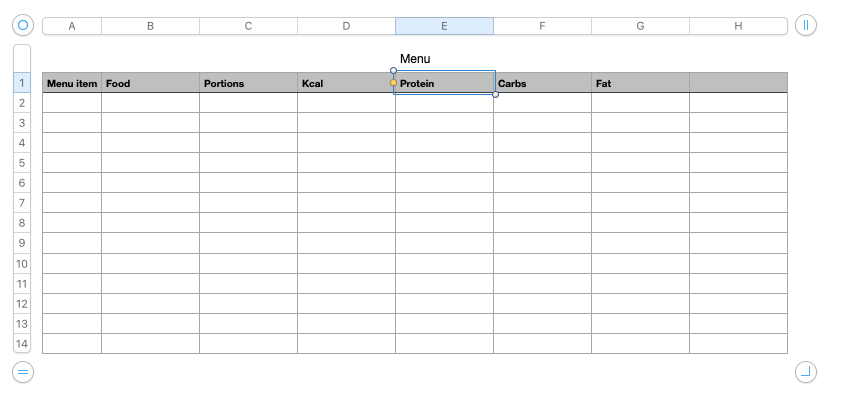
Convert the first row to a header row by selecting the "1" on the left and choosing the contextual menu item "Convert to Header row"
Now select column B2 by clicking the "B" at the top, then unselect the cell in the header row by holding the command key and single click cell B1
paste.
Now the food column should be full of pop-up menus that have the "blank" selection. You can confirm this by selecting one of the cells in column B to see that it has the pop-up menu icon:
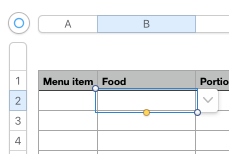
If you click the icon, you'll see the pop-up menu:
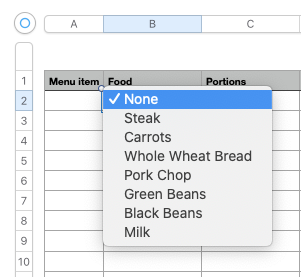
Now lets add the look up part to get information from the table "Food List"
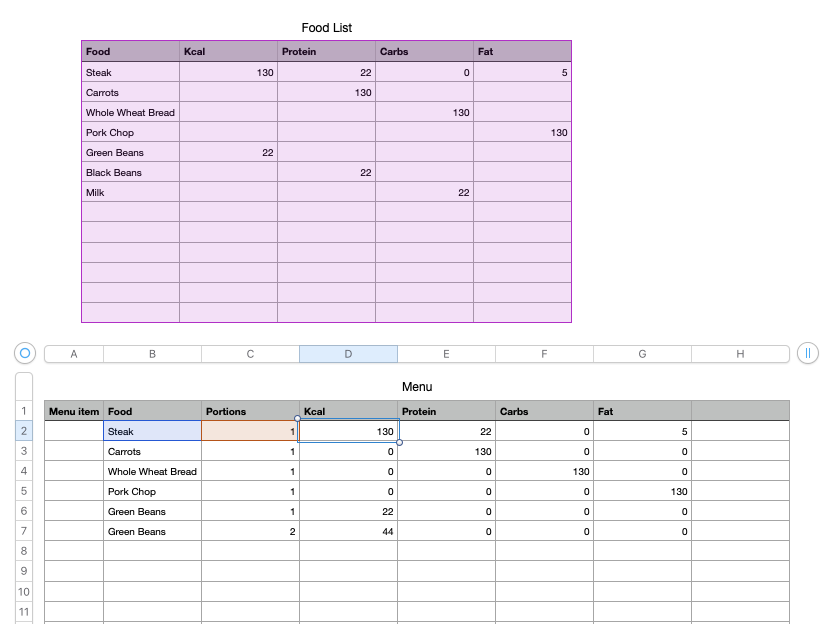
In the table "Menu", select cell D2, then enter the formula (or copy and paste from here):
=IF($B2<>"",$C2*VLOOKUP($B2, Food List::$A:$E, COLUMN()−2,0),"")
shorthand for this is:
D2=IF($B2<>"",$C2*VLOOKUP($B2, Food List::$A:$E, COLUMN()−2,0),"")
select cell D2, copy
select cells D2 thru the last cell in column G, paste
now enter a value in the column Portion" and select menu items from each pop-up menu in the food column

