External Monitor Goes Black randomly throughout the day

I purchased Macbook pro m1 just few days ago and I'm using external monitor but it goes black many times throughout the day, which is very annoying. Please let me know the permanent solution for this issue.

MacBook Pro 13″, macOS 11.4

Posted on Jun 25, 2021 11:07 AM

Reply
Question marked as Top-ranking reply

Posted on Jun 25, 2021 11:53 AM

HDMI was invented for TV sets.


The cables you want for HDMI-only Monitors (higher resolutions than 720p TV sets) are marked as Certified with an anti-counterfeiting tag and are labeled:


"Premium High Speed HDMI cable" or that + "with Ethernet"  --OR--


"Ultra High Speed HDMI cable" or that + "48G"


Cables with No Certification tags are good for your standard TV set, and not much more.

Similar questions

8 replies
Question marked as Top-ranking reply

Jun 25, 2021 11:53 AM in response to Khetar

HDMI was invented for TV sets.


The cables you want for HDMI-only Monitors (higher resolutions than 720p TV sets) are marked as Certified with an anti-counterfeiting tag and are labeled:


"Premium High Speed HDMI cable" or that + "with Ethernet"  --OR--


"Ultra High Speed HDMI cable" or that + "48G"


Cables with No Certification tags are good for your standard TV set, and not much more.

Jun 25, 2021 12:00 PM in response to Khetar

I have a similar Dell monitor and use an Apple HDMI adaptor and a certified HDMI cable. HDMI is sensitive so you need to use highest quality connectors and cables with HDMI.


You can also try other types of connections to see if this is specific only to your HDMI connection or if it occurs regardless of how the monitor is connected.


I have never seen that model of hub/dock you are using. Is it configurable somehow to avoid putting devices to sleep?


One suggestion: check the monitor sleep setting, try changing it to "never."


You might also check other monitor settings to see if any might be causing it to go blank.
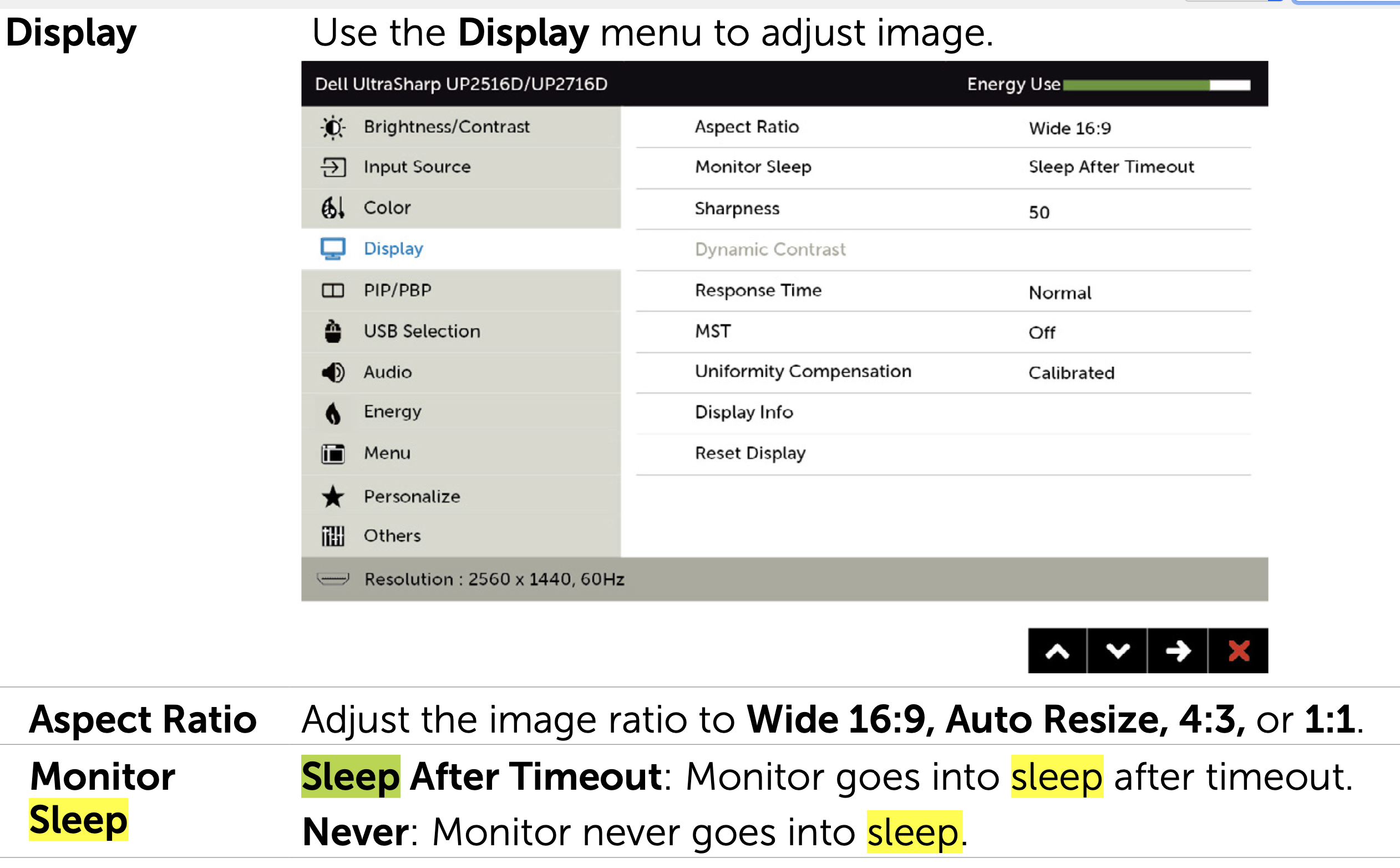

Jun 25, 2021 11:21 AM in response to Grant Bennet-Alder

Please find details below.


Monitor details :

Dell UP2516D monitor (you can check details here https://www.amazon.in/Dell-Ultrasharp-25-Monitor-UP2516D/dp/B012AQIPLM)


I'm using HDMI Cable for connecting the above monitor via Type C connector for HDMI Cable. You can find more details about the connector at below link.

https://www.amazon.in/MacBook-CHOETECH-Adapter-Delivery-Reader/dp/B07ZZ7Q1GX/ref=sr_1_14?dchild=1&keywords=choetech%2Bhdmi&qid=1624644925&sr=8-14&th=1

This thread has been closed by the system or the community team. You may vote for any posts you find helpful, or search the Community for additional answers.

External Monitor Goes Black randomly throughout the day

Welcome to Apple Support Community
A forum where Apple customers help each other with their products. Get started with your Apple Account.
