Lenova monitor no longer syncing after updating to BigSur 11.6 on Macbook Air

Since updating OS to BigSur 11.6 on Macbook Air 13inch, my second display no longer syncs (Lenova Thinkpad). Displays only allows me to choose off or air play... Tried unplug and resetting monitor multiple times. Any other resets or limitations with the upgrade to 11.6?

MacBook Air 13″, macOS 11.6

Posted on Sep 15, 2021 11:33 AM

Reply
Question marked as Top-ranking reply

Posted on Sep 15, 2021 3:21 PM

Resolution: Needed to reset/sync by going to Applications, click on Display Link Manager... and it came back!


Similar questions

6 replies

Sep 15, 2021 12:49 PM in response to StretchABC

Generally a special display USB-C cable is necessary for USB-C laptops to connect video. The cable used for power from the Mac can't be used. http://www.macsales.com/ can make sure you have the right cable.
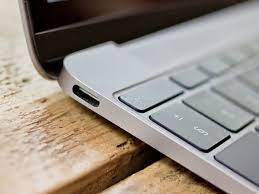


Above is the typical USB-C ports found on Macs.

Alternatively, you can use one of these two adapters with HDMI or Displayport as needed.


https://whttps://www.siig.com/catalogsearch/result/?q=JU-DK0F11-S1 supports HDMI


https://www.siig.com/catalogsearch/result/?q=JU-DK0F11-S1 supports Displayport and HDMI

Bellow you see the kind of connector the Displayport cable has on the left, and HDMI on the right.
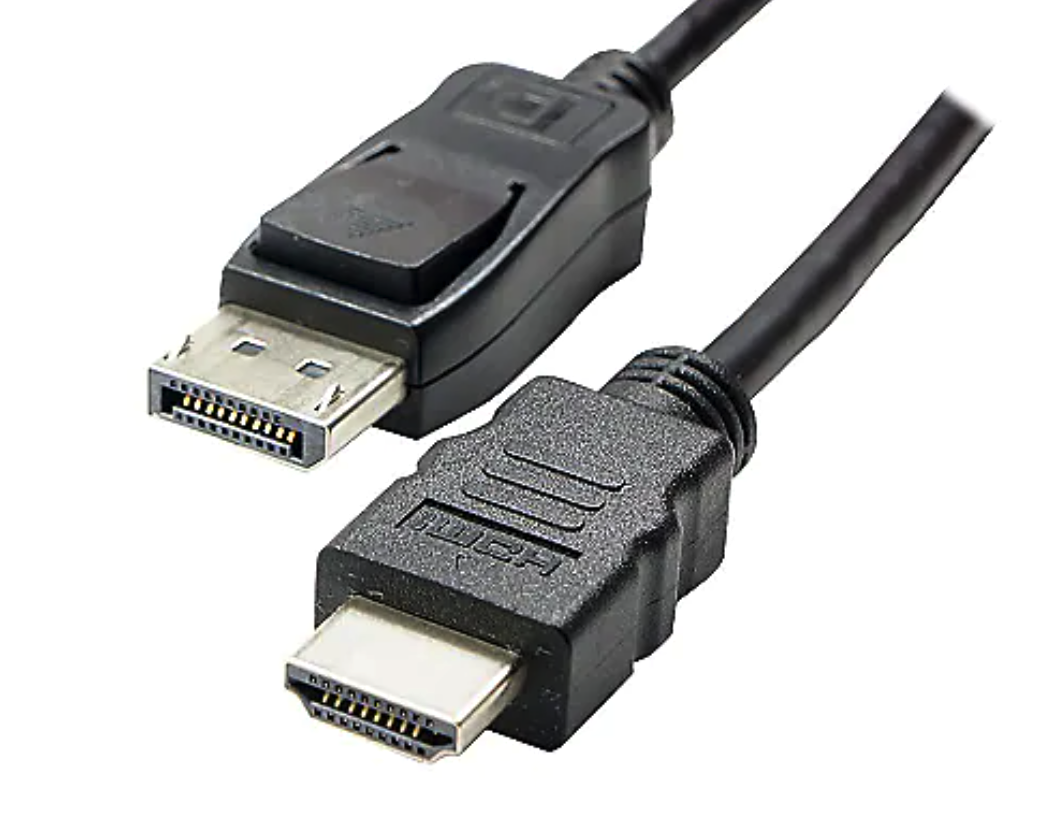


Check the ports on your monitor to see what your machine supports.

If your Mac has ports that is shaped like the ones with the lightning bolt below, that's a thunderbolt 2/mini-displayport which can be adapted to either HDMI or displayport on the display.
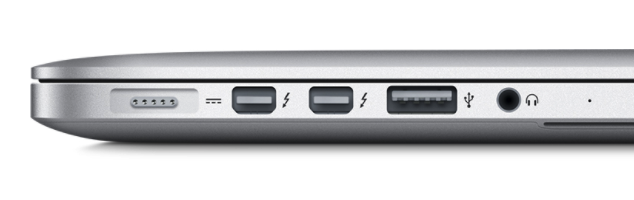
The USB port between the headphone and the thunderbolt 2 ports on this image can't be adapted to video easily.


This thread has been closed by the system or the community team. You may vote for any posts you find helpful, or search the Community for additional answers.

Lenova monitor no longer syncing after updating to BigSur 11.6 on Macbook Air

Welcome to Apple Support Community
A forum where Apple customers help each other with their products. Get started with your Apple Account.