Generally a special display USB-C cable is necessary for USB-C laptops to connect video. The cable used for power from the Mac can't be used. http://www.macsales.com/ can make sure you have the right cable.
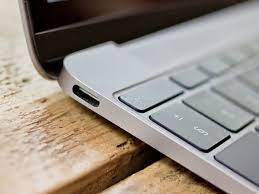
Above is the typical USB-C ports found on Macs.
Alternatively, you can use one of these two adapters with HDMI or Displayport as needed.
https://whttps://www.siig.com/catalogsearch/result/?q=JU-DK0F11-S1 supports HDMI
https://www.siig.com/catalogsearch/result/?q=JU-DK0F11-S1 supports Displayport and HDMI
Bellow you see the kind of connector the Displayport cable has on the left, and HDMI on the right.
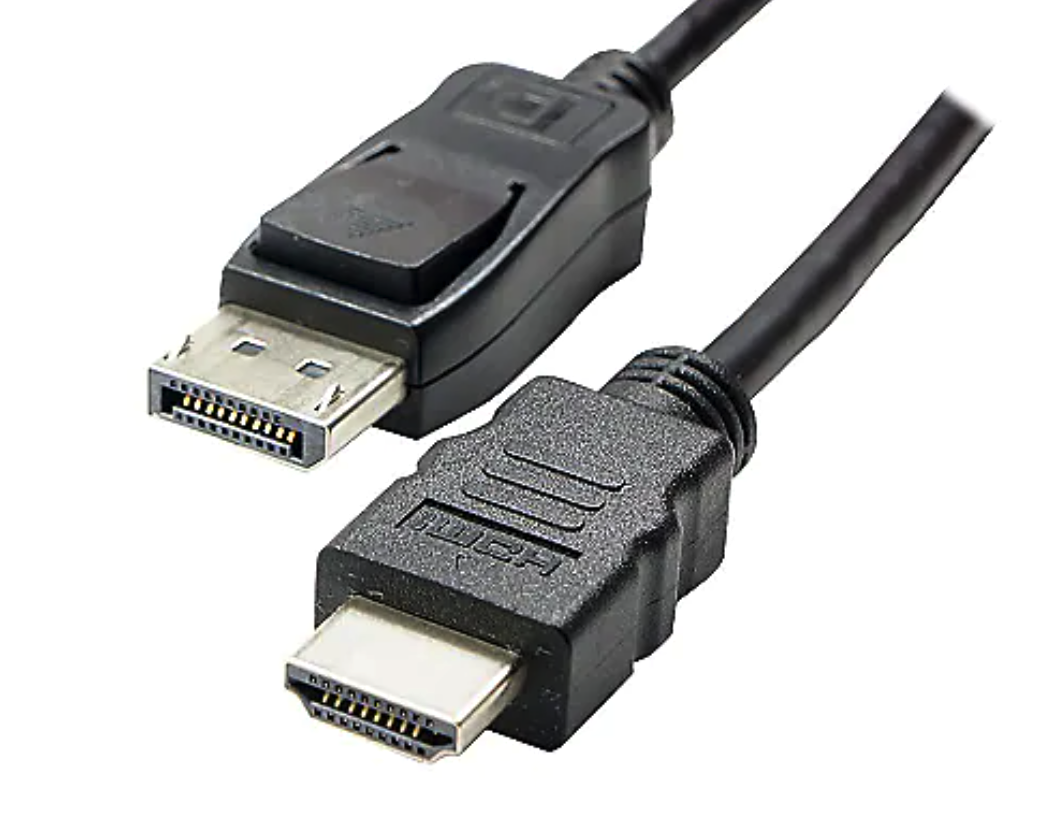
Check the ports on your monitor to see what your machine supports.
If your Mac has ports that is shaped like the ones with the lightning bolt below, that's a thunderbolt 2/mini-displayport which can be adapted to either HDMI or displayport on the display.
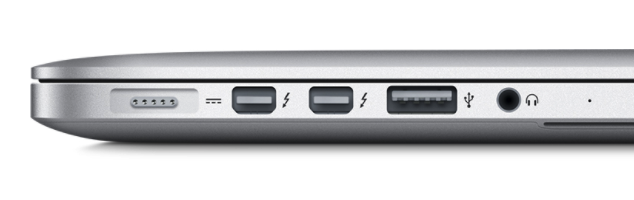
The USB port between the headphone and the thunderbolt 2 ports on this image can't be adapted to video easily.

