Can't Search Mac for Folders Located in the Google Drive Folder

After upgrading my iMac to Monterey, I can't search for folders that are located in the Google Drive folder anymore. Searching does not work in Spotlight or in Finder search bar!! Help :(

iMac Line (2012 and Later)

Posted on Oct 31, 2021 11:44 AM

Reply
Question marked as Top-ranking reply

Posted on Jul 11, 2022 4:57 PM

Your finder or Spotlight should search again now!

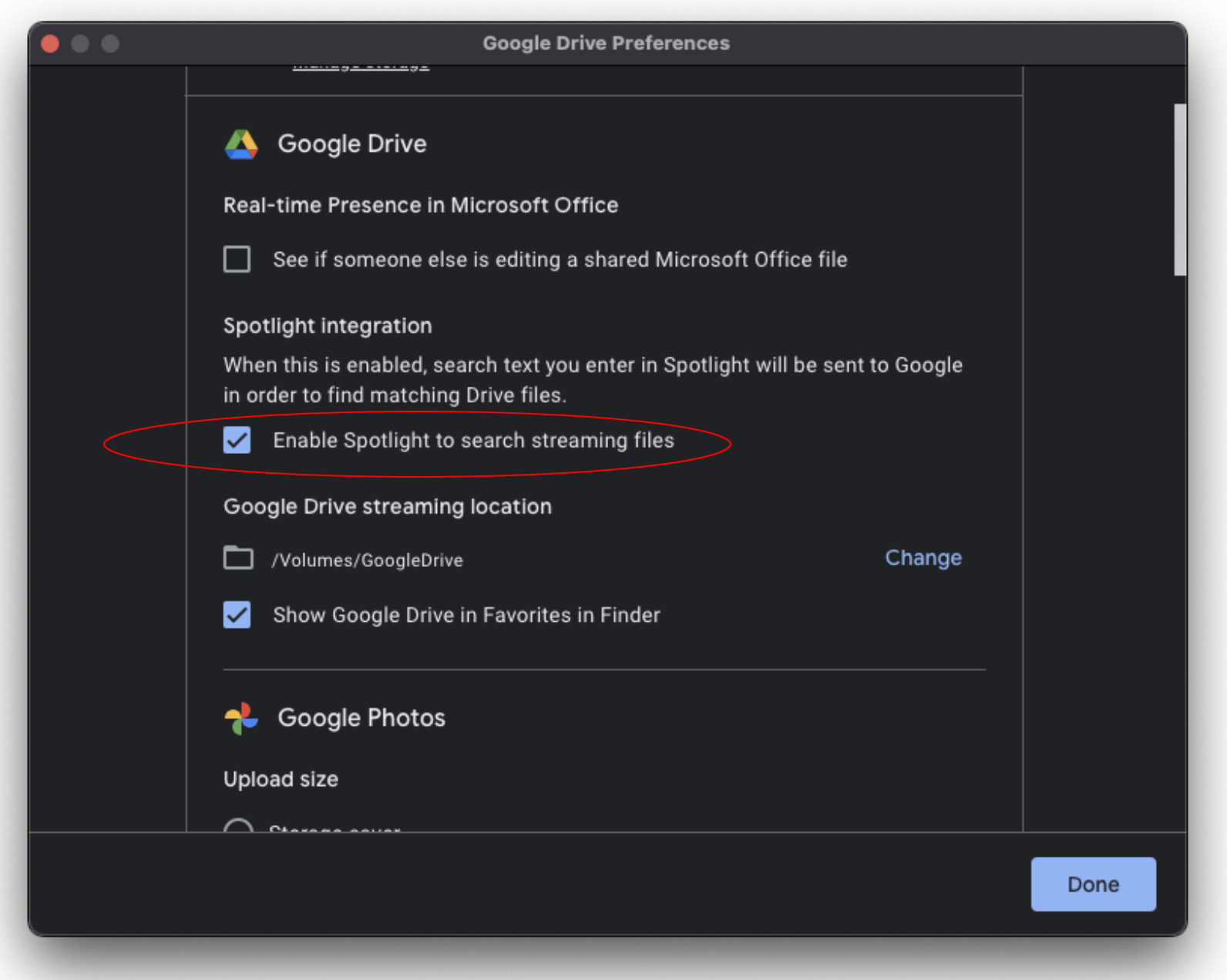
It is well known and has been widely commented the problem that Apple finder has in communicating with Google Drive for desktop (DFD). You would search for anything in DFD using the finder or spotlight and nothing would come up...until now. DFD version 60.0 fixed that, just go to preferences and check the "Enable Spotlight to search streaming files" checkbox, voila! and automatically spotlight starts indexing the DFD. So it wasn’t your finder, it was DFD.


Also note that this solution is for streaming files, not mirror files, which reside on your computer and not in the DFD cloud.


NOTE: My only intention is to help with my modest effort to those who might have the same problem.

65 replies

This thread has been closed by the system or the community team. You may vote for any posts you find helpful, or search the Community for additional answers.

Can't Search Mac for Folders Located in the Google Drive Folder

Welcome to Apple Support Community
A forum where Apple customers help each other with their products. Get started with your Apple Account.