Can't Search Mac for Folders Located in the Google Drive Folder

After upgrading my iMac to Monterey, I can't search for folders that are located in the Google Drive folder anymore. Searching does not work in Spotlight or in Finder search bar!! Help :(

iMac Line (2012 and Later)

Posted on Oct 31, 2021 11:44 AM

Reply
Question marked as Top-ranking reply

Posted on Jul 11, 2022 4:57 PM

Your finder or Spotlight should search again now!

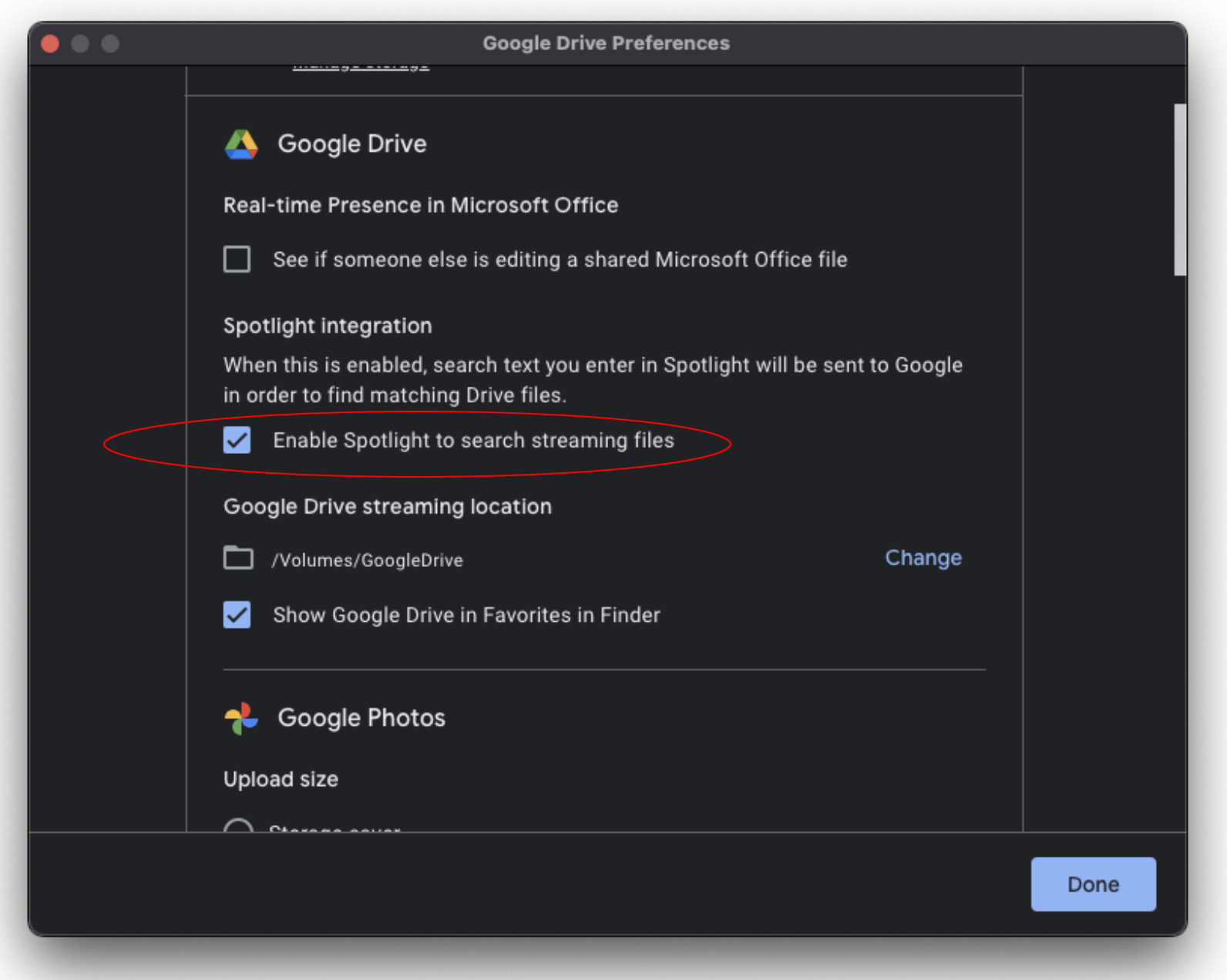
It is well known and has been widely commented the problem that Apple finder has in communicating with Google Drive for desktop (DFD). You would search for anything in DFD using the finder or spotlight and nothing would come up...until now. DFD version 60.0 fixed that, just go to preferences and check the "Enable Spotlight to search streaming files" checkbox, voila! and automatically spotlight starts indexing the DFD. So it wasn’t your finder, it was DFD.


Also note that this solution is for streaming files, not mirror files, which reside on your computer and not in the DFD cloud.


NOTE: My only intention is to help with my modest effort to those who might have the same problem.

65 replies

Dec 20, 2021 12:59 PM in response to Fmdr

Just the usual finder search. select folder, instead of "This Mac" the specific folder selected and the results shows up. I updated to 12.1 but even after the update the searching issue was there and now without any change all is working fine like on Catalina. No idea how this happens now... But still believe an issue with os 12 and drive which was recently changed. The backup and sync app from google never had issue but heard a few topics since they rolled out the new replacement which can either sync or stream data. That was the reason I didn't want to replace the old backup and sync app.


So I cant really help with more details

Dec 21, 2021 7:03 AM in response to Fmdr

This previous discussion

Google Drive "open with" not showing loca… - Apple Community

included:

"On another post about Spotlight and Google Drive, it was noted that their preferences changed from Mirror to Sync, so none of the files were actually stored on the drive, just whatever placeholder they use. It may be that placeholder doesn't advertise the correct file type for the original file stored on the server along with it not providing the necessary metadata for Spotlight to index."


This thread has been closed by the system or the community team. You may vote for any posts you find helpful, or search the Community for additional answers.

Can't Search Mac for Folders Located in the Google Drive Folder

Welcome to Apple Support Community
A forum where Apple customers help each other with their products. Get started with your Apple Account.