How do I delete photos on my iPhone12 when the trash icon does not work? When I sync with a MAC, it starts to add more pictures back on my iPhone and I cannot delete it. Running out of storage on my iPhone.

How do I delete photos on my iPhone12 when the trash icon does not work? When I sync with a MAC, it starts to add more pictures back on my iPhone and I cannot delete it. Running out of storage on my iPhone. Thank you...

iPhone 12, iOS 15

Posted on Dec 31, 2021 10:34 AM

Reply
Question marked as Top-ranking reply

Posted on Dec 31, 2021 10:40 AM

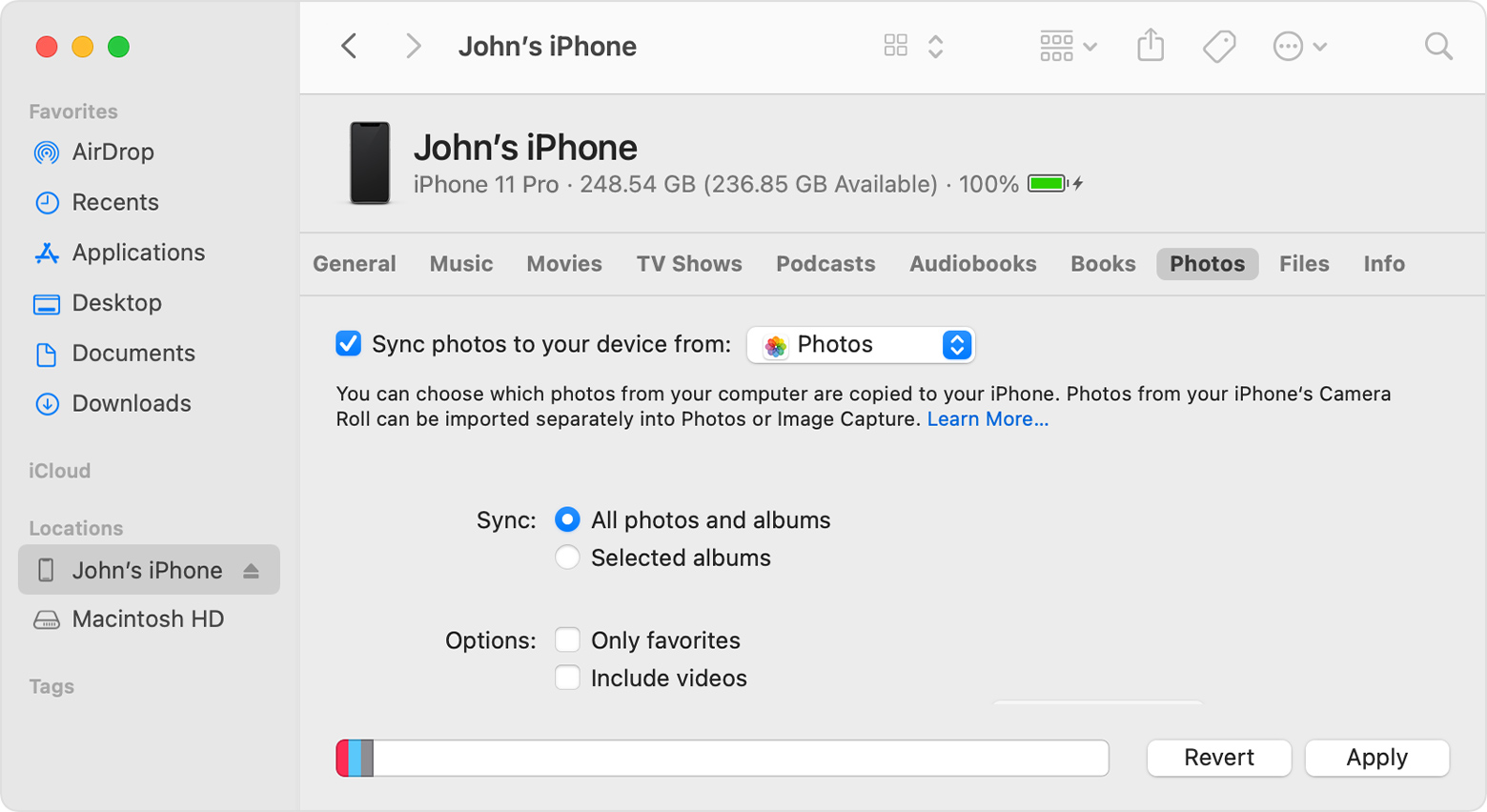
Synced photos from a computer can only be removed the same way they were put on, that is by removing them or deselecting them in the Photos section in iTunes or Finder depending on version of macOS you Mac is running and syncing again.


If you need to delete the photos from the iPhone, disable "Sync Photos" or if you have "Selected Albums" turned on, then deselect albums that you no longer want to sync.

4 replies
Question marked as Top-ranking reply

Dec 31, 2021 10:40 AM in response to Laserbeam17

Synced photos from a computer can only be removed the same way they were put on, that is by removing them or deselecting them in the Photos section in iTunes or Finder depending on version of macOS you Mac is running and syncing again.


If you need to delete the photos from the iPhone, disable "Sync Photos" or if you have "Selected Albums" turned on, then deselect albums that you no longer want to sync.

This thread has been closed by the system or the community team. You may vote for any posts you find helpful, or search the Community for additional answers.

How do I delete photos on my iPhone12 when the trash icon does not work? When I sync with a MAC, it starts to add more pictures back on my iPhone and I cannot delete it. Running out of storage on my iPhone.

Welcome to Apple Support Community
A forum where Apple customers help each other with their products. Get started with your Apple Account.