Hello lucaseverini,
We'll be happy to help out with the Home Screen on your iPad mini, but we're not positive on what feature you are referring to. If it's the Favorites being added to the Dock, you can control which apps, and how many you want there.
We found this in the iPad User Guide, Switch between apps on iPad. It shows the following for apps in the Dock.Open an app from the DockFrom any app, swipe up from the bottom edge of the screen just far enough to reveal the Dock, then tap the app you want to use.Favorite apps are on the left side of the Dock, and suggested apps—like ones you opened recently and ones open on your iPhone or Mac—appear on the right side of the Dock. The rightmost button in the Dock opens App Library.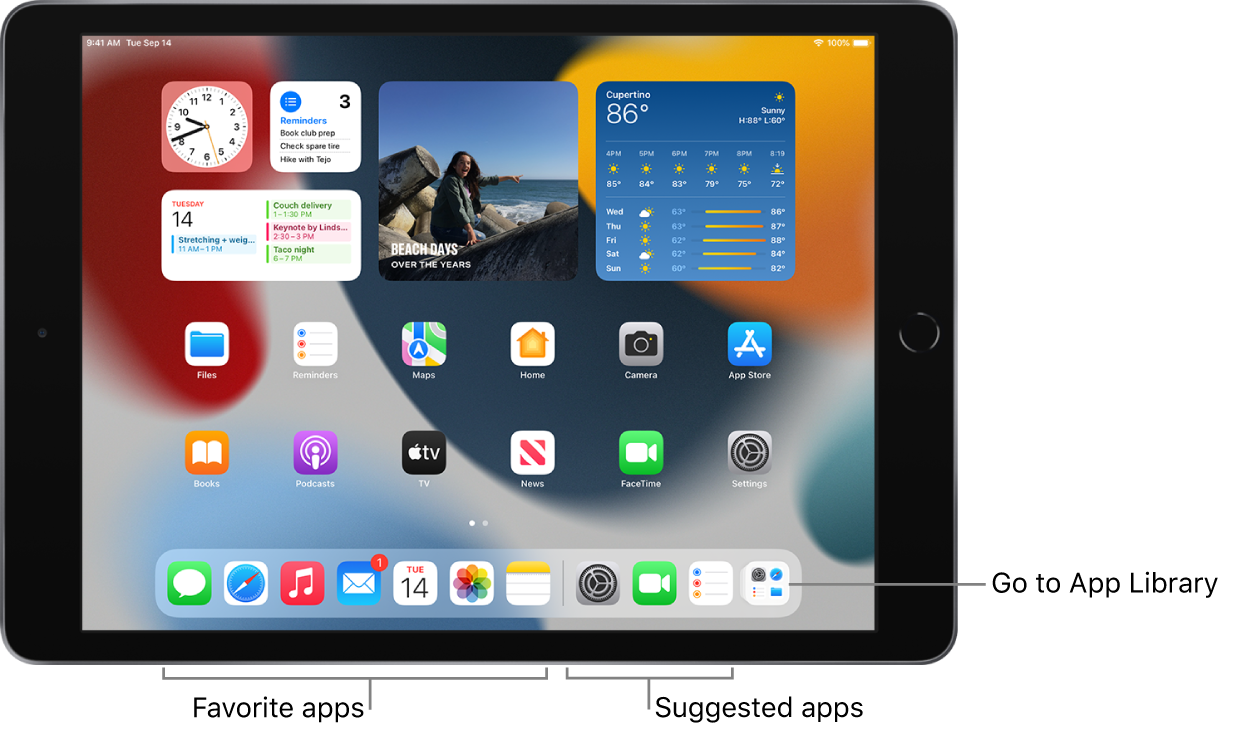
For iOS 15, this should help with organizing apps on your Home Screen. If you are referring to another feature, can you more specific?
Have a great day!


