Error code installing profile via Apple Configurator v2.15.1 - [DMCInstallationErrorDomain – 0xFB4 (4020)]

I'm hoping to get more familiar using the latest Apple Configurator on one of my old iPhones (iPhone 8). This old phone is completely wiped, updated to the latest iOS 15.4.1, and I believe completely removed from my old Apple ID, Find My, etc, etc. (i.e. as far as I can tell it's not popping up saying this phone is previously attached to an existing Apple ID, etc).


I created a very simple profile as a test - just adding an email account and a few other basics.


When I add the profile to the phone it returns:


An unexpected error has occurred with “iPhone”.

The profile must be installed using a device management tool. [DMCInstallationErrorDomain – 0xFB4 (4020)]


Isn't Apple Configurator a basic "device management tool"?!?


I also tried both signed & unsigned profiles, using iMazing Profile Editor to create & edit the profile (but curiously it does not install profiles), and various other tweaks. No improvement.


Any suggestions would be much appreciated!

Posted on Apr 27, 2022 5:54 PM

Reply

Similar questions

3 replies

Apr 28, 2022 12:01 PM in response to kanamit

Greetings, kanamit.


Learn how to install a profile:


“Install a profile


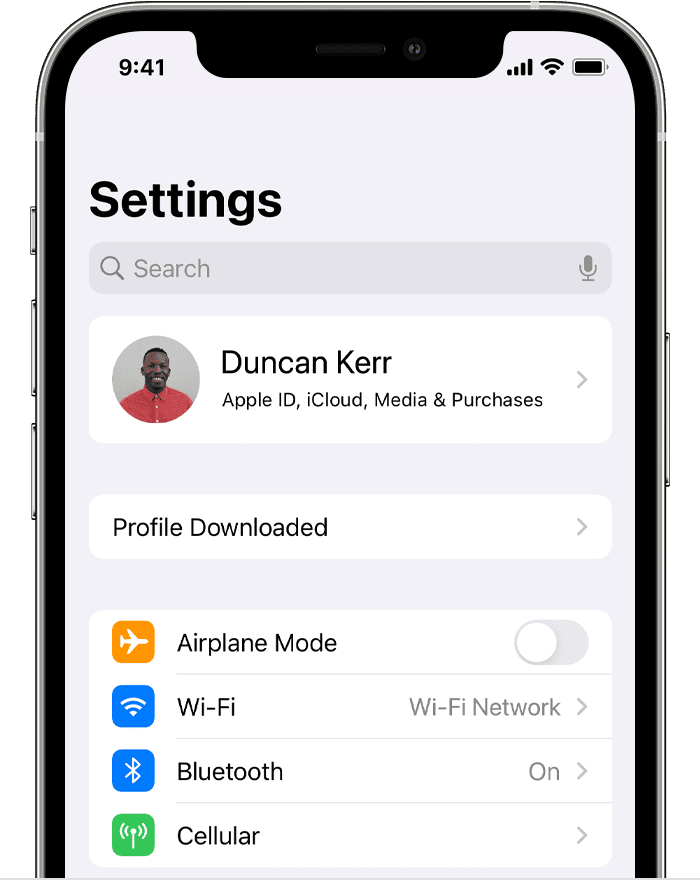
After you download a profile,* you’ll see the message Profile Downloaded or Enroll in [organization name]. To install the profile, follow these steps:

  1. Open the Settings app.
  2. Tap Profile Downloaded or Enroll in [organization name].
  3. iPhone Settings screen showing Profile Downloaded
  4. Tap Install in the upper-right corner, then follow the onscreen instructions.


* You can have only one profile ready to install at a time. For example, if you download a profile and don't install it, and then download a second profile, only the second profile is available to be installed.


About profiles installed by Mobile Device Management


If you're a system administrator, you can install profiles without any interaction from the user on devices enrolled in Mobile Device Management (MDM). To enroll a device in MDM, use Apple School Manager or Apple Business Manager, or manually install an enrollment profile.” Install a configuration profile on your iPhone or iPad 


We hope this helps! 


Sincerely.

Apr 28, 2022 4:35 PM in response to JessS19

Hi & thanx for the prompt reply!


Please note: Everything I described happened all within using the latest Apple Configurator. When I try to install the profile I get that specific error mentioned within Apple Configurator [see screenshots below]


Shouldn't I be able to use Apple Configurator *only* (that is, no MDM service - no Apple School/Business Manager - nothing else) to install the profile?

Apr 29, 2022 6:46 AM in response to kanamit

Hey kanamit,


Looking at the App Store information for Apple Configurator, it shows:

Apple Configurator makes it easy to deploy iPad, iPhone, iPod touch, and Apple TV devices in your school or business.
Use Apple Configurator to quickly configure large numbers of devices connected to your Mac via USB with the settings, apps, and data you specify for your students, employees, or customers.

Mac App Store Preview - Apple Configurator


Also, it shows:

Compatibility
Mac
Requires macOS 10.15.6 or later.


Take care!

This thread has been closed by the system or the community team. You may vote for any posts you find helpful, or search the Community for additional answers.

Error code installing profile via Apple Configurator v2.15.1 - [DMCInstallationErrorDomain – 0xFB4 (4020)]

Welcome to Apple Support Community
A forum where Apple customers help each other with their products. Get started with your Apple Account.