help with crash and decipher CRASH LOG

my FCPx 10.4.10 (on Mojave) hiccuped and asked me to select my library

I only have one library

but TWO IDENTICAL OPTIONS appeared


I must have picked the wrong one

now FCP and my library open fine

but now when I try to move or delete something in the storyline

FCPx crashes instantly


I am pasting the crash report below

Posted on May 28, 2022 1:50 PM

Reply
Question marked as Top-ranking reply

Posted on May 30, 2022 4:00 PM

You trash your preferences by holding ⌥ ⌘ as you double click the library you want to open to launch the application. A dialog appears asking you if you want to Delete Preferences. If you don't do this while double-clicking your library, the application will open a default Untitled library.  


Similar questions

16 replies
Question marked as Top-ranking reply

May 30, 2022 4:00 PM in response to -g

You trash your preferences by holding ⌥ ⌘ as you double click the library you want to open to launch the application. A dialog appears asking you if you want to Delete Preferences. If you don't do this while double-clicking your library, the application will open a default Untitled library.  


May 28, 2022 1:51 PM in response to -g

What two options? What did you pick?


Whenever the application crashes you should reset the preferences. Hold ⌥ ⌘ as you double click the library you want to open to launch the application. A dialog appears asking you if you want to Delete Preferences. If you don't do this while double-clicking your library, the application will open a default Untitledlibrary.  

May 28, 2022 3:28 PM in response to -g

I suspect the next maneuver would be to file> open library> from backup


to try and find a previous state when the problem was not present


NOTE: my experience is in 1000s hours in FCP 3-7

after more than 5 years away from FCP - I only recently moved to FCPx 10.4x

and am still learning how it works...


May 28, 2022 3:12 PM in response to Tom Wolsky

I RESET FCPx Preferences using1-4 steps below)

that opened the expected blank user interface

next I open my project library (File> Open Library) - all my projects/events look in place

next I opened a project

the instant I clicked on clip or still in the storyline - FCPx crashed and generated a crash log (previously uploaded above)


for how to troubleshoot FCPx


How to Trash Final Cut Pro X's Preferences

  1. Quit Final Cut Pro X.
  2. Open Final Cut Pro X holding the Command and Option keys down.
  3. Click the Delete Preferences button.
  4. Dismiss the 'What's New Page' if it appears.
  5. When Final Cut Pro X fully opens, go to the Preferences and change the settings back to what you need.


I could not immediately find where FCPx 10.4 actually stores it preferences to manually trash them


the problem persists...


May 28, 2022 3:19 PM in response to Tom Wolsky

>> When you launch the application the library should open. There shouldn’t be any dialog.


yes, when the problem occurred launching the application (FCPx) generated the "Which library would you like to open?" which had the duplicate library posted screenshot above - I never got the dialog before


>> Post a screenshot of what you see when you open the application. Don’t click on anything.


after I reset preferences - it displayed the default (blank) interface


before (or after) I opened my project library - it showed the expected and familiar interface - everything looks normal until I click on anything in the storyline timeline...

May 30, 2022 2:50 PM in response to Luis Sequeira1

Thanks Luis, I am not sure what "SIP and security updates" are in your context


I always run the security updates from Software Update


can you provide a bigger clue what SIP is on 10.14.6 Mavericks

maybe HOW I have it turned off?

I don't run virus software for the drag it put on my systems in the past


I run very lean professional systems (I am the only user) and prefer to always have macOS automatically check and be noticed of updates -- but I prefer to manage updates by manually running them - and this system is up to date (according to Software Update)


I don't generally run Cocktail any more, but (excuse that) I was at the end of my patience discussed Trashing Files Doesn't recover space (solved) and I ran the latest available Cocktail 12.5 (Mojave Edition) - I have confidence in Maintain developers that they are not introducing BAD routines in their default Pilot routine to damage my system


May 30, 2022 3:23 PM in response to Tom Wolsky

I HAVE A FEW CLUES and could use some additional help


I recently changed my FCPx Library Properties> Storage Locations to a Thunderbolt enclosure:

I was trying to free up space on my boot SSD
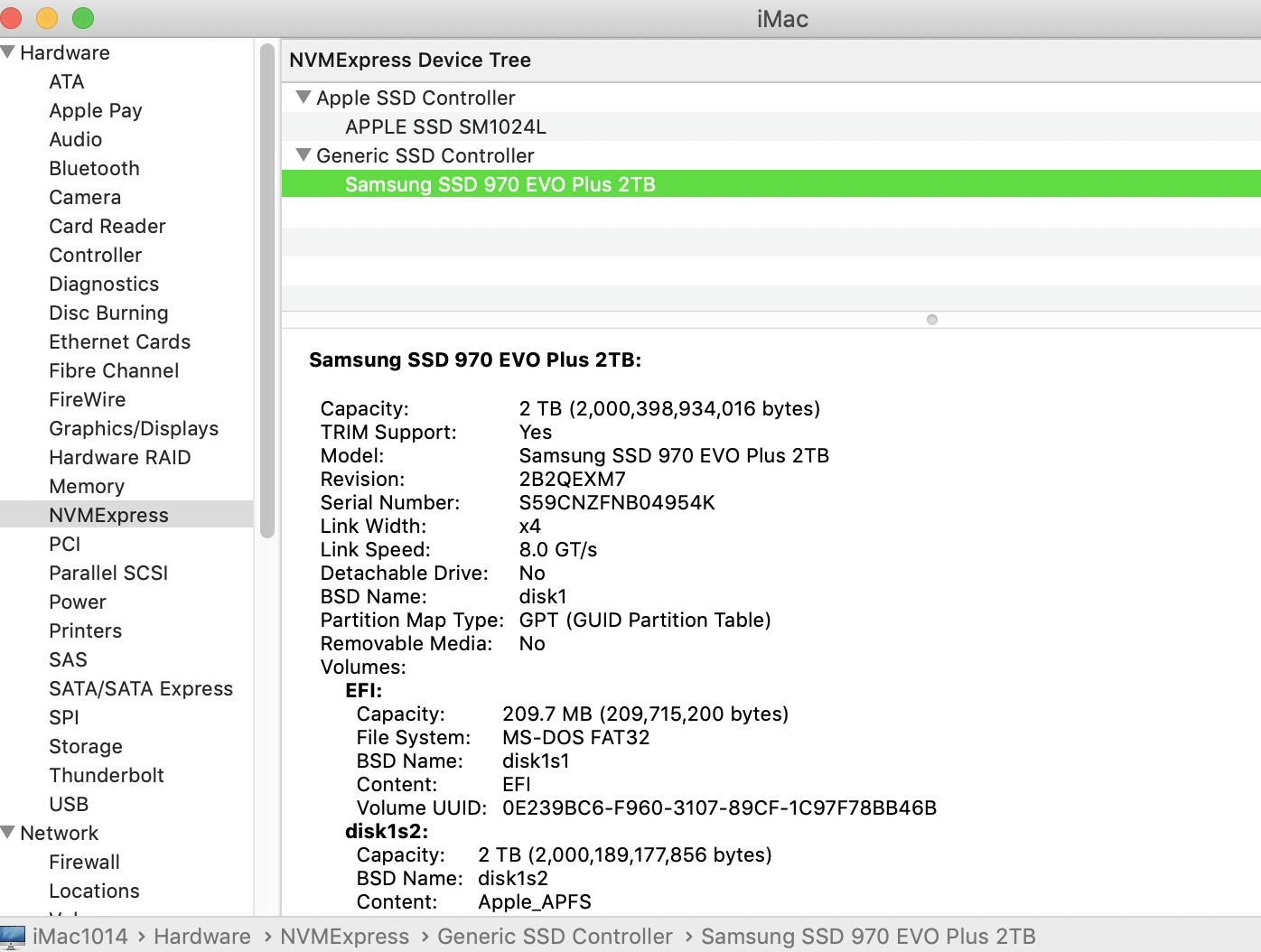


That maneuver copied my First proj Cache.fcpcache over to my external (was about 60 GB)


at that point, I began to see some lag and jumpiness working my storyline that I never saw working completely off my boot SSD


my internal Apple SSD gets 2400 MBs read/write

my external gets 1000MBs write/2400MBs read


it was just after working a couple hours I got the first CRASH symptom

(noted first paragraph of my first post)


minutes or later I started the guaranteed crashing, also noted above


BIGGEST CLUE - HOW DO I PROCEED?


I have 11 projects in my Library I am working on (1920x1080 30fps)

most of then would cause the crash if I clicked on stills/clips in Storyline

but I was able to scrub the clips in Bin and Storylines


I began the process of File> Delete Generated Render Files

to move the render Storage Location back in my User> User default location


I was successful on all but one Project

that's where I suggest the problem lies...


the weird thing is -- the problem Project is mama2 -- it appears to still be in my main User
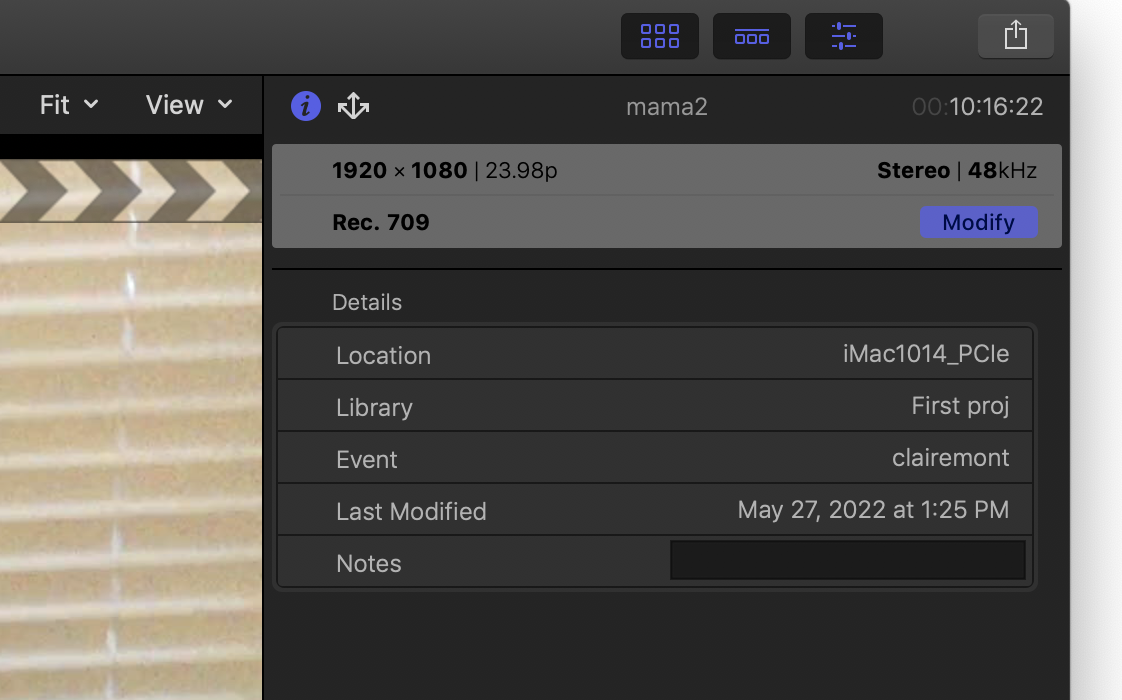

I am learning as I type this ... AND NOT EVEN SURE WHAT MY QUESTION IS YET ... it looks like 'mama2' is in 'clairemont' project ON MY BOOT SSD!


any idea what's going on or how to proceed... (it does appear mama2 is 24fps and rest of projects are 30fps)



May 30, 2022 5:16 PM in response to Tom Wolsky

Tom'


yes - I did that above (and just did it again) - it executed proper, but did not fix the problem - which exists in my current library


specifically my 'mama2' project (one of a dozen projects in my library)


my instinct is if I can figure how to delete the render files for 'mama2'

and get my First proj Cache.fcpcache back over to my internal boot system user

I can make progress in narrowing down the issue


currently, Library> Storage Locations> Modify Settings> Cache> In Library - instantly crashes FCPx


likewise, double clicking on 'mama2' project in the bin instantly crashes FCPx

I don't even get a storyline


the other Projects all open in the storyline, I can scrub clips in the bin and storylines, but clicking on a clip or still in the storyline to move it instantly crashes...


if you think of anything else let me know


I am considering the option of Erasing and Restoring my boot SSD to before I switched my Cache.fcpcache to external SSD and redoing lost revisions ... but I am hoping to nip the problem and get back to work with with my current up-to-date Library

This thread has been closed by the system or the community team. You may vote for any posts you find helpful, or search the Community for additional answers.

help with crash and decipher CRASH LOG

Welcome to Apple Support Community
A forum where Apple customers help each other with their products. Get started with your Apple Account.