Record shops charges=Minecraft or Roblox purchases

I’ve had the same problem and turns out it matches up with Minecraft app charges on the iPad. They’re marketplace doesn’t require a password and so far I can’t find a setting to restrict purchases. Genius

Posted on Jun 9, 2022 9:18 PM

Reply
Question marked as Top-ranking reply

Posted on Jun 11, 2022 10:18 AM

Greetings, Ebomm.


If you want a way to restrict charges, check out:


"An iPhone showing the iTunes & App Store Purchases screen. Under Require Password, the Don't Require option is selected with a checkmark next to it.
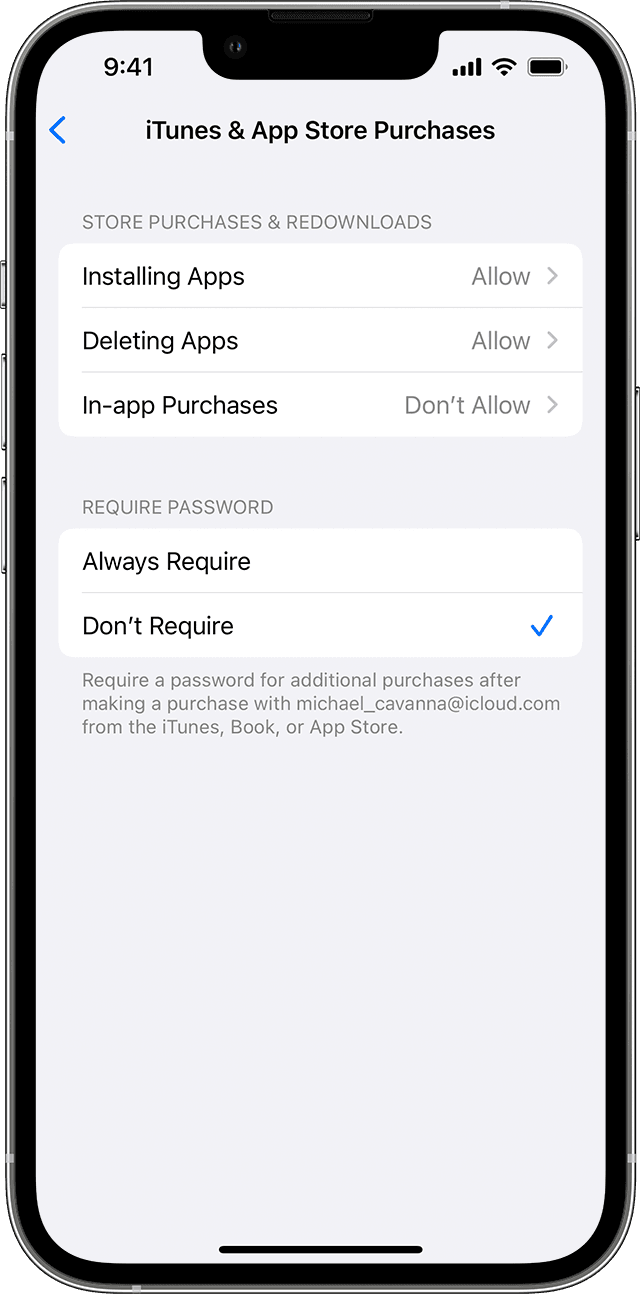
Prevent iTunes & App Store purchases 

You can also prevent your child from being able to install or delete apps, make in-app purchases, and more. To prevent iTunes & App Store purchases or downloads:

  1. Go to Settings and tap Screen Time. 
  2. Tap Content & Privacy Restrictions. If asked, enter your passcode.
  3. Tap iTunes & App Store Purchases.
  4. Choose a setting and set to Don't Allow.

You can also change your password settings for additional purchases from the iTunes & App Store or Book Store. Follow steps 1-3, then choose Always Require or Don't Require." Use parental controls on your child's iPhone, iPad, and iPod touch


We hope this helps!


Sincerely.

1 reply
Question marked as Top-ranking reply

Jun 11, 2022 10:18 AM in response to Ebomm

Greetings, Ebomm.


If you want a way to restrict charges, check out:


"An iPhone showing the iTunes & App Store Purchases screen. Under Require Password, the Don't Require option is selected with a checkmark next to it.

Prevent iTunes & App Store purchases 

You can also prevent your child from being able to install or delete apps, make in-app purchases, and more. To prevent iTunes & App Store purchases or downloads:

  1. Go to Settings and tap Screen Time. 
  2. Tap Content & Privacy Restrictions. If asked, enter your passcode.
  3. Tap iTunes & App Store Purchases.
  4. Choose a setting and set to Don't Allow.

You can also change your password settings for additional purchases from the iTunes & App Store or Book Store. Follow steps 1-3, then choose Always Require or Don't Require." Use parental controls on your child's iPhone, iPad, and iPod touch


We hope this helps!


Sincerely.

This thread has been closed by the system or the community team. You may vote for any posts you find helpful, or search the Community for additional answers.

Record shops charges=Minecraft or Roblox purchases

Welcome to Apple Support Community
A forum where Apple customers help each other with their products. Get started with your Apple Account.