Who Started FaceTime Call?

Nobody in my group is saying that they started the FaceTime

How do I find out?

iPhone 13 mini, iOS 15

Posted on Aug 18, 2022 10:50 AM

Reply
1 reply

Aug 19, 2022 1:51 PM in response to AmeliaNielsen

Hi AmeliaNielsen!


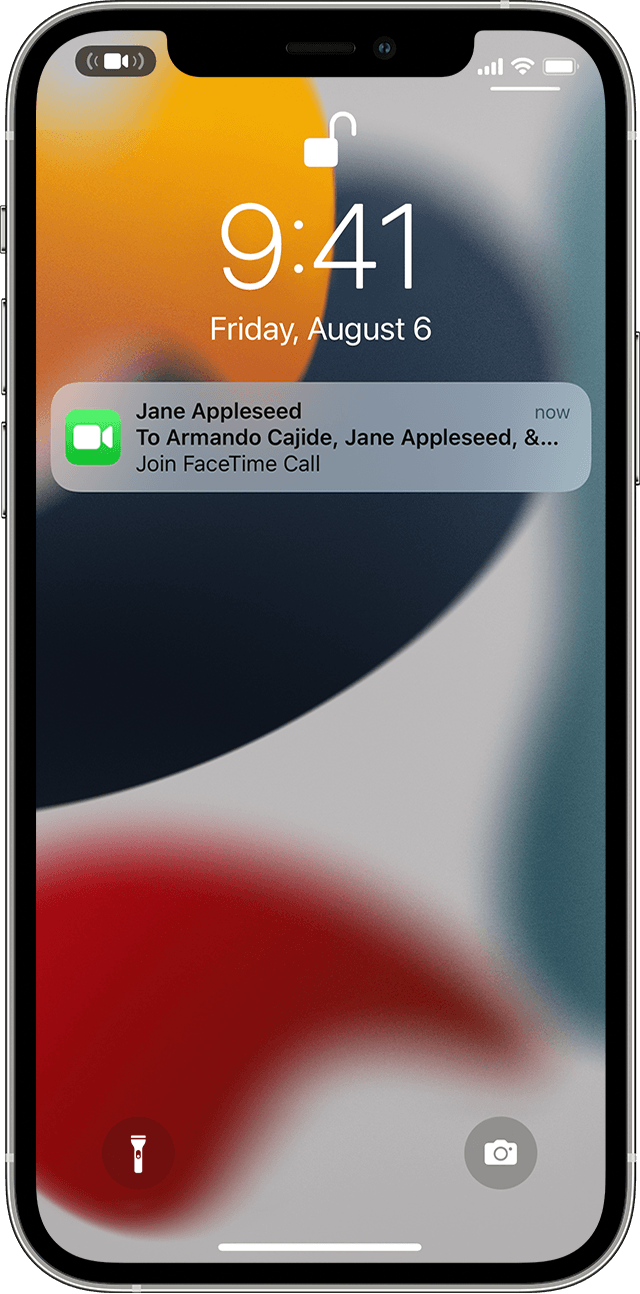
You can see in the initial notification who initiated the call as shown here:


"Join a Group FaceTime call 

There are a few ways to join a Group FaceTime call that someone else started:

  • Tap the notification from the Notification Center or the Lock screen, then tap the FaceTime button 
  • To join a Group FaceTime call from Messages, tap the notification at the top of your screen or tap Join from the group conversation in Messages. After you tap Join, you're automatically connected.
  • To join a call from the FaceTime app, just go to the active call in FaceTime, then tap the FaceTime button FaceTime icon.

From a notification

iPhone showing how to join a FaceTime call from a notification

From a group message
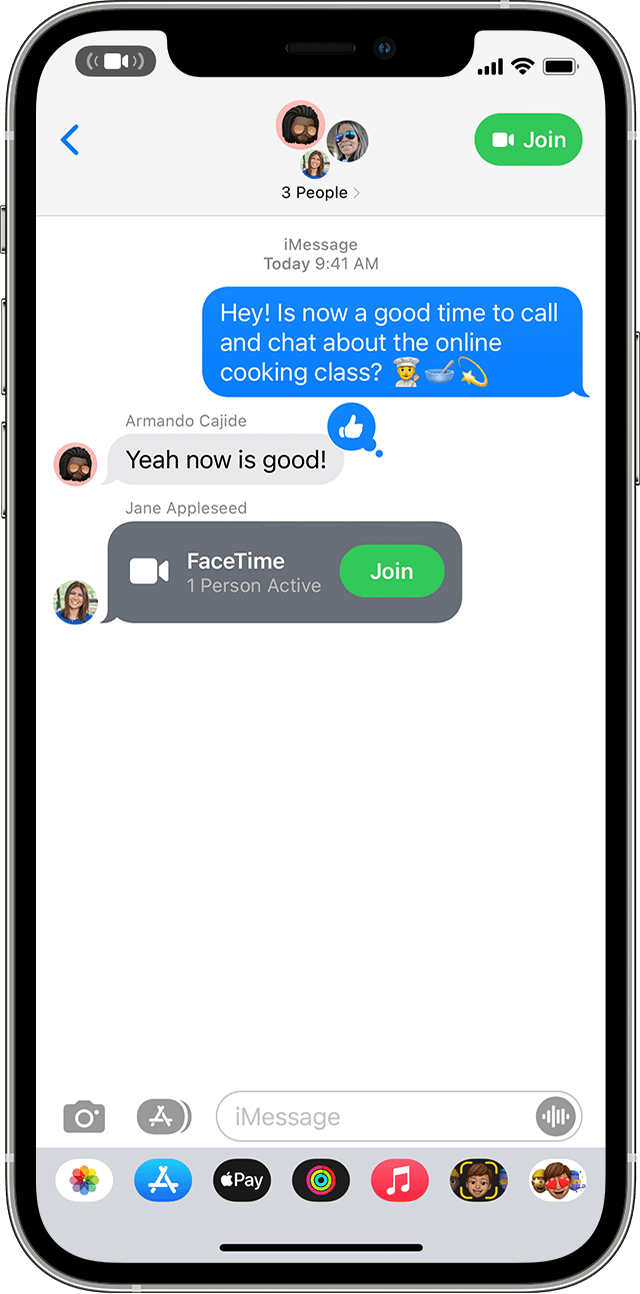
iPhone showing how to join a FaceTime call from a group message"


The following link contains this information as well as other information about Group FaceTime that you might be interested in:


Use Group FaceTime on your iPhone, iPad, and iPod touch - Apple Support


Cheers!

This thread has been closed by the system or the community team. You may vote for any posts you find helpful, or search the Community for additional answers.

Who Started FaceTime Call?

Welcome to Apple Support Community
A forum where Apple customers help each other with their products. Get started with your Apple Account.