iCloud offloading active files

I love it when im working on some videos in Premiere Pro and iCloud just decides that its currently the best time to offload these files.


Another thing iCloud likes is to upload a 5mb file for hours, exactly when i'm using Premiere Pro, which makes the whole machine sound like and F15 on a runway and makes the work in Premiere laggy.


Im pretty sure that iCloud is the reason because i can see the difference when its inactive while i perform the same tasks in Premiere Pro.


So opening the upload list and trying to disable the upload by click "X" is not working, because clicking the "X" doesn't do anything, obviously.

Disabling WIFI is not an option because i need internet for my work.


So the question is - why iCloud sucks... Sorry..

How do i disable iCloud sync so i am able to do some work?


Posted on Aug 31, 2022 12:19 PM

Reply

Similar questions

1 reply

Sep 1, 2022 2:10 PM in response to AlexOne

Hi AlexOne,


You can change your iCloud settings with these steps: Change your iCloud settings - Apple Support

On your Mac

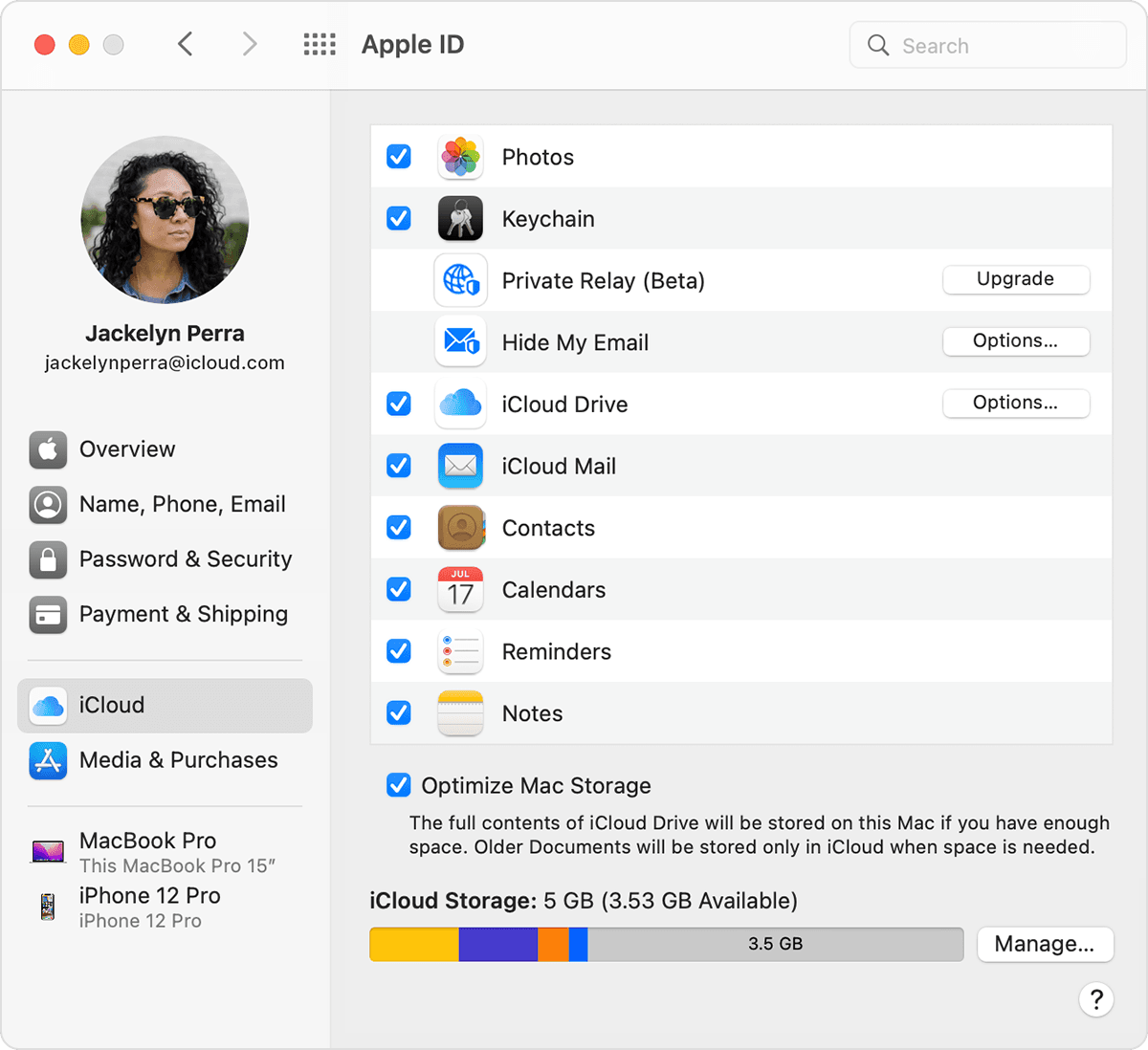
1. Choose Apple menu  > System Preferences, then click Apple ID. If you're using macOS Mojave or earlier, you don't need to click Apple ID.
2. Click iCloud.
3. Select or deselect each app.

Choose apps for iCloud on Mac

For more help with Premier Pro, reach out here: Adobe Help Center


Best regards.

This thread has been closed by the system or the community team. You may vote for any posts you find helpful, or search the Community for additional answers.

iCloud offloading active files

Welcome to Apple Support Community
A forum where Apple customers help each other with their products. Get started with your Apple Account.