Hello chachiiii,
Welcome to Apple Support Communities. We can understand the concern with the volume of your Beats Flex, and we're happy to help. Since you've already reset those Beats and checked the firmware, let's see if there is an issue or setting with your iPhone that might be impacting the low volume. See if Reduce Loud Sounds might be enabled: Use headphone audio level features on iPhone
"Reduce loud headphone sounds in Settings
- Go to Settings
 , then tap Sounds & Haptics (iPhone 7 and later) or Sounds (earlier models).
 - Tap Headphone Safety.
- Turn on Reduce Loud Sounds, then drag the slider.
- iPhone analyzes your headphone audio and reduces any sound above the level you set.
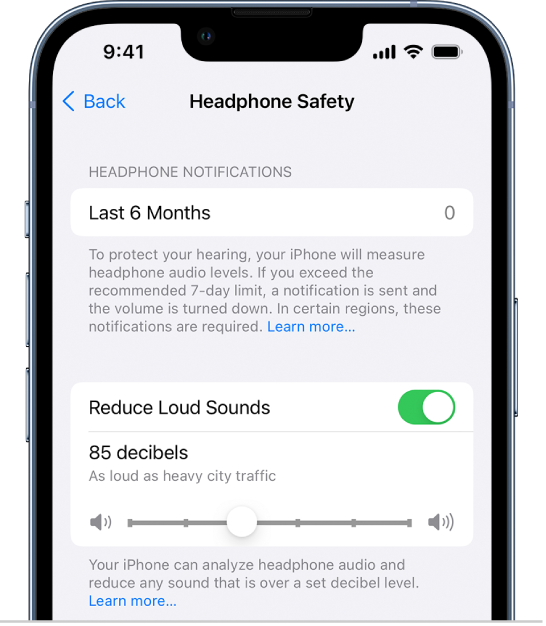
- Note: If you set up Screen Time for family members, you can prevent them from changing the Reduce Loud Sounds level. Go to Settings > Screen Time > Content & Privacy Restrictions > Reduce Loud Sounds, then select Don’t Allow."
Another way to check to see if your iPhone is part of the issue would be to pair the Beats with another device and see if you experience the lower levels
If you still need help, reach out to us here: Get Support
Best regards!


