Apple Watch not stopping notifications during focus

I’ve used my Apple Watch Series 7/ other Apple Watches to track my sleep for years now. But these past few nights I’ve noticed that notifications have started to come through and are waking me up. For example it keeps asking me to stand every hour! Is there a fix for this? Fyi sleep schedule and DND are on!

Posted on Oct 3, 2022 10:55 PM

Reply
Question marked as Top-ranking reply

Posted on Oct 5, 2022 11:48 AM

Hello Kirapx,


Thanks for choosing the Apple Support Communities. In this situation, it may be best to check your focus settings to see if something was checked to come through unknowingly. Here is how.


Use Focus on Apple Watch - Apple Support


Also, if you haven't tried, you may want to restart or force restart your Apple Watch and test again.


Restart your Apple Watch - Apple Support


"How to restart your Apple Watch if you have watchOS 8 or earlier

  1. If your Apple Watch is charging, take it off the charger.
  2. Press and hold the side button until you see the Power Off slider.
  3. Drag the Power Off slider.
  4. After your watch turns off, press and hold the side button again until you see the Apple logo.

 

Apple logo screen. 

Force restart your Apple Watch

You should force restart your Apple Watch as a last resort and only if it's not responding.

Don’t force restart your Apple Watch if you're updating watchOS. After you see the Apple logo and progress wheel, leave your watch alone and on its charger until the update finishes.

To force restart your Apple Watch, press and hold both the side button and Digital Crown for at least 10 seconds, then release both buttons when you see the Apple logo."


We hope this helps.


Cheers!


1 reply
Question marked as Top-ranking reply

Oct 5, 2022 11:48 AM in response to Kirapx

Hello Kirapx,


Thanks for choosing the Apple Support Communities. In this situation, it may be best to check your focus settings to see if something was checked to come through unknowingly. Here is how.


Use Focus on Apple Watch - Apple Support


Also, if you haven't tried, you may want to restart or force restart your Apple Watch and test again.


Restart your Apple Watch - Apple Support


"How to restart your Apple Watch if you have watchOS 8 or earlier

  1. If your Apple Watch is charging, take it off the charger.
  2. Press and hold the side button until you see the Power Off slider.
  3. Drag the Power Off slider.
  4. After your watch turns off, press and hold the side button again until you see the Apple logo.
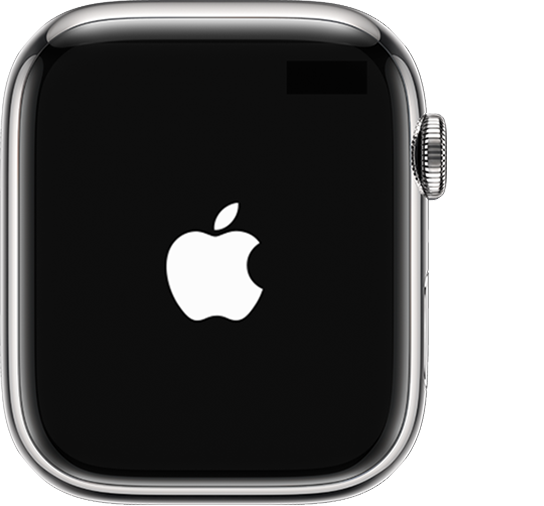
 

Apple logo screen. 

Force restart your Apple Watch

You should force restart your Apple Watch as a last resort and only if it's not responding.

Don’t force restart your Apple Watch if you're updating watchOS. After you see the Apple logo and progress wheel, leave your watch alone and on its charger until the update finishes.

To force restart your Apple Watch, press and hold both the side button and Digital Crown for at least 10 seconds, then release both buttons when you see the Apple logo."


We hope this helps.


Cheers!


This thread has been closed by the system or the community team. You may vote for any posts you find helpful, or search the Community for additional answers.

Apple Watch not stopping notifications during focus

Welcome to Apple Support Community
A forum where Apple customers help each other with their products. Get started with your Apple Account.