Problem with "hand wash" app on apple watch Ultra

The detection on AW Ultra on iOS 16 does not work well, I cannot see the application on location services on the iPhone, when turning on the hand-wash reminder function on the AW ultra, it clicks, but when you open it on the iPhone in the watch section, the ihed hand-wash reminder function immediately turns off.

I am asking for advice on how to make this application work.

Thank you

Posted on Oct 4, 2022 1:13 PM

Reply
Question marked as Top-ranking reply

Posted on Oct 6, 2022 9:08 AM

Hello bronislavfromtřebichovice,


Thank you for reaching out to Apple Support Communities, and we'll be happy to help in any way we can. We understand you're having issues with the Handwashing app on your watch. To start, make sure it is set up correctly as described here: Set up Handwashing on Apple Watch - Apple Support


"Set up Handwashing on Apple Watch

Your Apple Watch can detect when you start washing and encourage you to keep going for 20 seconds, the time recommended by global health organizations. Your Apple Watch can also notify you if you haven’t washed your hands within a few minutes of returning home.


Turn on Handwashing

  1. Open the Settings app  on your Apple Watch.
  2. Tap Handwashing, then turn on Handwashing Timer.

When Apple Watch detects that you’ve started washing your hands, it starts a 20-second timer. If you stop washing in fewer than 20 seconds, you’re encouraged to finish the job.
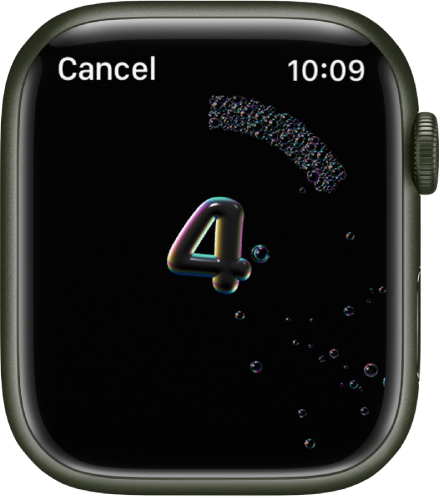
The handwashing counter, counting down from 4.

Receive Handwashing notifications

Apple Watch can remind you to wash your hands shortly after returning home.

  1. Open the Settings app  on your Apple Watch.
  2. Tap Handwashing, then turn on Handwashing Reminders.

Note: On an Apple Watch set up for a family member, you can also turn on handwashing reminders. Open the Settings app  on the managed Apple Watch, tap Handwashing, turn on Handwashing Timer, then turn on Handwashing Reminders.

To receive handwashing reminders, you must set a home address in your My Card in the Contacts app on iPhone.

To see a report of your average handwashing times, open the Health app on your iPhone, go to Browse > Other Data, then tap Handwashing."


If it is, try restarting your watch and iPhone to see if that resolves the issue:


Restart your Apple Watch - Apple Support

Restart your iPhone - Apple Support


We hope this helps.


Cheers!



1 reply
Question marked as Top-ranking reply

Oct 6, 2022 9:08 AM in response to bronislavfromtřebichovice

Hello bronislavfromtřebichovice,


Thank you for reaching out to Apple Support Communities, and we'll be happy to help in any way we can. We understand you're having issues with the Handwashing app on your watch. To start, make sure it is set up correctly as described here: Set up Handwashing on Apple Watch - Apple Support


"Set up Handwashing on Apple Watch

Your Apple Watch can detect when you start washing and encourage you to keep going for 20 seconds, the time recommended by global health organizations. Your Apple Watch can also notify you if you haven’t washed your hands within a few minutes of returning home.


Turn on Handwashing

  1. Open the Settings app  on your Apple Watch.
  2. Tap Handwashing, then turn on Handwashing Timer.

When Apple Watch detects that you’ve started washing your hands, it starts a 20-second timer. If you stop washing in fewer than 20 seconds, you’re encouraged to finish the job.

The handwashing counter, counting down from 4.

Receive Handwashing notifications

Apple Watch can remind you to wash your hands shortly after returning home.

  1. Open the Settings app  on your Apple Watch.
  2. Tap Handwashing, then turn on Handwashing Reminders.

Note: On an Apple Watch set up for a family member, you can also turn on handwashing reminders. Open the Settings app  on the managed Apple Watch, tap Handwashing, turn on Handwashing Timer, then turn on Handwashing Reminders.

To receive handwashing reminders, you must set a home address in your My Card in the Contacts app on iPhone.

To see a report of your average handwashing times, open the Health app on your iPhone, go to Browse > Other Data, then tap Handwashing."


If it is, try restarting your watch and iPhone to see if that resolves the issue:


Restart your Apple Watch - Apple Support

Restart your iPhone - Apple Support


We hope this helps.


Cheers!


This thread has been closed by the system or the community team. You may vote for any posts you find helpful, or search the Community for additional answers.

Problem with "hand wash" app on apple watch Ultra

Welcome to Apple Support Community
A forum where Apple customers help each other with their products. Get started with your Apple Account.