
How to get Apple Music on Android?
Please switch to andoroid
[Re-Titled by Moderator]
iPhone 6, iOS 12
Please switch to andoroid
[Re-Titled by Moderator]
iPhone 6, iOS 12
Hello Teo25,
Thank you for reaching out to Apple Support Communities, and we'll be happy to help in any way we can. We understand you'd like to use Apple Music on your Android device. This article goes over how you can use Apple Music for Android: Use Apple Music with your Android devices - Apple Support
"Get the Apple Music app
To download the Apple Music app, you need an Android phone or tablet with Android 5.0 Lollipop or later, or a Chromebook that supports Android apps.
Go to Google Play to download the Apple Music app.

Subscribe to Apple Music
Stream millions of songs. Get exclusive playlists and recommendations for music you’ll love. And listen on any device with the Apple Music app.
Learn how to join Apple Music on your Android device.
If you already subscribe, just sign in with your Apple ID
 , then tap Sign In.
Share an Apple Music family subscription
On your Android device, you can use Family Sharing to share and manage an Apple Music family subscription with a family group. Or you can join someone else's family group to share their subscription.
Learn how to use Family Sharing with Apple Music on your Android device.
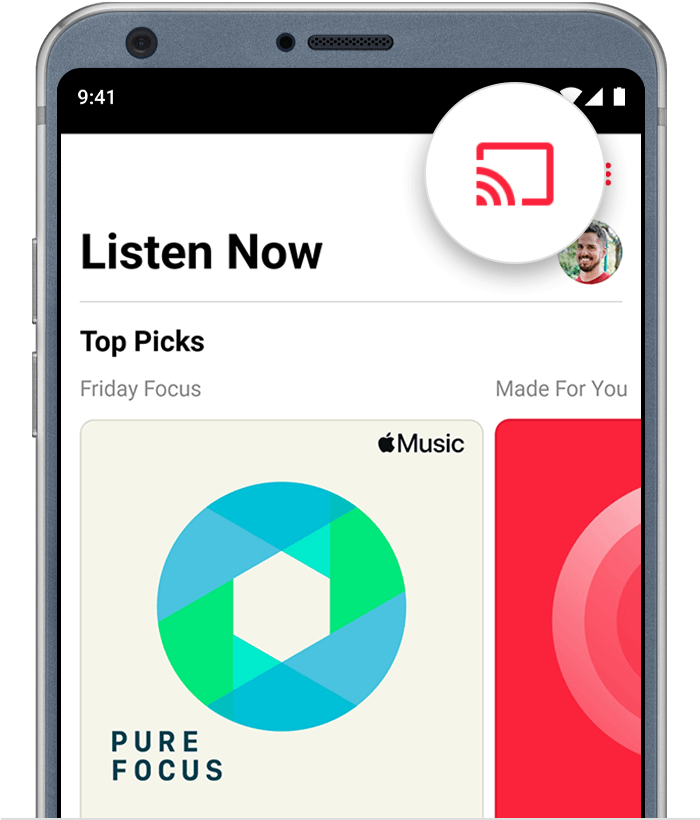
Stream music from Apple Music to your Chromecast device
 .
.
If you need help with your Chromecast, visit Google Support.
Not all content types in Apple Music support Casting, and not all Chromecast devices are supported.
Use Apple Music with Android Auto
With Android Auto, you can listen to Apple Music in your car and control what's playing from your car's display panel.
Need help with Android Auto? Visit Google Support."
We hope this helps.
Cheers!
Hello Teo25,
Thank you for reaching out to Apple Support Communities, and we'll be happy to help in any way we can. We understand you'd like to use Apple Music on your Android device. This article goes over how you can use Apple Music for Android: Use Apple Music with your Android devices - Apple Support
"Get the Apple Music app
To download the Apple Music app, you need an Android phone or tablet with Android 5.0 Lollipop or later, or a Chromebook that supports Android apps.
Go to Google Play to download the Apple Music app.
Subscribe to Apple Music
Stream millions of songs. Get exclusive playlists and recommendations for music you’ll love. And listen on any device with the Apple Music app.
Learn how to join Apple Music on your Android device.
If you already subscribe, just sign in with your Apple ID
, then tap Sign In.Share an Apple Music family subscription
On your Android device, you can use Family Sharing to share and manage an Apple Music family subscription with a family group. Or you can join someone else's family group to share their subscription.
Learn how to use Family Sharing with Apple Music on your Android device.
Stream music from Apple Music to your Chromecast device
.If you need help with your Chromecast, visit Google Support.
Not all content types in Apple Music support Casting, and not all Chromecast devices are supported.
Use Apple Music with Android Auto
With Android Auto, you can listen to Apple Music in your car and control what's playing from your car's display panel.
Need help with Android Auto? Visit Google Support."
We hope this helps.
Cheers!
How to get Apple Music on Android?

