Hello der_smo,
Thank you for reaching out to Apple Support Communities, and we'll be happy to help in any way we can. We understand you're having issues with Family Sharing purchases. Try the steps listed here to see if they resolve the issue: How to share purchases with your family - Apple Support
"What is purchase sharing?
When you turn on purchase sharing, everyone in your family gets access to apps, music, movies, TV shows, and books that family members buy. The family organizer is billed for family members' purchases.
Some items can't be shared. Find out which types of content can't be shared.
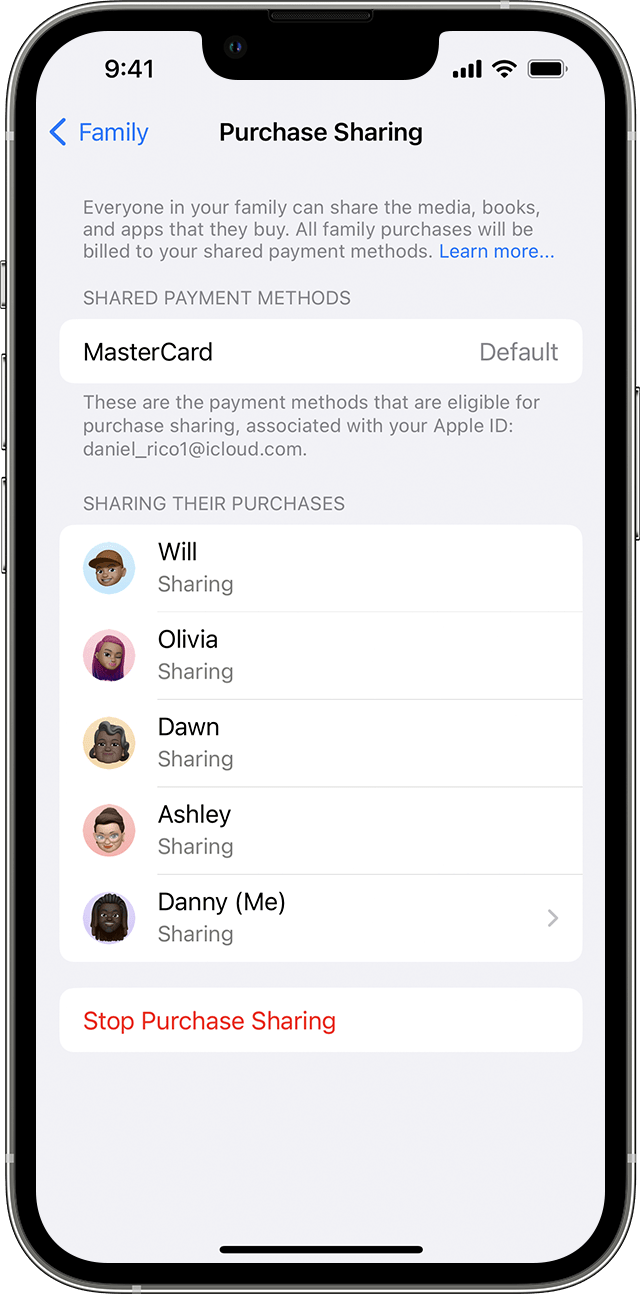
Use your iPhone, iPad, or iPod touch to turn on purchase sharing
- If you haven't set up Family Sharing yet, set up Family Sharing.
- Open the Settings app.
- Tap Family. If you don't see Family, tap your name, then tap Family Sharing.
- Tap Purchase Sharing.
- Tap Continue and follow the onscreen instructions.
- To see which payment method will be billed, tap Purchase Sharing again and look at the Shared Payment Method information.
Use your Mac to turn on purchase sharing
In macOS Ventura or later:
- If you haven't set up Family Sharing yet, set up Family Sharing.
- Choose Apple menu > System Settings, then click Family.
- Click Purchase Sharing.
- Click your name, then turn on Share My Purchases.
- To see which payment method will be billed, look under Shared Payment Methods.

In earlier versions of macOS:
- If you haven't set up Family Sharing yet, set up Family Sharing.
- On your Mac, choose Apple menu > System Preferences.
- Click Family Sharing.
- Click Purchase Sharing in the sidebar.
- Click Set Up Purchase Sharing and follow the onscreen instructions.
- To see which payment method will be billed, look at the Shared Payment Method information.
Turn off purchase sharing
- See your Purchase Sharing settings in Settings on your iPhone or iPad or in System Settings on your Mac.
- Turn off purchase sharing:
- On your iPhone, iPad, or iPod touch, tap Stop Purchase Sharing.
- On your Mac, click Turn Off, then click Stop Purchase Sharing.
Which payment method is charged for purchases that family members make?
When Purchase Sharing is turned on, everyone's purchases bill to the family organizer's payment method.* If there's an issue with the payment method, the family organizer can update their payment method or add a new one.
If you're the family organizer and you don't want to share a payment method with your family, turn off purchase sharing. When purchase sharing is turned off, you can continue to share subscriptions like Apple TV+ and Apple Arcade. When Purchase Sharing is turned off, everyone must use their own payment method.
* Learn how purchases are billed if a family member has Apple Account balance."
We hope this helps.
Cheers!


