Lightroom Classic vs12 and Macbook Pro M1 running slow

I am very experienced with both Macs and LRC. I just updated to vs 12 and it is running painfully slow. I have one of the highest upgraded Macbook Pro with plenty of specs. So it is not that. Any one else running into this?

MacBook Pro 16″, macOS 13.0

Posted on Nov 10, 2022 10:52 PM

Reply
Question marked as Top-ranking reply

Posted on Nov 13, 2022 4:12 PM

All the basic troubleshooting is not the issue. I have the library stored on the main SSD. This is an issue with the newest updates, the M1 chip and the version 12 of LRC. I have used LR for YEARS. Years. So i know how to run it effectively. the purpose of this post is to raise awareness to a know issue and to help others find solutions of how to fix it. Right now running it in Rosetta mode is the best fix.


8 replies
Question marked as Top-ranking reply

Nov 13, 2022 4:12 PM in response to Yer_Man

All the basic troubleshooting is not the issue. I have the library stored on the main SSD. This is an issue with the newest updates, the M1 chip and the version 12 of LRC. I have used LR for YEARS. Years. So i know how to run it effectively. the purpose of this post is to raise awareness to a know issue and to help others find solutions of how to fix it. Right now running it in Rosetta mode is the best fix.


Nov 13, 2022 8:41 AM in response to Samandkit

Hey Samandkit,


If you're having an issue with the performance of a particular app, we'd suggest making sure that both your Mac and Lightroom Classic are fully updated. Your Mac should be running the latest version of macOS Ventura, which is 13.0.1.


If you continue to have issues afterward specific to Lightroom Classic, you may want to uninstall the app and reinstall it. If all else fails, we'd suggest reaching out to the app developer for further assistance:. These steps can help with that:


Contact the developer of a macOS app
1. Open the App Store on your Mac.
2. Click the sign-in button  or your photo. 
3. A list of apps appears. Click the app that you want. If you can't find the app, use the search bar.
4. The app's product page appears. Click Support or App Support. If you don't see Support or App Support, make sure that you're signed in with the correct Apple ID.
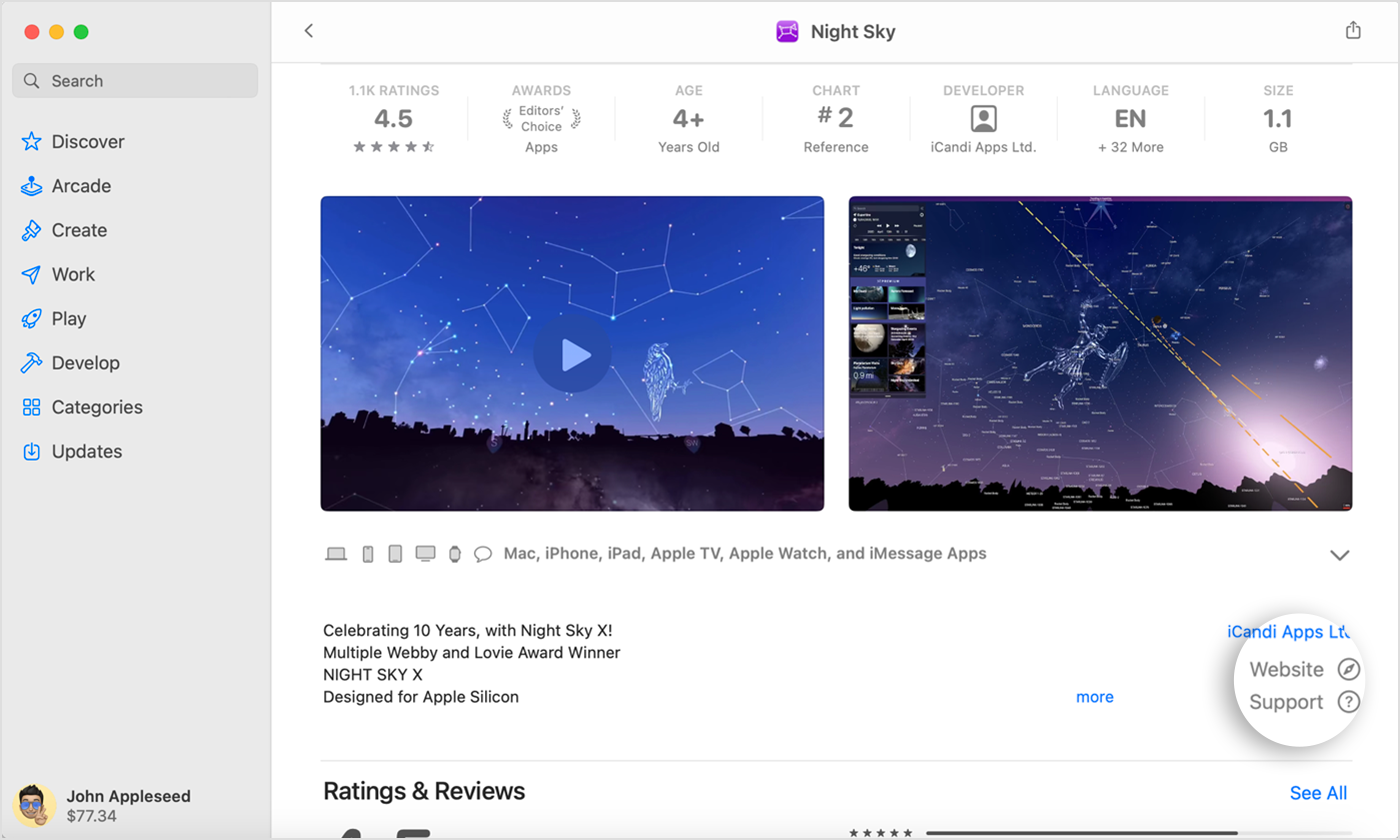
In the App Store on Mac, find the Support or App Support button near the ratings and reviews.

This information is outlined in more detail here: How to contact an app developer - Apple Support


We hope this helps out.


Take care!


Nov 13, 2022 8:47 AM in response to UTBadger

l appreciate the help but I’m looking for more advance help. I did reach out to adobe and they did help me. They had me open the software in the new Rosetta mode. It helps a bit but does not fully resolve the issue.


The problem is that update is not solving the issue it is creating the issue. There is not the first issue I have run into with the M1 chip. It also messed up my Apfs external hard drives.


apple needs to look into these issue. Don’t know if they will though


This thread has been closed by the system or the community team. You may vote for any posts you find helpful, or search the Community for additional answers.

Lightroom Classic vs12 and Macbook Pro M1 running slow

Welcome to Apple Support Community
A forum where Apple customers help each other with their products. Get started with your Apple Account.


