If you have the Apple Command Line Tools for Xcode installed from Terminal:
xcode-select --install
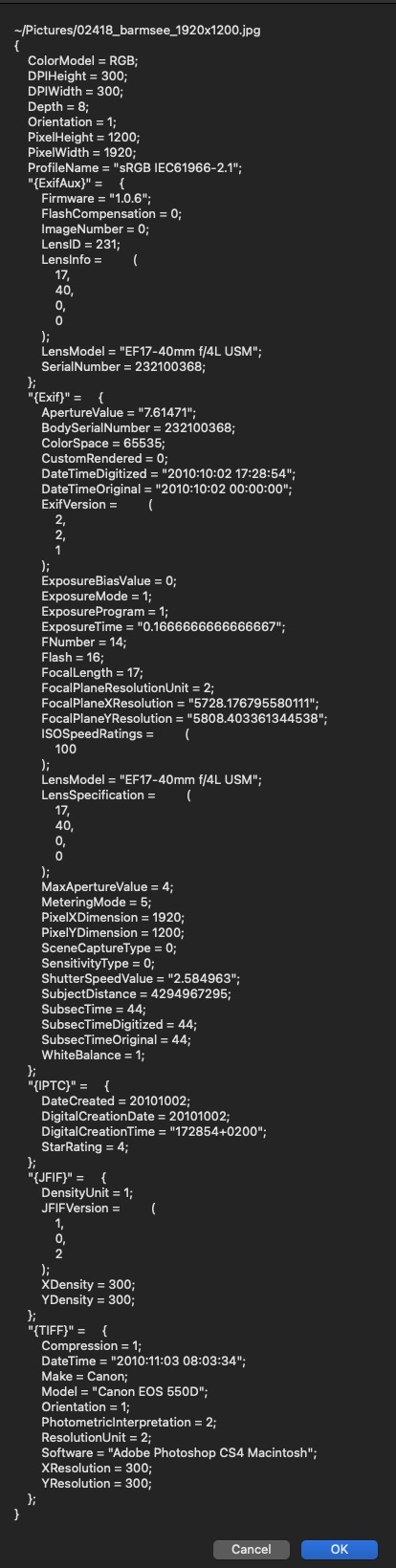
that will install ~3GB of additional development stuff on your Mac. However, the benefit is that I have an AppleScript that uses a Swift handler in it and it extracts all of the metadata from a selected image and displays it in a tall AppleScript Display dialog where you can copy paste items from it. This works for supported camera RAW images too.
Just copy/paste this into Apple's Script Editor, click the hammer button and then run it.
use scripting additions

set f to POSIX path of (choose file of type {"public.image"}) as text
display dialog (my extract_EXIF_data(f)) as text
return

on extract_EXIF_data(ximg)
	return (do shell script "/usr/bin/swift <<'EOF' - " & ximg & "

import Foundation
import ImageIO
// force filename to text string
let fname = CommandLine.arguments.dropFirst().joined(separator:\"\")

let tilde_name = NSString.init(string:fname).abbreviatingWithTildeInPath
var fsURL = NSURL(fileURLWithPath:fname).absoluteURL!
print(tilde_name)

if let imageSource = CGImageSourceCreateWithURL(fsURL as CFURL, nil) {
    let cfD:CFDictionary = CGImageSourceCopyPropertiesAtIndex(imageSource, 0, nil)!
    guard CFDictionaryGetCount(cfD) != 0 else {
        print(\"No metadata present for image\")
        exit(1)
    }
    let nsDic = NSDictionary.init(dictionary: cfD as! [AnyHashable : Any], copyItems: false)
    print(String(describing:nsDic))
}
EOF")
end extract_EXIF_data
Output: