Hi Metaxaflash4,
Welcome to Apple Support Communities. We understand that you're having an issue with your documents being seen on your MacBook Pro after enabling a feature on your iPhone. We'd like to know more so we can help.
Just to confirm, are you referring to iCloud Drive when you say iDrive? We ask so we're clear on where we're starting from.
If you're referring to iCloud Drive, tell us more about your MacBook Pro not supporting that. Did you check out the requirements and how to set it up listed below:
Before you begin
1. Update your iPhone, iPad, or iPod touch to the latest iOS or iPadOS, and your Mac to the latest macOS.
2. Set up iCloud on all of your devices.
3. Make sure that you’re signed in to iCloud with the same Apple ID on all of your devices.
4. If you have a Windows PC, update to Windows 7 or later and download iCloud for Windows.
If you have a device that can't update to the latest iOS or macOS, see the minimum system requirementsto use iCloud Drive.
Get started
Set up iCloud Drive everywhere that you want to access and edit your files.
On your iPhone, iPad, and iPod touch
1. Go to Settings > [your name].
2. Tap iCloud.
3. Turn on iCloud Drive.
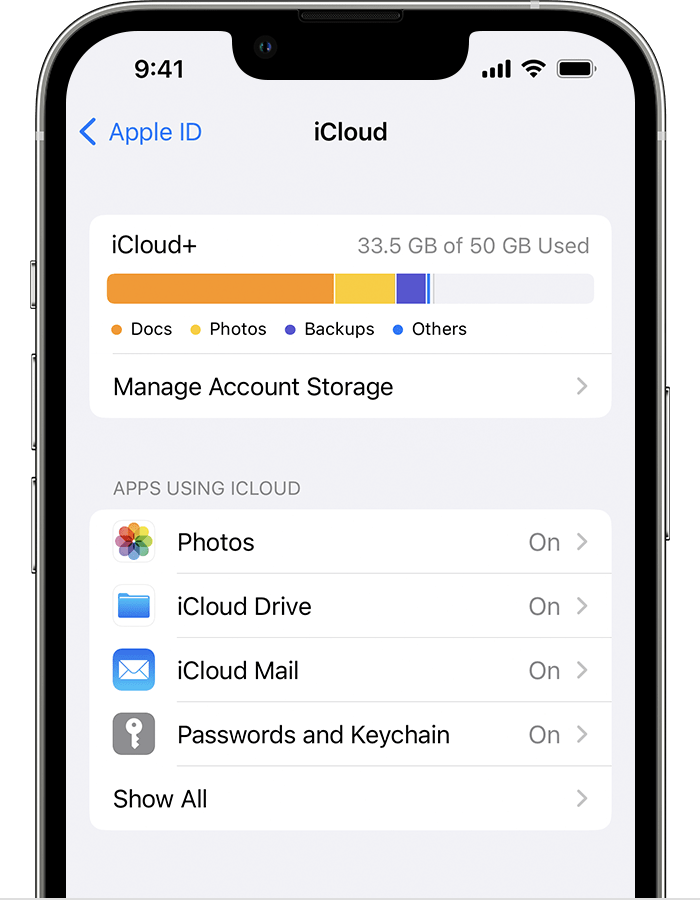
You can find your iCloud Drive files in the Files app.
On your Mac
1. Go to Apple menu > System Settings or Apple menu > System Preferences, then click Apple ID.
2. Select iCloud.
3. Sign in with your Apple ID, if you need to.
4. Turn on iCloud Drive.
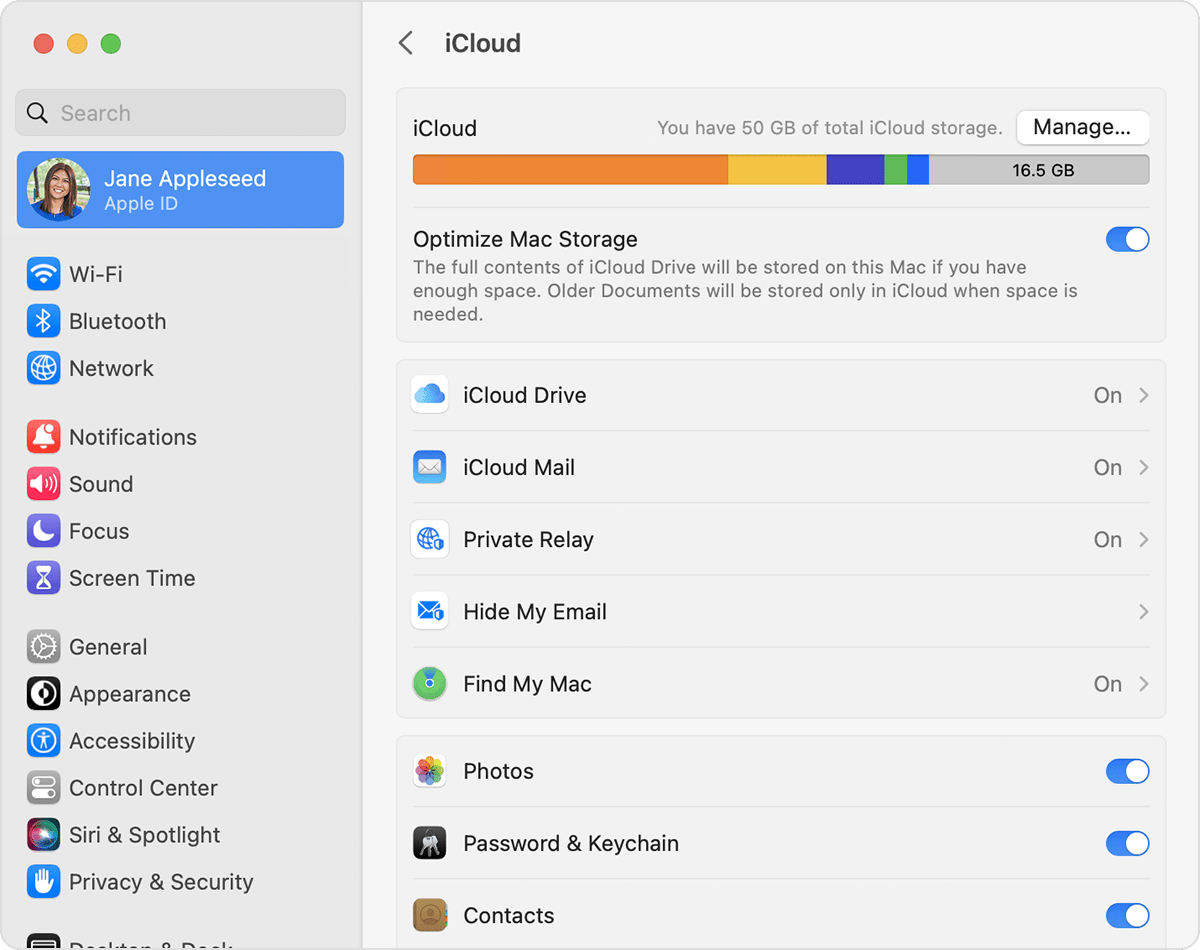
To add the files from your Mac Desktop and your Documents folder to iCloud Drive, turn on Desktop and Documents.
* You can then find your Desktop and Documents folder in the iCloud section of the Finder sidebar.
* If you add a second Mac Desktop, you can find the files in your Desktop and Documents folders in iCloud Drive, in a folder with the same name as your second Mac. The files from your second Mac won't automatically merge with the files on your first Mac.
Hope that helps get you started with this issue.
Cheers!


