idrive take over

I activated idrive on my phone, in error, and it has shown up on my macbook pro containing all my documents. However my macbook does not support idrive but keeps asking me to log in to access documents. Will deactivating on my phone restore my macbook to it's normal drive?

MacBook Pro 13″, macOS 10.13

Posted on Jan 13, 2023 3:16 AM

Reply
8 replies

Jan 15, 2023 5:01 PM in response to Metaxaflash4

Hi Metaxaflash4,


Welcome to Apple Support Communities. We understand that you're having an issue with your documents being seen on your MacBook Pro after enabling a feature on your iPhone. We'd like to know more so we can help.


Just to confirm, are you referring to iCloud Drive when you say iDrive? We ask so we're clear on where we're starting from.


If you're referring to iCloud Drive, tell us more about your MacBook Pro not supporting that. Did you check out the requirements and how to set it up listed below:


Before you begin

1. Update your iPhone, iPad, or iPod touch to the latest iOS or iPadOS, and your Mac to the latest macOS.
2. Set up iCloud on all of your devices.
3. Make sure that you’re signed in to iCloud with the same Apple ID on all of your devices.
4. If you have a Windows PC, update to Windows 7 or later and download iCloud for Windows.

If you have a device that can't update to the latest iOS or macOS, see the minimum system requirementsto use iCloud Drive.

Get started
Set up iCloud Drive everywhere that you want to access and edit your files.

On your iPhone, iPad, and iPod touch
1. Go to Settings > [your name].
2. Tap iCloud.
3. Turn on iCloud Drive.
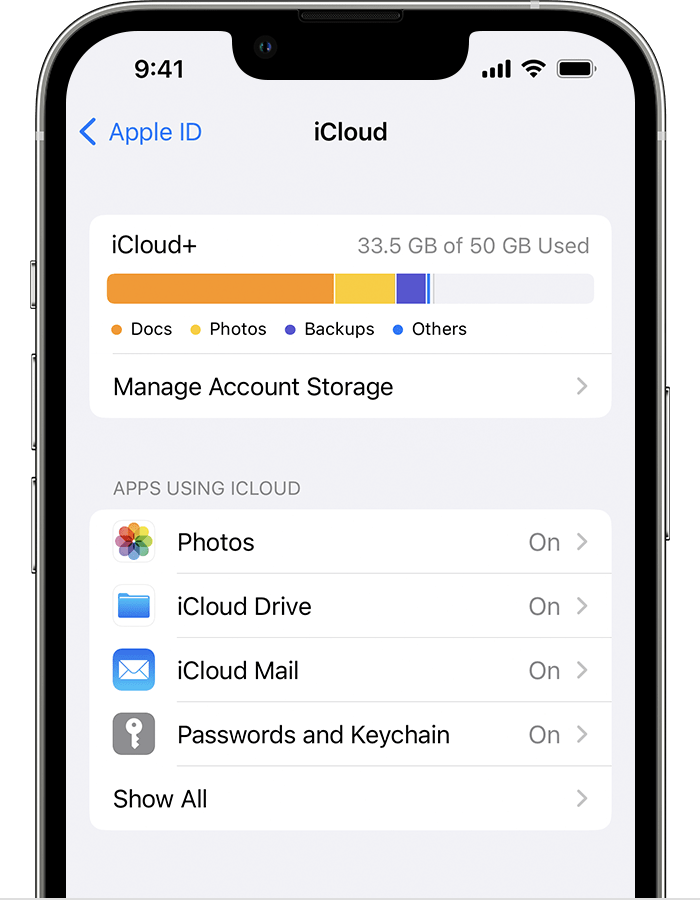
Look for iCloud Drive in the Apps Using iCloud section.
You can find your iCloud Drive files in the Files app

On your Mac
1. Go to Apple menu  > System Settings or Apple menu  > System Preferences, then click Apple ID. 
2. Select iCloud.
3. Sign in with your Apple ID, if you need to.
4. Turn on iCloud Drive.
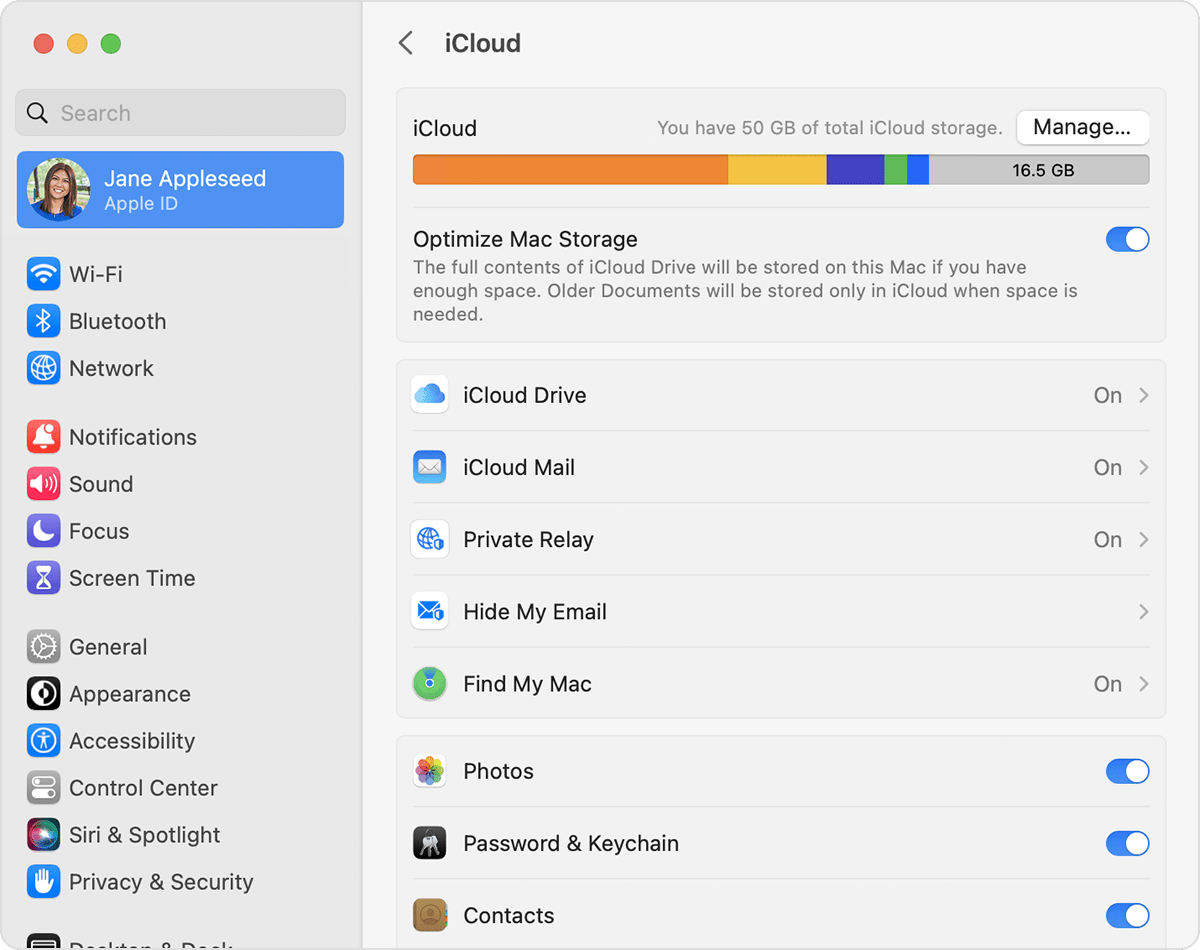
iCloud Drive is listed below the Optimize Mac Storage section.

To add the files from your Mac Desktop and your Documents folder to iCloud Drive, turn on Desktop and Documents

* You can then find your Desktop and Documents folder in the iCloud section of the Finder sidebar. 
* If you add a second Mac Desktop, you can find the files in your Desktop and Documents folders in iCloud Drive, in a folder with the same name as your second Mac. The files from your second Mac won't automatically merge with the files on your first Mac.

Hope that helps get you started with this issue.


Cheers!


Jan 17, 2023 8:58 AM in response to mario49

Thanks to all for the help offered. I have been in contact with Apple Support and they have resolved the issue. Not quite sure what it was but it was some sort of restriction I had on my itunes link (to prevent my Mac uploading all it's music content to my old iphone) that we removed and then restarted the Mac. Hey presto everything works as it should!

Again many thanks to all respondents.

Jan 16, 2023 4:17 AM in response to ColleenD1

Hi ColleenD1,

My Macbook Pro is an older one and does not support icloud drive. I recently updated my iphone to a 6s which meant I required more cloud storage than the free 5GB. I upgraded my storage and somewhere along the line I activated the drive feature in icloud via my phone. On then using the Macbook I discovered that my task bar now showed an icloud drive folder instead of a documents folder. When I go to the via apple menu>system preferences I can click on the icloud icon but all I get is a request to log in with my apple id. I've tried this but it continually tels me to try again later. There is no problem with logging in to icloud on my phone or direct with the cloud via the internet on my Macbook so I have no idea why the icloud drive is showing on the Macbook and I have turned it off on the iphone. As it stands at present I cannot access the icloud via my Macbook as it will not allow me to sign in.

Jan 16, 2023 3:20 PM in response to Metaxaflash4

Metaxaflash4,


Got it. You'll want to make sure your Mac is connected to a reliable Wi-Fi network with good signal strength. If you still can't sign in, try working through these steps: If you can't connect or sign in to iCloud


If the issue persists beyond that, you'll want to reach out to Apple Support directly for more help. They're best-equipped to take a closer look and provide some additional guidance. This link will help you get started: Contact - Official Apple Support


Take care.

This thread has been closed by the system or the community team. You may vote for any posts you find helpful, or search the Community for additional answers.

idrive take over

Welcome to Apple Support Community
A forum where Apple customers help each other with their products. Get started with your Apple Account.