Lack of ñ in accent menu

I upgraded my AppleMac to Ventura 13.1 a few days ago. Now the accent menu will not recognise or list the Spanish symbol ñ, used in many words, including the common climate terms la Niña and el Niño. These terms are used even when those words are rendered in English. This lack of ñ is annoying! Will it be fixed?


MacBook Air 13″, macOS 13.1

Posted on Jan 17, 2023 2:15 PM

Reply
Question marked as Top-ranking reply

Posted on Jan 17, 2023 4:07 PM

dialabrain wrote:


SlurmVorten wrote:

Input source is Australian English at present. Is that what you mean?
That is the problem in Ventura. Choose a different English option.


I found the earlier discussion -- it was for iOS Australian English. I guess they use the same buggy layout in both platforms.


Australian English iOS keyboard missing ñ - Apple Community


25 replies

Jan 18, 2023 5:25 AM in response to Tom Gewecke

Tom Gewecke wrote:

I agree, but I am ancient, everyone in my generation learned touch typing in secondary school. Most people these days do not, they learn on a phone or tablet, they look at the keys, and it seems that speed is not valued nearly as highly as it used to be. Some day option key shortcuts may go the way of windows 3-digit ALT codes (hope not), and AI will guess which special character you wanted.

I also think that is a possibility. Mac users, especially American Mac users, have no idea about the diversity of keyboard layouts in the world. Even Canada has its own keyboard. I find it very difficult to type on a Canadian PC. In this context, I don’t mind a bit of American hegemony with Mac keyboards.


I did discover something very interesting while trying to type that pop up list that dialabrain posted. Apparently, the modern Mac keyboard overlay is a straight-up port of the iOS virtual keyboard. Buried deep inside is some kind of crazy complicated customization interface. I tried to add 7 and 8 from the pop up menu to the keyboard toolbar. I couldn’t figure it out at all. That’s typical Apple for you. Dumb down the interface and make it super buggy. Then add a half-finished, super-hard customization scheme that flat-out doesn’t work.

Jan 18, 2023 5:44 AM in response to Tom Gewecke

Tom Gewecke wrote:

Could you elaborate on what you mean by that?

No! I don't understand it at all.

Are you trying to customize the popup menu to change or add items? Or add special characters to a laptop touch bar?

I'm just trying to figure out that crazy customization to see what I can do with it.


Open up the keyboard viewer. Click this tiny button in the corner:
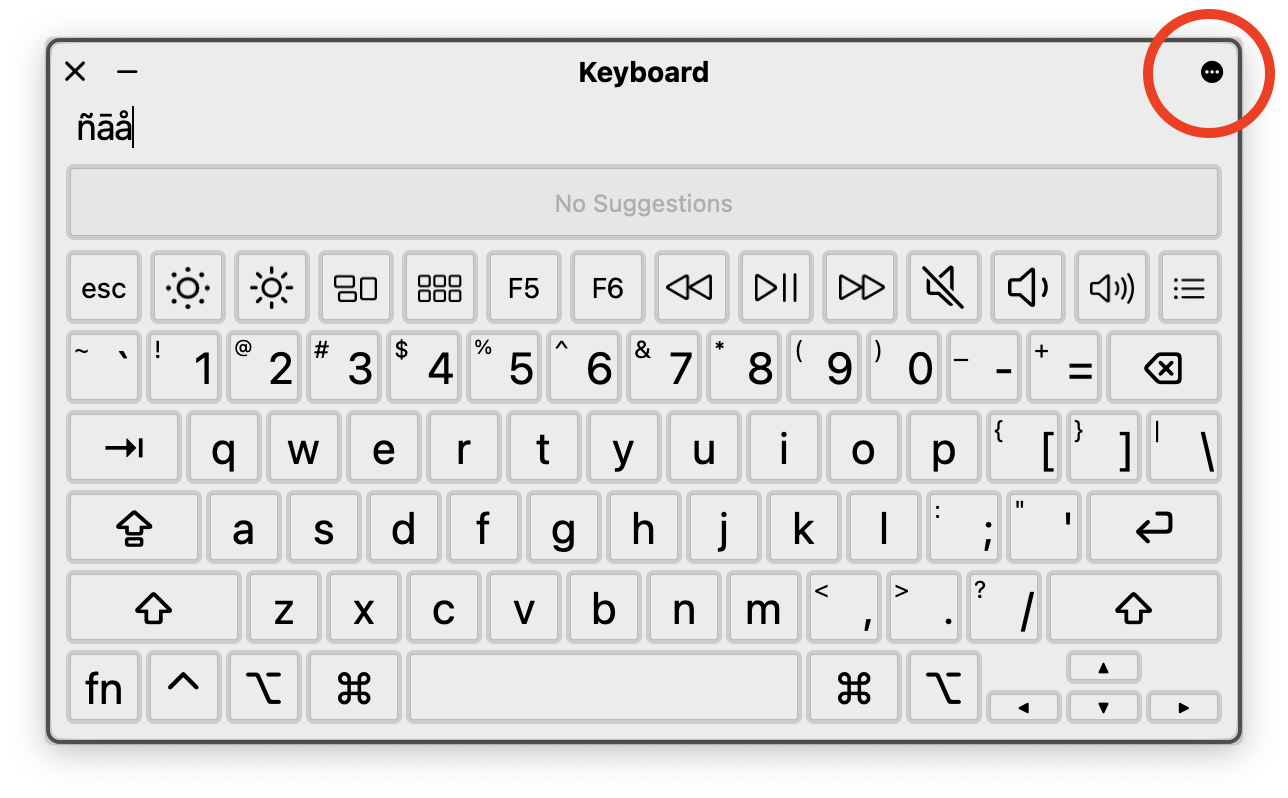

That will show a context menu. From there, choose "Customize" to get this:

and I'm like, WTF? Can't figure it out at all. I can add entire keyboards. I can add custom buttons. Can't get any of it to actually do anything.


The only thing I did manage to do was at the top level of that almost-hidden ... menu. I was able to change the appearance from Dark Mode to Light Mode. Because my interface is set to Light Mode and this dialog doesn't respect that, because Apple.


Jan 18, 2023 8:29 AM in response to Tom Gewecke

Tom Gewecke wrote:

I haven't tried it myself, but there is some info on custom panels at

https://mcmw.abilitynet.org.uk/how-to-create-panels-to-use-with-switch-control-and-the-accessibility-keyboard-in-macos-13-ventura

Ah, I see. Thanks. There is a hamburger button in the Accessibility keyboard to display the custom panels. If a hamburger button isn't accessible, I don't know what is. 😄

This thread has been closed by the system or the community team. You may vote for any posts you find helpful, or search the Community for additional answers.

Lack of ñ in accent menu

Welcome to Apple Support Community
A forum where Apple customers help each other with their products. Get started with your Apple Account.
