Powerbeats high performance won’t charge when plugged in
Any fix for Powerbeats high performance that won’t charge when plugged in? I’ve tried all suggestions listed with no luck.
iPhone 13 Pro Max, iOS 16
Any fix for Powerbeats high performance that won’t charge when plugged in? I’ve tried all suggestions listed with no luck.
iPhone 13 Pro Max, iOS 16
Hello house1206,
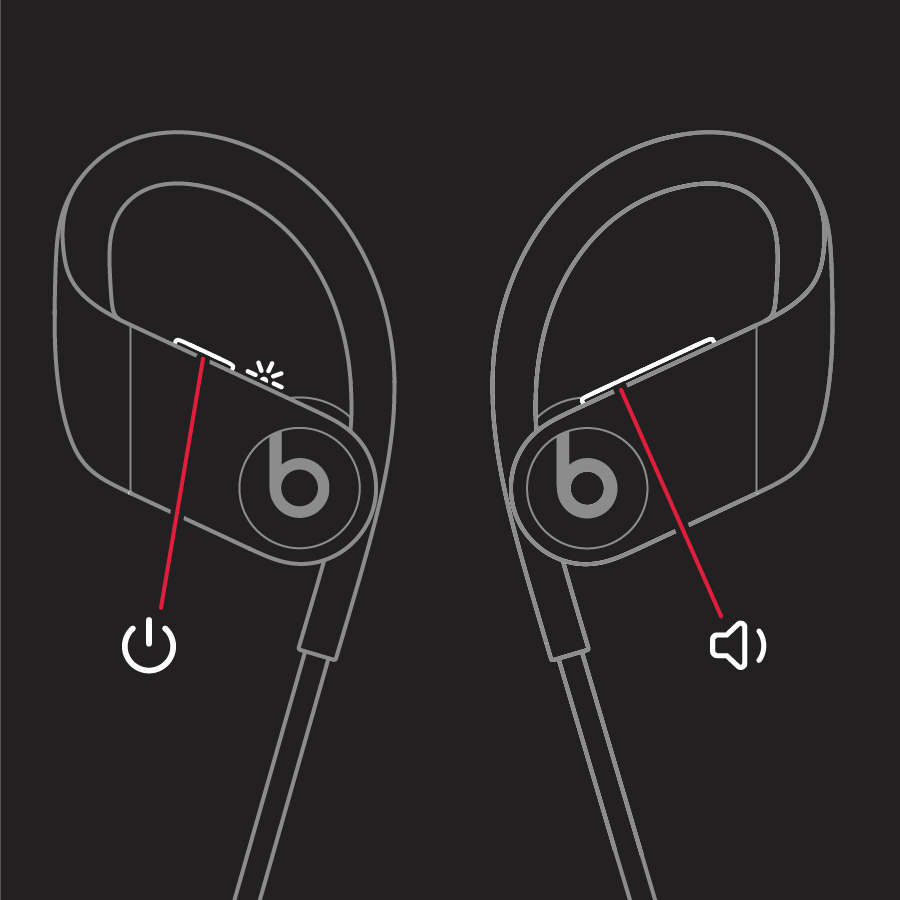
If you haven't yet, resetting the Powerbeats may help to get things resolved: Reset your Beats earphones - Apple Support
1. Hold down both the power button and the volume down button for 10 seconds.
2.
3. When the LED indicator light flashes, release the buttons. Your earphones are now reset and ready to be set up with your devices again.
If that hasn't helped, using a different cabe and/or power adapter may also help out.
If nothing above has resolved things, you may try reaching out to Apple Support to explore available options: Apple Support
Cheers.
Powerbeats high performance won’t charge when plugged in