Dolby atmos cutting out on Apple TV 4K + Sonos Arc + certified HDMI 2.1 cables

My setup is causing an atmos drop out, big click and then no audio until I restart the show. I have an Apple TV latest gen, latest updates, certified 8K cables (48gbs). Happens with ANY atoms content. Happened last night watching the mandolorian on disney+. I have a Sonos ARC connected using 48gb to Sony Bravia eARC. Apple TV 4K connected using 48Gb to the Sony Bravia TV using its 4K/120Hz port. All cables UGREEN HDMI 2.1 certified cables.

Apple TV 4K

Posted on Mar 10, 2023 1:45 PM

Reply
Question marked as Top-ranking reply

Posted on Apr 2, 2023 1:01 PM

On a similar thread in this forum, the solution was to set the (LG) TV's eARC audio to "pass-through". Perhaps your Sony offers a similar setting/tweak?


Looking at the Sony settings for maximum eARC pass-through is about your only option since the ATV4K insists on sending post-processed Atmos as multiple (uncompressed) PCM channels and metadata. Feedback to Apple for a digital audio pass-through option might help eventually :-).

Similar questions

5 replies
Question marked as Top-ranking reply

Apr 2, 2023 1:01 PM in response to billynewport

On a similar thread in this forum, the solution was to set the (LG) TV's eARC audio to "pass-through". Perhaps your Sony offers a similar setting/tweak?


Looking at the Sony settings for maximum eARC pass-through is about your only option since the ATV4K insists on sending post-processed Atmos as multiple (uncompressed) PCM channels and metadata. Feedback to Apple for a digital audio pass-through option might help eventually :-).

Mar 12, 2023 10:52 AM in response to dawngreg08

It's all setup correctly. It works for a while in Atmos (confirmed on my Sonos App showing its receiving Atmos). This sounds like the same bug thats been here for the last couple of years. I'm disabling Atmos for now as when it fails there is a loud bang and then silence. I do not have this issue with Amazon Fire Cubes OR Google TV on a Bravia driving the same Atmos setup, it's Apple TV specific.

Mar 12, 2023 10:40 AM in response to billynewport

Hello billynewport,


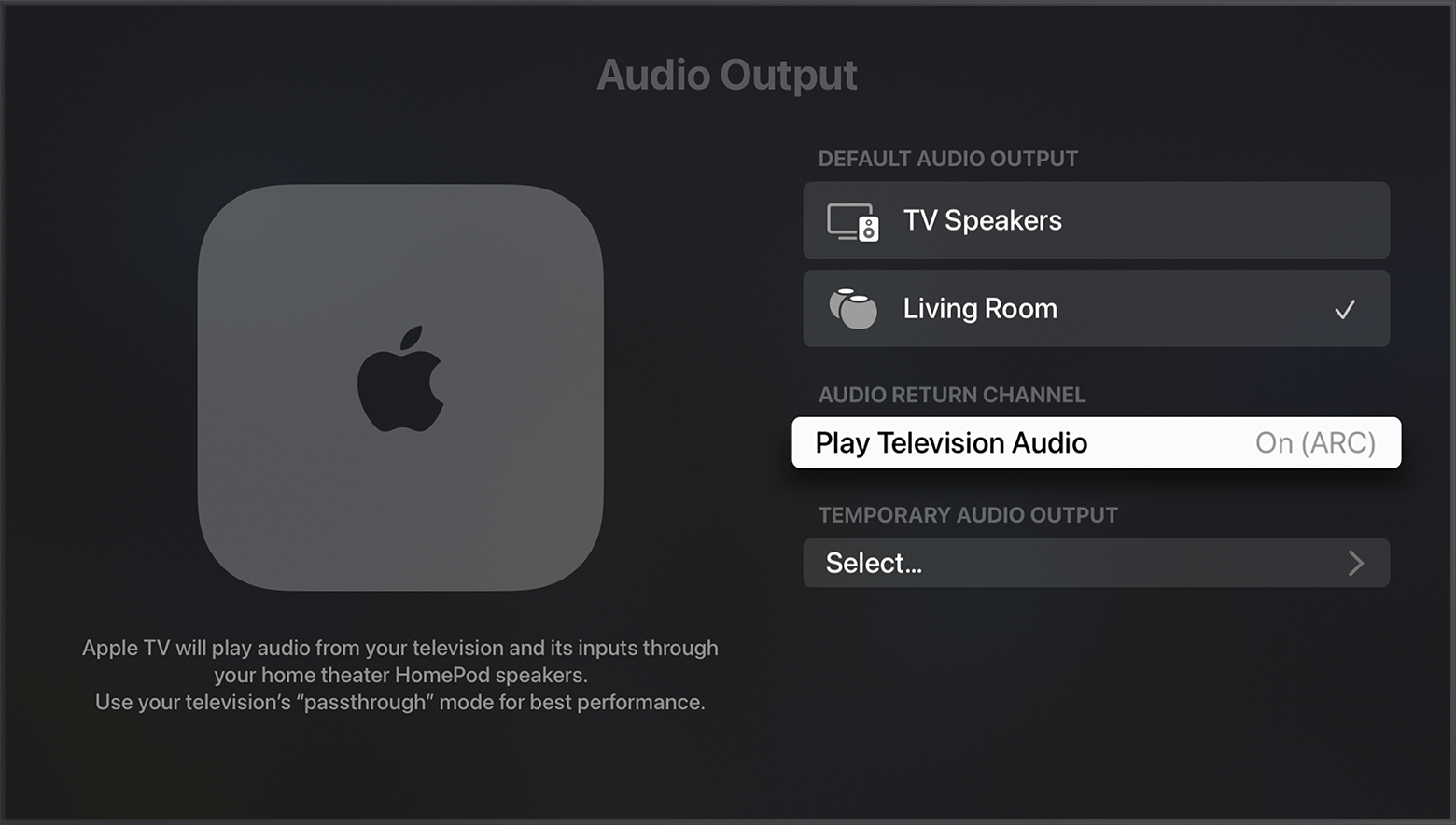
The article below will provide information for using HDMI ARC or eARC with your Apple TV 4K Go through the steps to ensure no step was missed upon setup.

Use HDMI ARC or eARC with your Apple TV 4K - Apple Support


"Turn on HDMI ARC or eARC

  1. Set up your single or stereo pair of HomePod or HomePod mini speakers as the default speaker(s) for Apple TV
  2. Go the Home screen on Apple TV and select Settings > Video and Audio > Audio Output. 
  3. Under Default Audio Output, make sure that the room with HomePod or HomePod mini is selected. 

4. Under Audio Return Channel, select Play Television Audio. You'll know ARC or eARC is turned on when it says On (ARC) or On (eARC).


If HDMI ARC or eARC isn't working as expected


We also recommend checking out the article below for setting up Dolby Atmos on Apple TV.

Set up Dolby Atmos or surround sound on Apple TV with a sound bar or AV receiver - Apple Support


Let us know if you have any questions.

Thank you for using Apple Support Communities.

Take care!


Apr 1, 2023 6:23 PM in response to billynewport

Hey Billy,

I have no solution. Several times I have thought I won’t be bothered by it but it came back about a week ago, and you are correct it is during atmos playback via the Apple TV into the sonos arc. The bang is almost a catastrophic failure sound but alas it fires back up after I restart everything. Used to happen every time with godzilla vs Kong.


[Edited by Moderator] 


This thread has been closed by the system or the community team. You may vote for any posts you find helpful, or search the Community for additional answers.

Dolby atmos cutting out on Apple TV 4K + Sonos Arc + certified HDMI 2.1 cables

Welcome to Apple Support Community
A forum where Apple customers help each other with their products. Get started with your Apple Account.