
owner of airpods
i havew created a new apple account but myphone is showing the notification that owner of device can see the location how wcan i solve it because owner is my own old account
i havew created a new apple account but myphone is showing the notification that owner of device can see the location how wcan i solve it because owner is my own old account
Hello jaawinder,
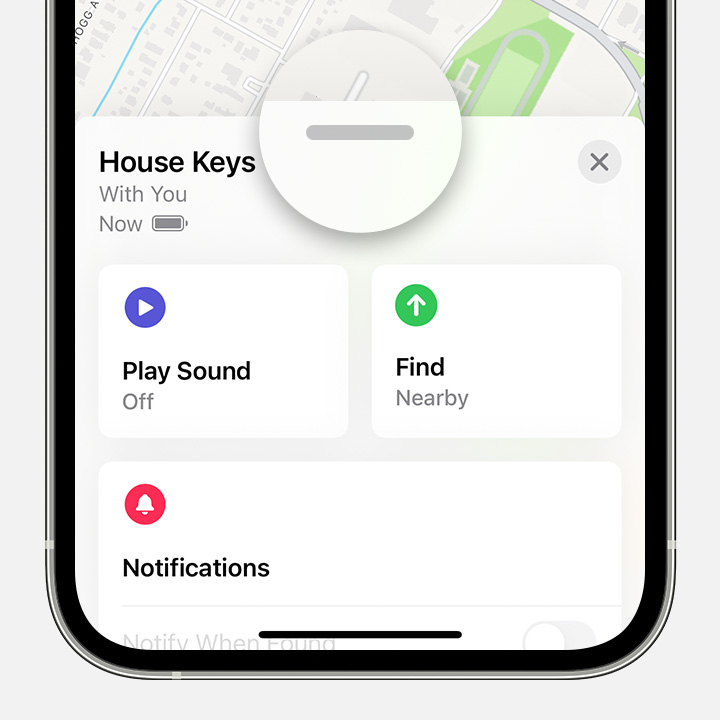
Thank you for reaching out in Apple Support Communities. From the information you provided, you'll need to remove the AirPods from the original Apple ID account in Find My. This will help you to set up the AirPods to your new Apple ID. Here are the steps on how to remove the AirPods from the original Apple ID in Find My:
"How to remove AirPods, AirTag, or another Find My network item or device from an Apple ID on iPhone, iPad, or iPod touch
4. Tap Remove Item or Remove This Device, then tap Remove to confirm.
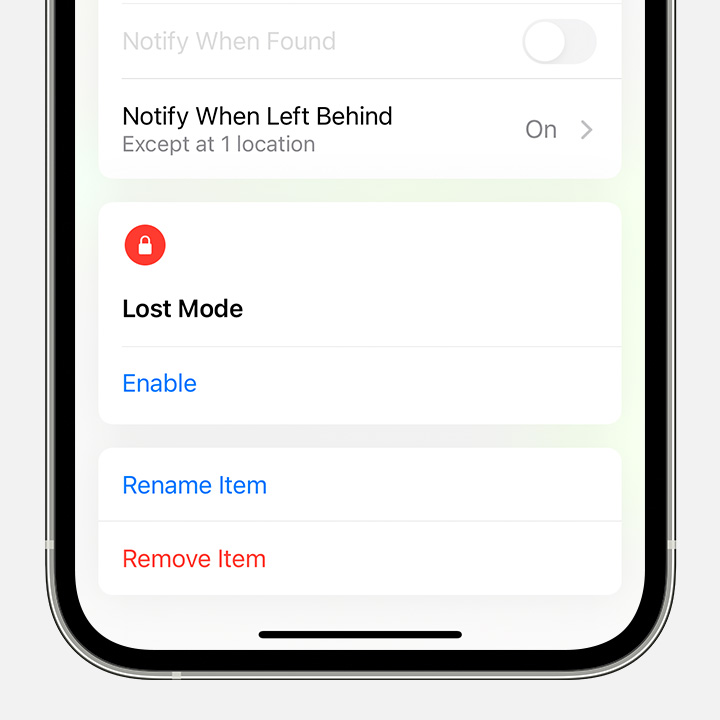
These steps are outlined in this article: If an item or device is connected to another Apple ID - Apple Support
Kind regards.
Hello jaawinder,
Thank you for reaching out in Apple Support Communities. From the information you provided, you'll need to remove the AirPods from the original Apple ID account in Find My. This will help you to set up the AirPods to your new Apple ID. Here are the steps on how to remove the AirPods from the original Apple ID in Find My:
"How to remove AirPods, AirTag, or another Find My network item or device from an Apple ID on iPhone, iPad, or iPod touch
4. Tap Remove Item or Remove This Device, then tap Remove to confirm.
These steps are outlined in this article: If an item or device is connected to another Apple ID - Apple Support
Kind regards.
owner of airpods

