Hi MaraDehning,
For help with FaceTime video calls, make sure you're both making the call using steps below found in the article here: Use FaceTime with your iPhone or iPad - Apple Support
"Make a FaceTime call
To make a FaceTime call, you need the person's phone number or registered email address. There are a few ways to make a FaceTime call:
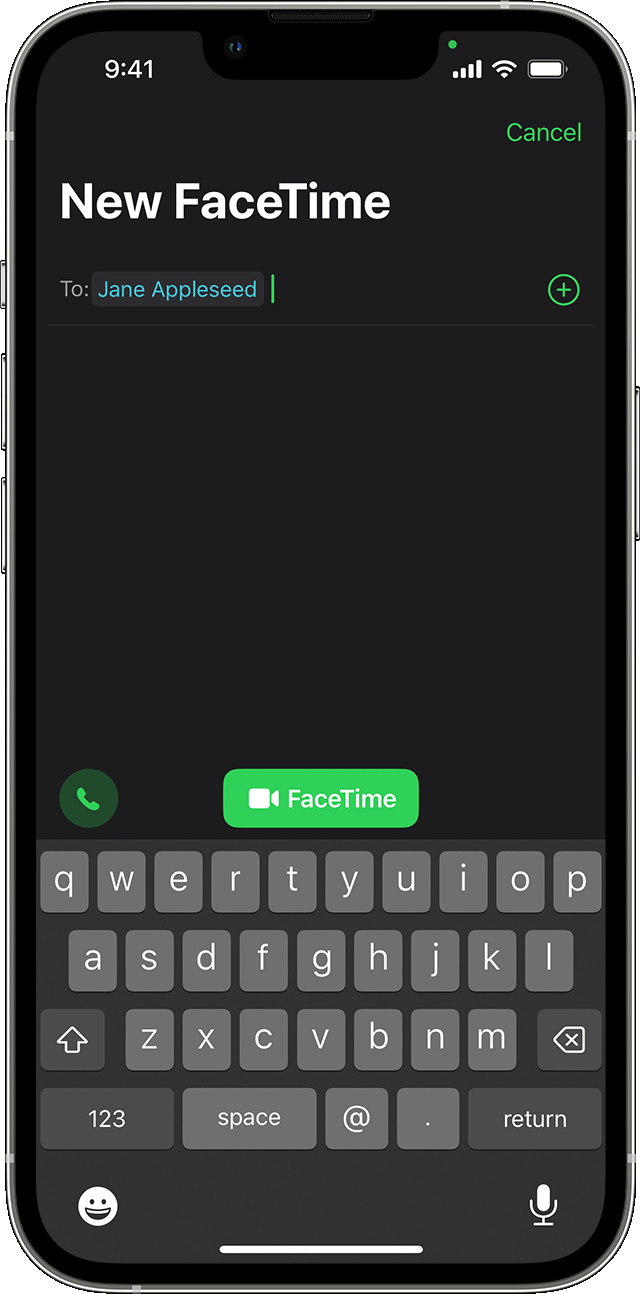
- In the FaceTime app, tap New FaceTime and type the person's phone number or email address. Tap the number or address, then tap the Audio button
 or
or  FaceTime.
 - If you have the person's phone number or email address saved in your Contacts,3 you can start typing their name and tap the name when it appears. Then tap the Audio button or FaceTime.
- You can also start a FaceTime video call from your iPhone during a phone call. Tap the FaceTime icon in the Phone app to switch to FaceTime."
The guide here also has a helpful visual of the button to press if you've disabled your camera during the call. Make and receive FaceTime calls on iPhone - Apple Support
Cheers.


