I'm one of developers of Friendly Streaming.
The webcrypto key is automatically created by Apple's Webkit framework (supporting safari as well as Friendly Streaming).
An update is on its way that fix this issue (submitted today to the AppStore Review team).
In the meantime the best and most secure solution is to:
1- quit friendly
2- open the "Keychain access" app (in applications/Utilities) or look for "keychain access" in spotlight.
3- in Keychain Access, look for this key (enter "Friendly Streaming" in the search box)
4- delete the key,
5- Launch friendly streaming again. When navigating to any website that uses webcrypto, a new "friendly streaming webcrypto master key" will be created.
I'm attaching screenshots:
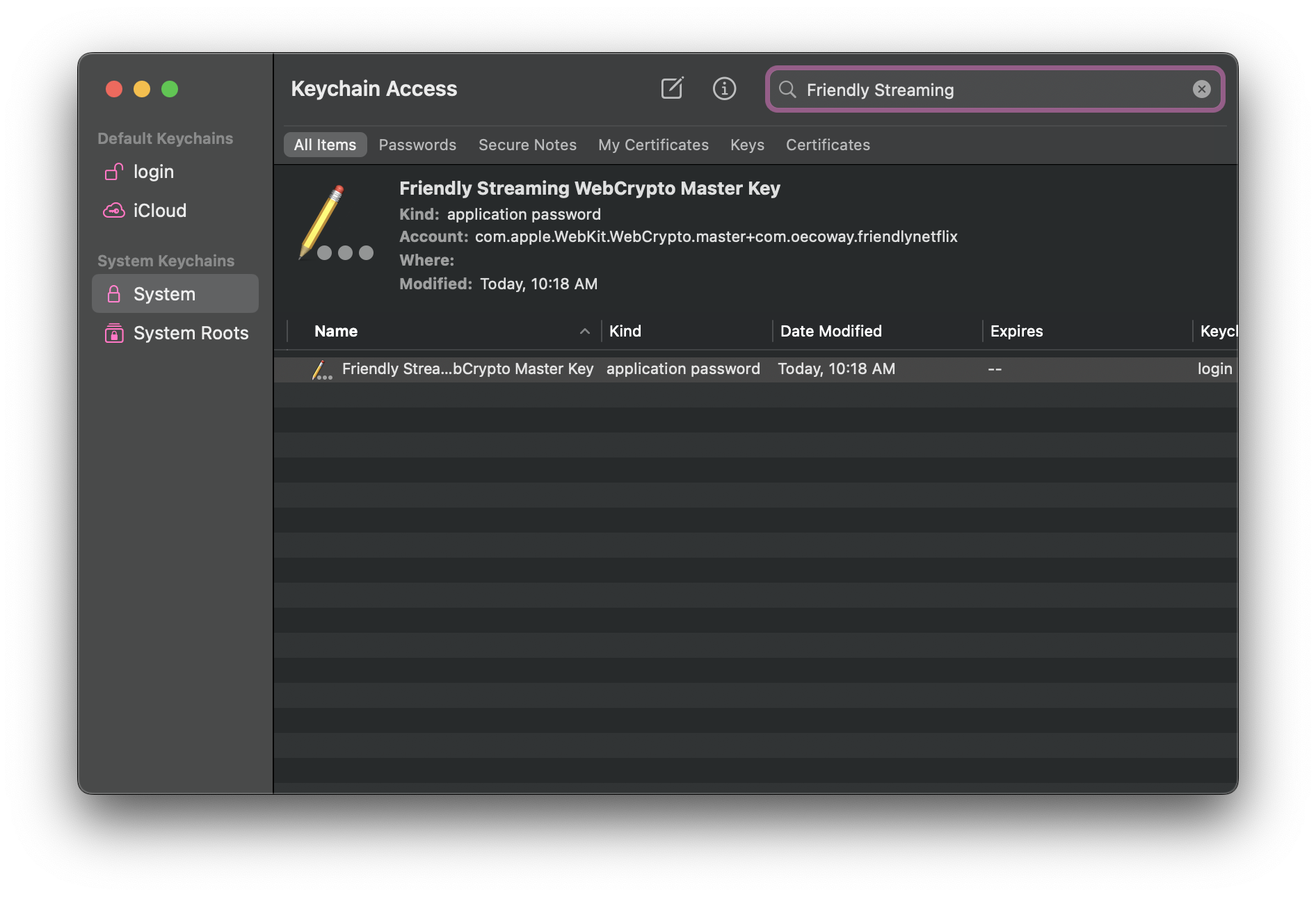

Hope this helps,
Don't hesitate to contact us via our support email if you need more information.


