
In call keypad
In call keypad (black) not working. When I press number 1 the keypad momentarily disappears and number 1 does not register.
iPhone 13
In call keypad (black) not working. When I press number 1 the keypad momentarily disappears and number 1 does not register.
iPhone 13
Hi newcastle eric,
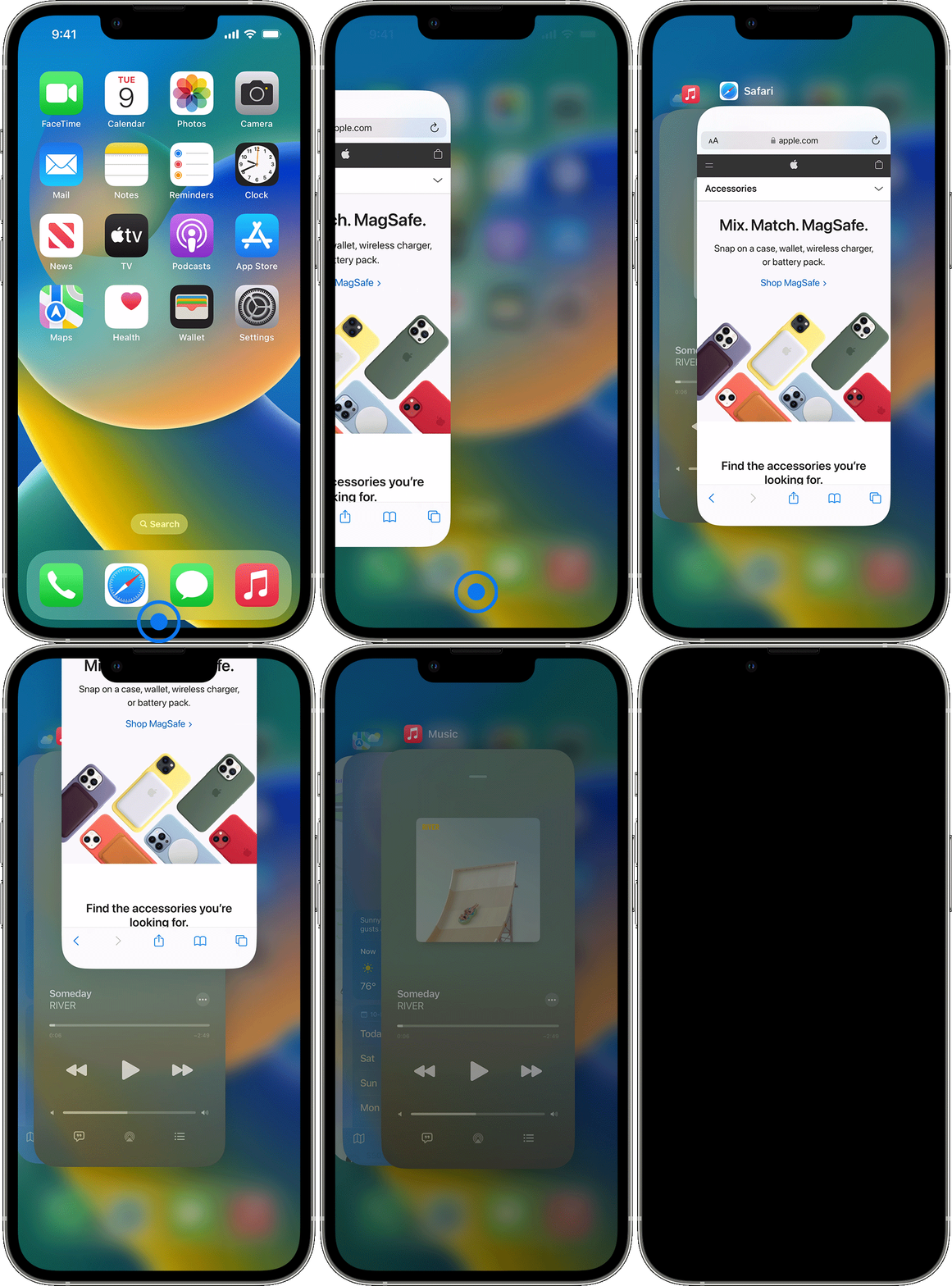
It sounds like your Phone app has become unresponsive. If so, and for help with ensuring your touch is registered while on a call, first try closing the Phone app and reopening. If needed, the steps below from the article here can help. Close an app on your iPhone or iPod touch - Apple Support
"iPhone X and later
 "
"
If the issue continues, test a normal restart and try with no protective case or screen protector as recommended in the article here: If the screen isn't working on your iPhone or iPad
Should the issue remain, as recommended in the last article shared Contact Apple Support to report the issue and continue. You can also find a link in the article.
Best.
Hi newcastle eric,
It sounds like your Phone app has become unresponsive. If so, and for help with ensuring your touch is registered while on a call, first try closing the Phone app and reopening. If needed, the steps below from the article here can help. Close an app on your iPhone or iPod touch - Apple Support
"iPhone X and later
"
If the issue continues, test a normal restart and try with no protective case or screen protector as recommended in the article here: If the screen isn't working on your iPhone or iPad
Should the issue remain, as recommended in the last article shared Contact Apple Support to report the issue and continue. You can also find a link in the article.
Best.
In call keypad

