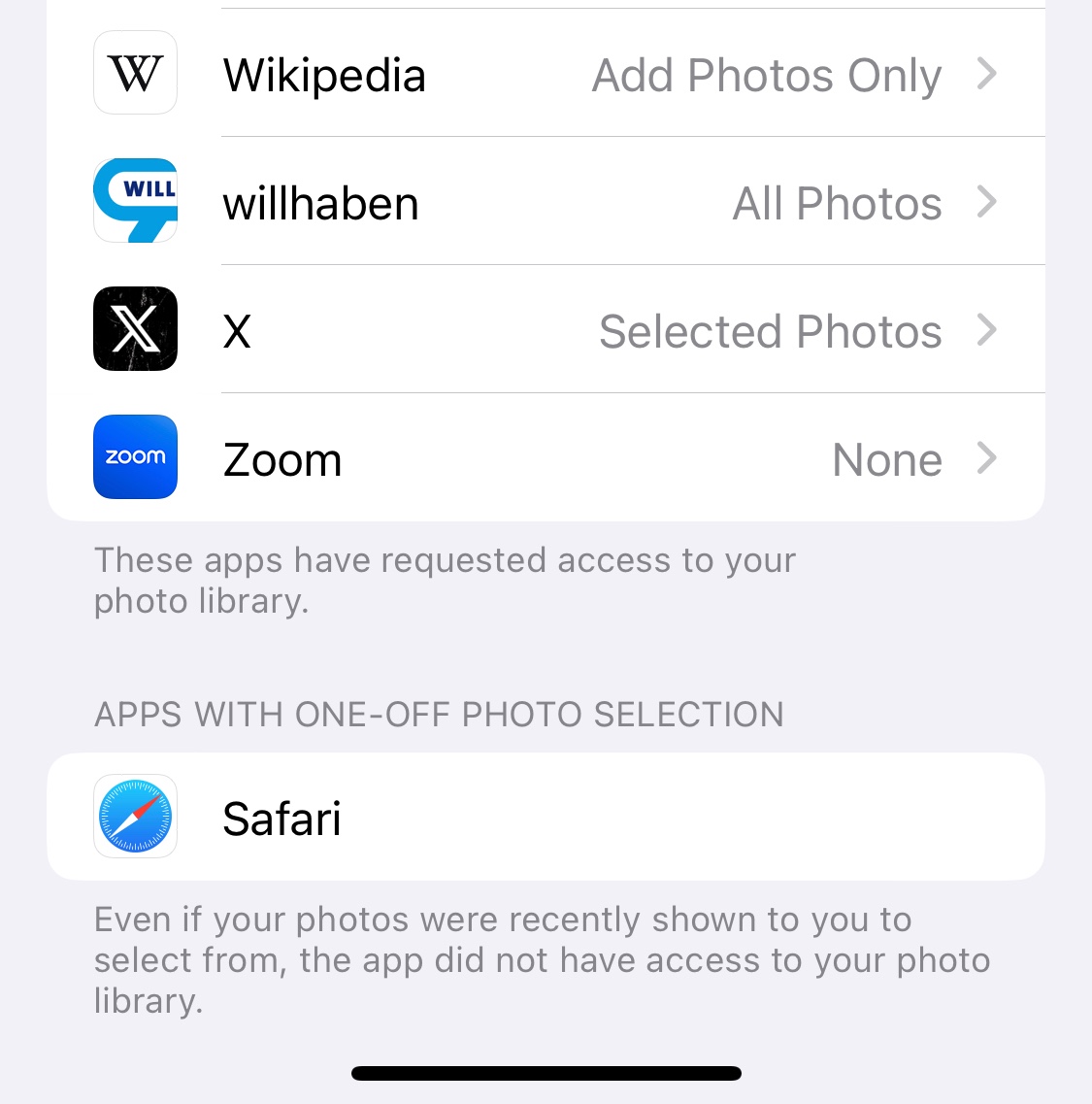
The setting “Private Access” is perfectly fine. If you have trouble selecting photos from your Photo Library to upload to websites there might be another problem (like e.g. not seeing videos in the selector because the site would only take stills).
As the text for this “unchangeable setting” explains, it means that Safari and therefore websites by default have No Access to your Photo Library, it remains “Private”.
When you want to upload photos to a website from your Photo Library, you get a photo picker like the one for „Limited Access“ to select which photos the upload process will see at all. The only difference to „Limited Access“ is, that it does not remember your last choices but defaults to no photos selected for access every time. Hence the different naming „Private Access“.
This is by the way not new and exactly the way photo selection for certain apps like Browsers worked before (I assume since iOS 14). With iOS 17 only the presentation and wording of this function changed. Up to iOS 16 “Limited Access” showed as “Selected Photos” and Apps like Safari would be listed separately under the heading “Apps with One-Off Photo Selection”, see screenshot.