Can’t update to iso 17.0.3 due to ‘lack of storage’ but I have no free storage than it says is required

I’m trying to update to 17.0.3. It says I can’t update because I don’t have enough storage. The funny this is it says it needs 555.7mb but I have more than 4GB of free storage. I even deleted some stuff and freed up another GB but still not enough storage. has anyone experienced this as well and figured out a solution?

Posted on Oct 12, 2023 6:33 AM

Reply
Question marked as Top-ranking reply

Posted on Oct 13, 2023 9:50 AM

Hello Timmy2xs,


It sounds like you've had the opportunity to follow the recommendations from the related article above: If your iPhone or iPad won't update - Apple Support


Since that still persists after creating more available space, you'll next want to try updating your iPhone using a computer via the steps below:


1. On a Mac with macOS Catalina or later, open the Finder. On a Mac with macOS Mojave or earlier, or on a PC, open iTunes.
2. Plug your device into your computer.
3. Locate your device on your computer. You might need to trust your device to continue.
4. Click Check for Update.
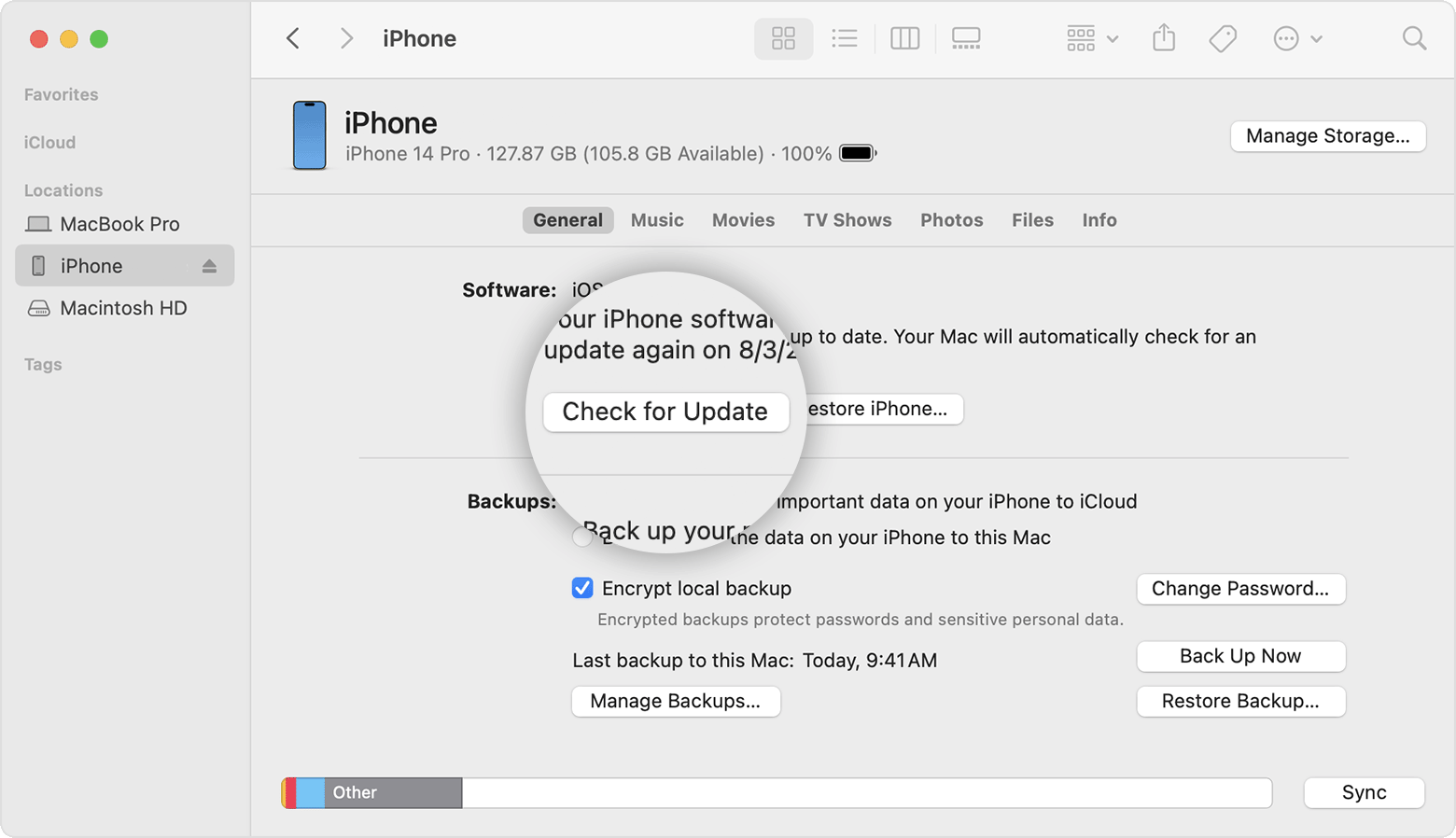
A Mac screen showing how to use the Finder to check the storage on your iOS device
5. Click Download and Update.


You can also find those steps in the second half of this resource: If you need more space for an update on your iPhone, iPad, or iPod touch - Apple Support


Should you still be unable to update your iPhone, do you receive a particular error code or message from your computer?


Let us know, and we'll keep moving forward from there.

1 reply
Question marked as Top-ranking reply

Oct 13, 2023 9:50 AM in response to Timmy2xs

Hello Timmy2xs,


It sounds like you've had the opportunity to follow the recommendations from the related article above: If your iPhone or iPad won't update - Apple Support


Since that still persists after creating more available space, you'll next want to try updating your iPhone using a computer via the steps below:


1. On a Mac with macOS Catalina or later, open the Finder. On a Mac with macOS Mojave or earlier, or on a PC, open iTunes.
2. Plug your device into your computer.
3. Locate your device on your computer. You might need to trust your device to continue.
4. Click Check for Update.
A Mac screen showing how to use the Finder to check the storage on your iOS device
5. Click Download and Update.


You can also find those steps in the second half of this resource: If you need more space for an update on your iPhone, iPad, or iPod touch - Apple Support


Should you still be unable to update your iPhone, do you receive a particular error code or message from your computer?


Let us know, and we'll keep moving forward from there.

This thread has been closed by the system or the community team. You may vote for any posts you find helpful, or search the Community for additional answers.

Can’t update to iso 17.0.3 due to ‘lack of storage’ but I have no free storage than it says is required

Welcome to Apple Support Community
A forum where Apple customers help each other with their products. Get started with your Apple Account.