Hello Timmy2xs,
It sounds like you've had the opportunity to follow the recommendations from the related article above: If your iPhone or iPad won't update - Apple Support
Since that still persists after creating more available space, you'll next want to try updating your iPhone using a computer via the steps below:
1. On a Mac with macOS Catalina or later, open the Finder. On a Mac with macOS Mojave or earlier, or on a PC, open iTunes.
2. Plug your device into your computer.
3. Locate your device on your computer. You might need to trust your device to continue.
4. Click Check for Update.
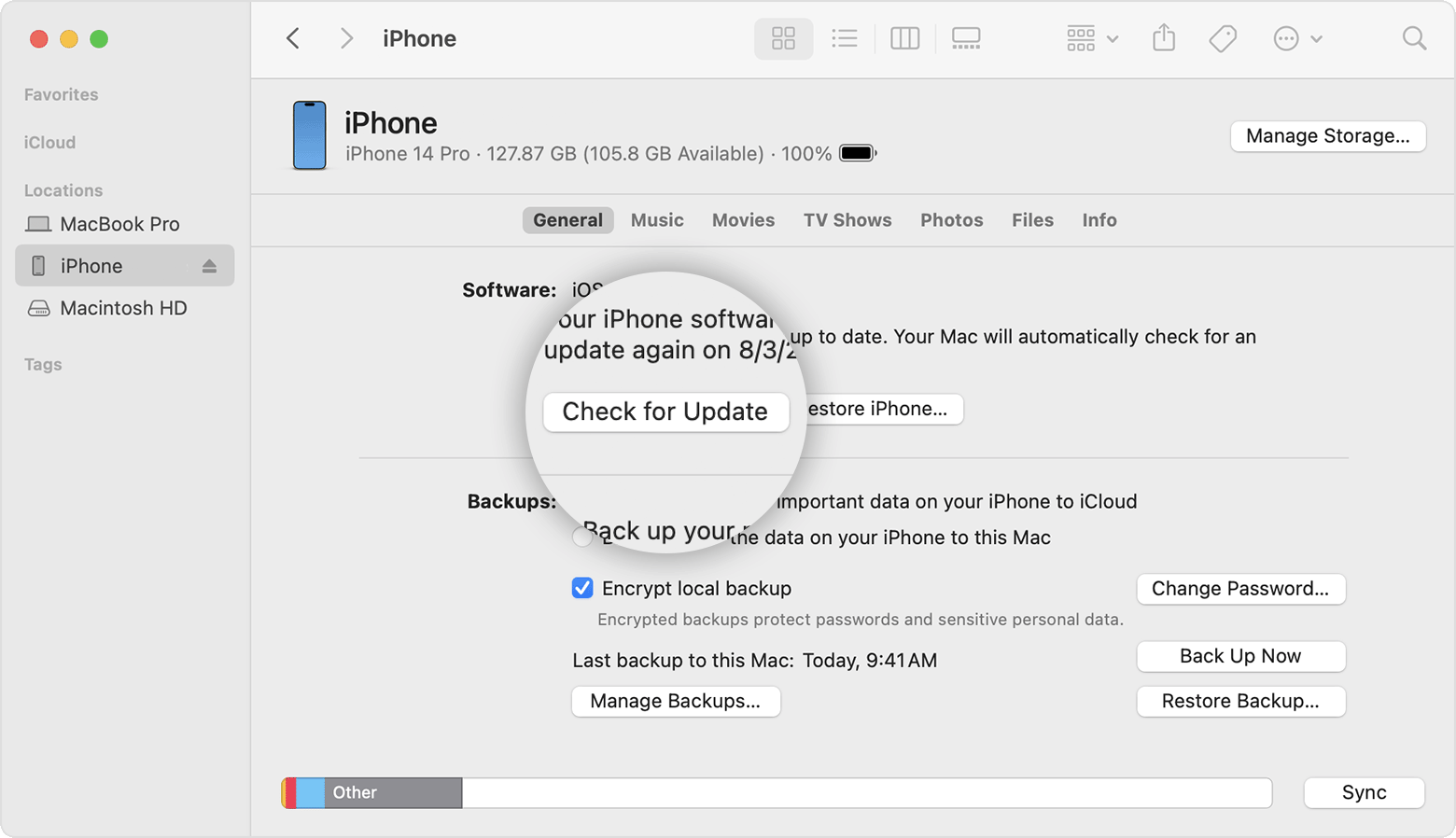
5. Click Download and Update.
You can also find those steps in the second half of this resource: If you need more space for an update on your iPhone, iPad, or iPod touch - Apple Support
Should you still be unable to update your iPhone, do you receive a particular error code or message from your computer?
Let us know, and we'll keep moving forward from there.

