My Apple Remote stopped controlling the TV after the last update. How do I fix the issue?

My Apple TV remote stopped controlling the TV volume and on/off function after the last update. I would like to find a way to resume that function on the Apple TV remote.

Apple TV 4K, tvOS 17

Posted on Oct 20, 2023 9:53 AM

Reply
Question marked as Top-ranking reply

Posted on Oct 21, 2023 11:03 AM

Thanks for reaching out Ragamuffinway,


It sounds like you're having trouble with your remote when using your Apple TV 4K. We can help.


A good place to start is with these steps If your Siri Remote or Apple TV Remote isn't working:


Try these steps first
1. Stay within 20 feet (about 6 meters) of your Apple TV and move anything that blocks the path between your remote and the front of your Apple TV, television, receiver, and sound bar.
2. Charge your remote for 30 minutes using a USB-C to USB or Lightning to USB cable and a USB wall charger.
3. Unplug your Apple TV from the wall power outlet. Wait at least six seconds, then plug it back in.


 If the volume buttons on your Apple TV remote aren't working you can follow these additional steps:


Restart your Siri Remote or Apple TV Remote
1. Press and hold the TV/Control Center button and the Volume Down button at the same time. Hold the buttons down for about 5 seconds, or until the status light on your Apple TV turns off and on again.
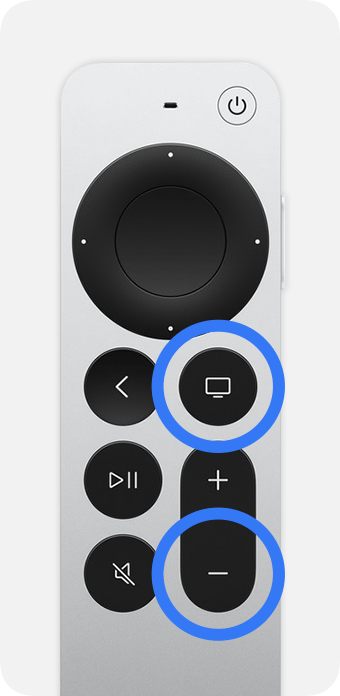
Siri Remote with the TV/Control Center and Volume Down buttons circled
2. Release the buttons. Then wait 10-15 seconds for a Remote Disconnected notification to appear on your TV screen. 
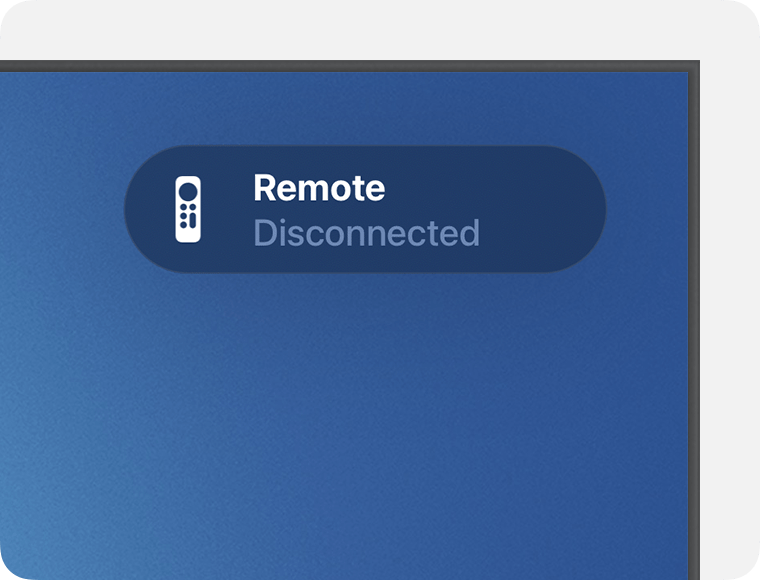
The Remote Disconnected notification appears in the upper-right corner of the TV screen
3. Press any button on your remote. When the Remote Connected notification appears, you can use your remote.
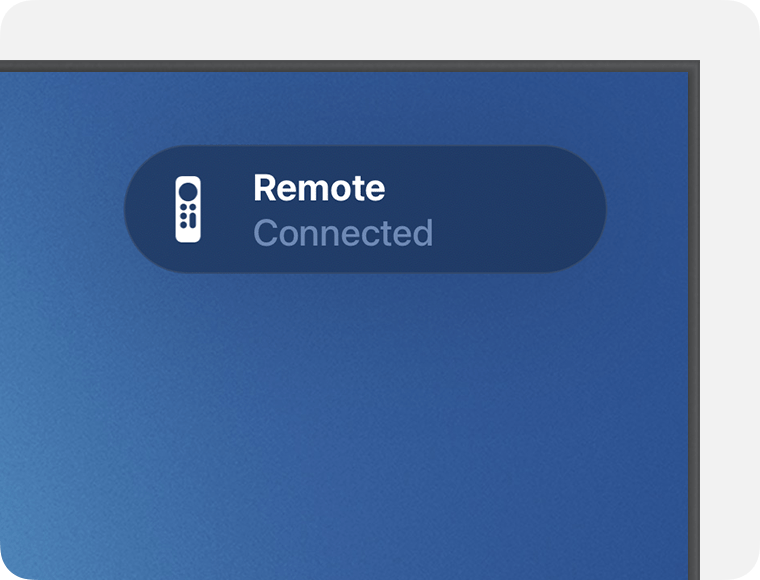
The Remote Connected notification appears in the upper-right corner of the TV screen

Adjust volume control settings
1. Go to Settings on your Apple TV.
2. Select Remotes and Devices, then select Volume Control. 
3. Select a different volume control setting and try your volume buttons again. For example, you can select TV via IR instead of Auto.


Hope that helps.


Take care.


1 reply
Question marked as Top-ranking reply

Oct 21, 2023 11:03 AM in response to Ragamuffinway

Thanks for reaching out Ragamuffinway,


It sounds like you're having trouble with your remote when using your Apple TV 4K. We can help.


A good place to start is with these steps If your Siri Remote or Apple TV Remote isn't working:


Try these steps first
1. Stay within 20 feet (about 6 meters) of your Apple TV and move anything that blocks the path between your remote and the front of your Apple TV, television, receiver, and sound bar.
2. Charge your remote for 30 minutes using a USB-C to USB or Lightning to USB cable and a USB wall charger.
3. Unplug your Apple TV from the wall power outlet. Wait at least six seconds, then plug it back in.


 If the volume buttons on your Apple TV remote aren't working you can follow these additional steps:


Restart your Siri Remote or Apple TV Remote
1. Press and hold the TV/Control Center button and the Volume Down button at the same time. Hold the buttons down for about 5 seconds, or until the status light on your Apple TV turns off and on again.
Siri Remote with the TV/Control Center and Volume Down buttons circled
2. Release the buttons. Then wait 10-15 seconds for a Remote Disconnected notification to appear on your TV screen. 
The Remote Disconnected notification appears in the upper-right corner of the TV screen
3. Press any button on your remote. When the Remote Connected notification appears, you can use your remote.
The Remote Connected notification appears in the upper-right corner of the TV screen

Adjust volume control settings
1. Go to Settings on your Apple TV.
2. Select Remotes and Devices, then select Volume Control. 
3. Select a different volume control setting and try your volume buttons again. For example, you can select TV via IR instead of Auto.


Hope that helps.


Take care.


This thread has been closed by the system or the community team. You may vote for any posts you find helpful, or search the Community for additional answers.

My Apple Remote stopped controlling the TV after the last update. How do I fix the issue?

Welcome to Apple Support Community
A forum where Apple customers help each other with their products. Get started with your Apple Account.