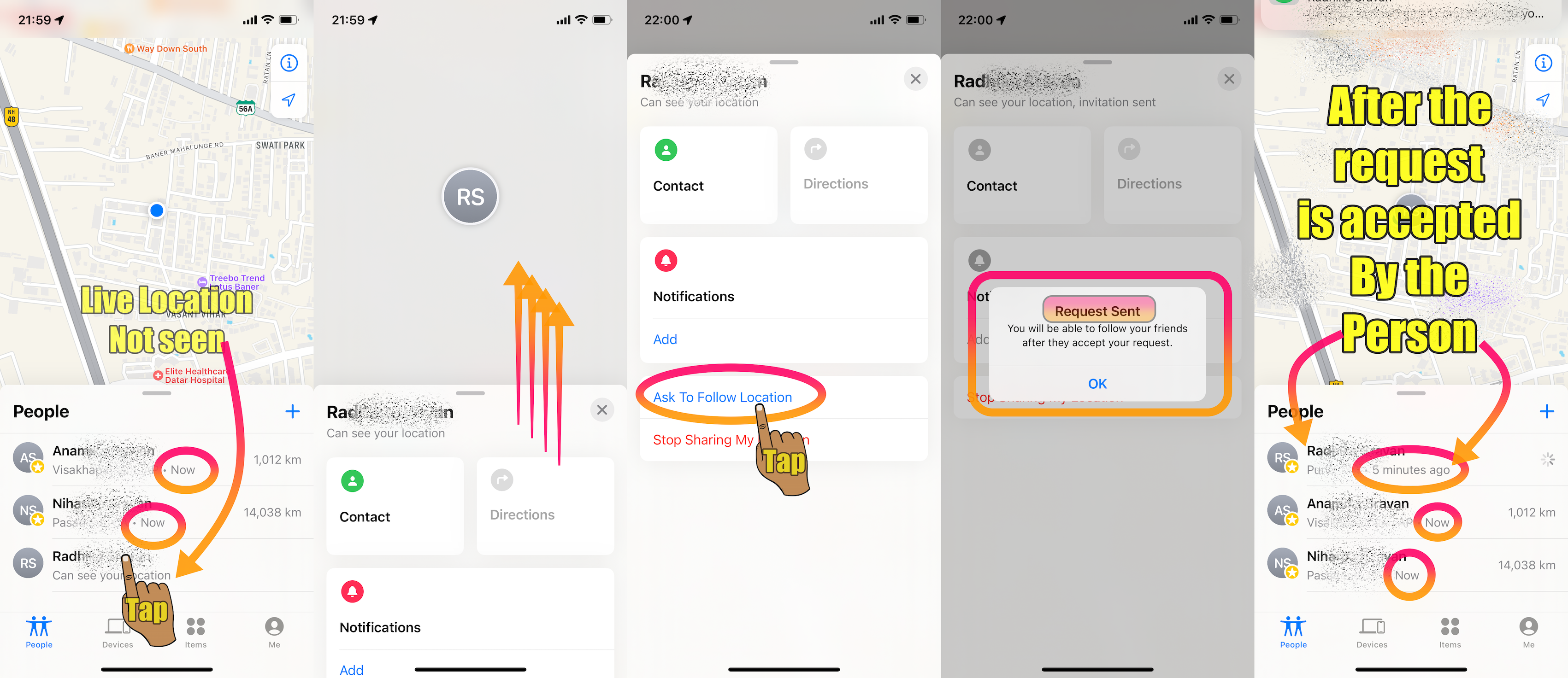
It is not clear from your post the process you are using to share your location with others.

Open the Find My app and select the People tab. Tap the Add button . Select Share My Location. Enter the name or phone number of the person that you want to share your location with. See the pic below.
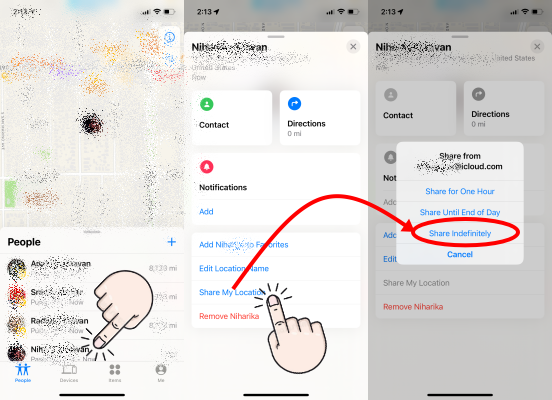
Find people and share your location with Find My
Share your location in the Messages app
- Open the Messages app on your iPhone and select a message.
- Select the name of the person or group at the top of the conversation.
- Select Send My Current Location. Your recipient will see your location on the map.
Find people and share your location with Find My
With Family Sharing, you can share your location with family members in the Find My app or the Messages app.
...
Share your location with a family member
- On your iPhone or iPad, go to Settings.
- Tap Family.
- Tap Location Sharing.
- Under Share Your Location With, tap to choose which family members to share your location with.
Share your location with your family - Apple Support (IN)
Possibly they have stopped sharing their location with you. See the pic below, which may explain their action
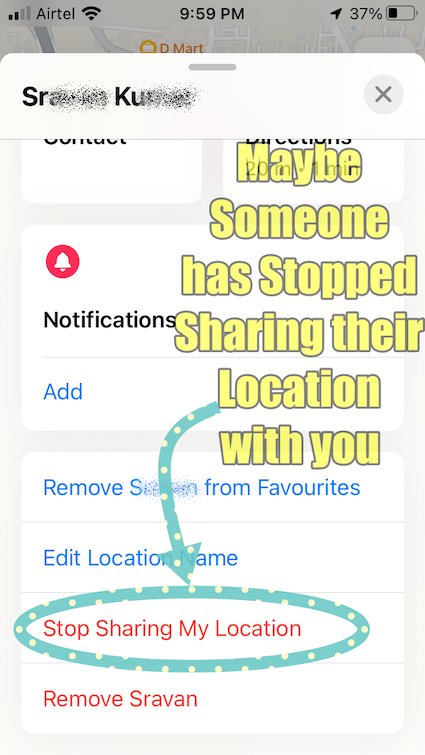
You may again send a request to them to start sharing their location with you.
See the pic below which is self-explanatory.